
Verticals: GP, Dental, Allied, & Specialist
PMS: Not Applicable
- Want to be on the Healthengine network but don’t want to have to publish appointment times?
- Want to chat to your patients before allocating a specific time for their appointment?
- Are you a mobile practice and can’t give exact appointment times?
The Book Now button is a Healthengine feature that allows practices to appear on the network and accept patient booking requests without publishing specific appointment times. Instead, patients submit a request and the practice contacts them directly to confirm a time.
The Book Now button can be used with both Patient Connect Bookings and the OBS (Online Booking System) web plug-in on your own website. If you’d like to request this feature for your practice, contact our support team.
What does it look like?
Important: The setup of the Book Now button is performed by the Healthengine support team. Please reach out to our support team using the contact details at the end of this article. If no contact details appear below, visit the Healthengine Contact page or log a ticket via your Practice Admin Portal.
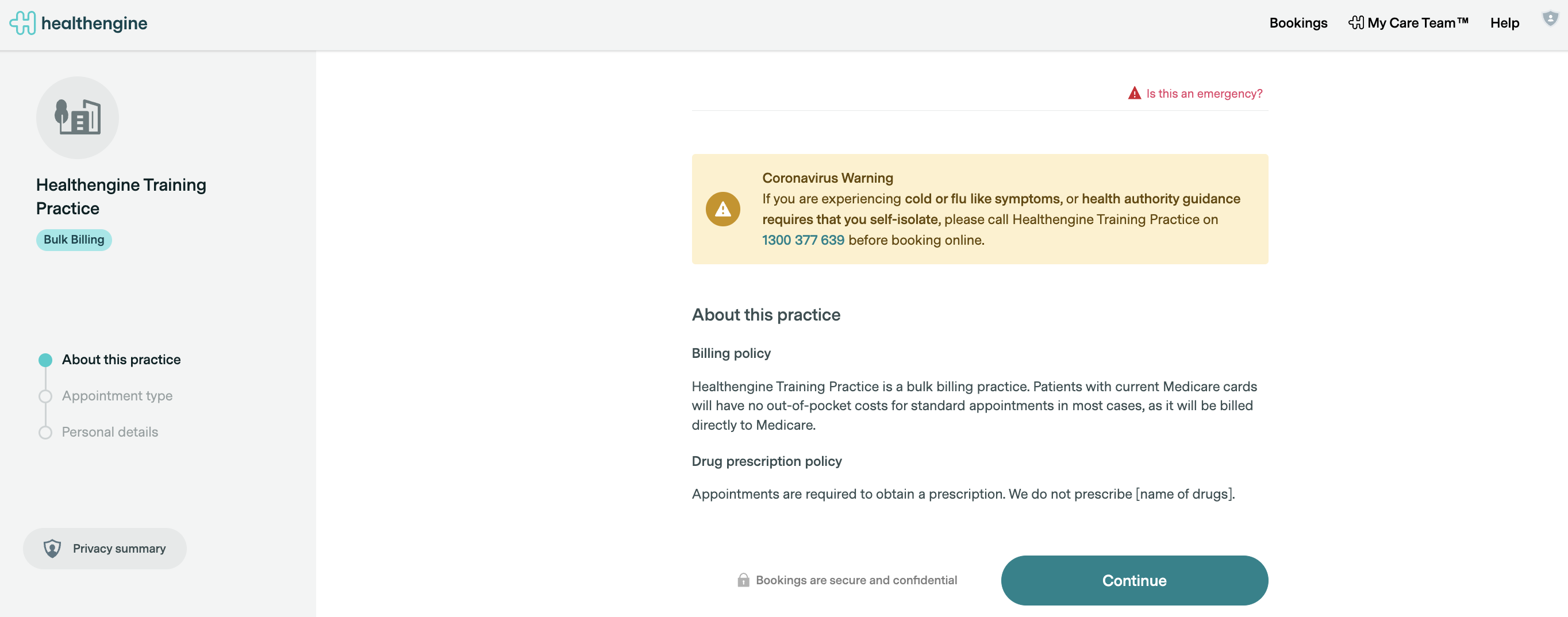
The Book Now button will appear on your profile page in place of specific appointment times, as shown below.

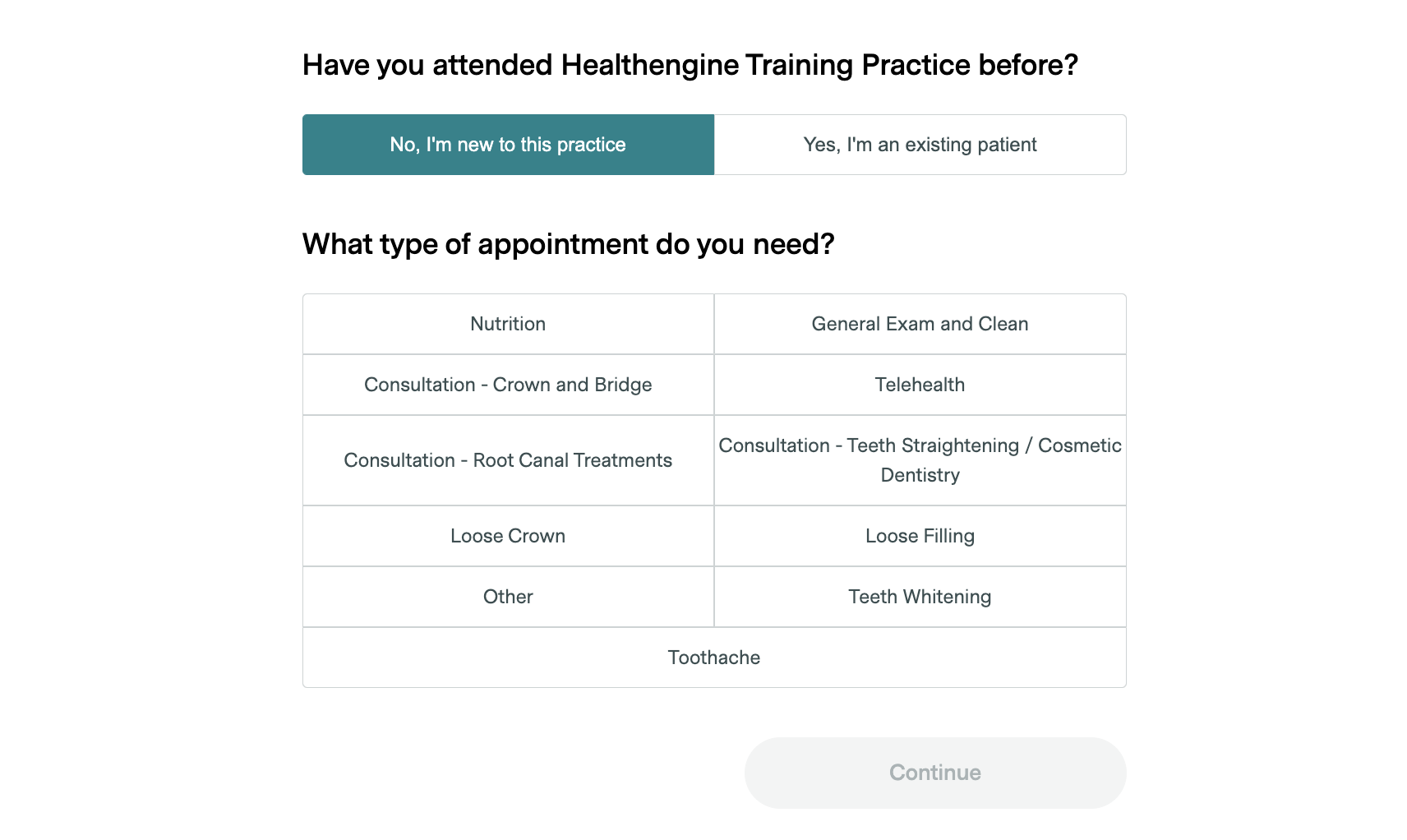
After the patient clicks the Book Now button, the booking form will open and look just as it does when booking a specific appointment time, as shown.
The patient will still select an appointment type, however as the book now button is set on an overall practice level rather than by practitioner, you will need to contact our support team if you want to make any changes to the appointment types listed.
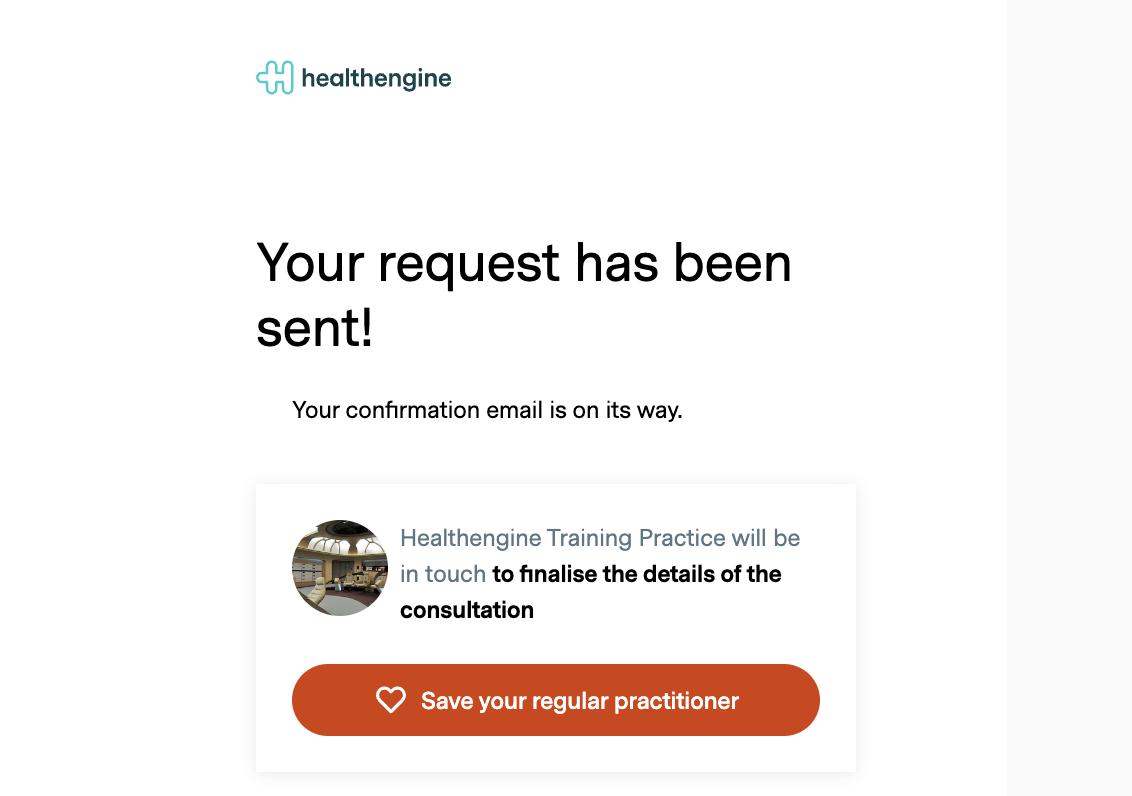
At the end of the booking form, the patient will get the following notification:
You will receive an email notification about the booking at the email address added to your notifications.
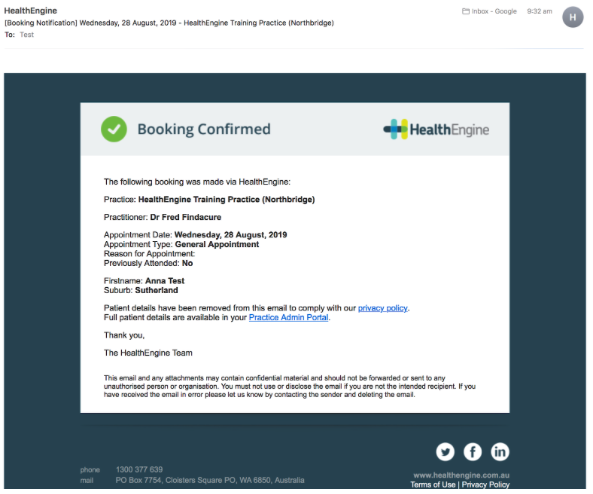
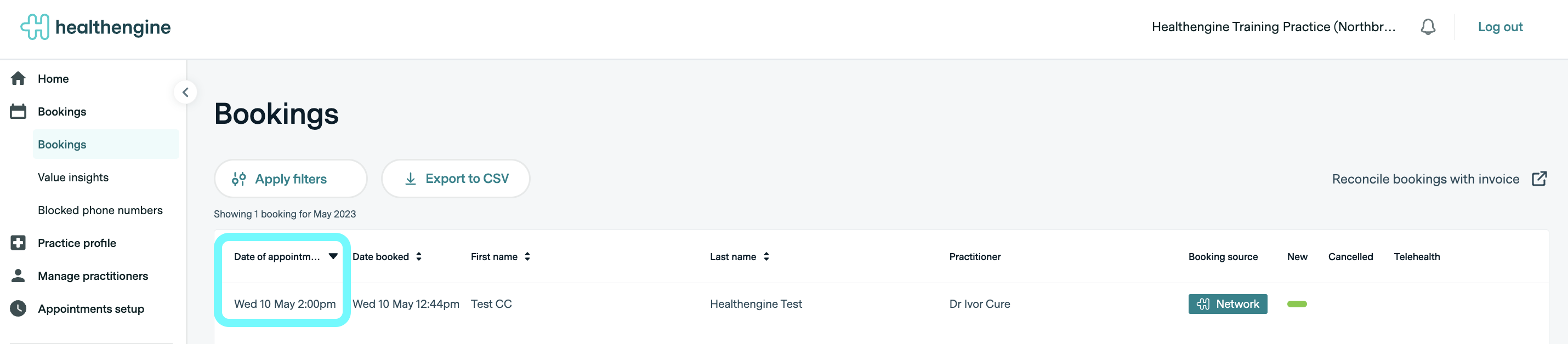
In the email received, you can then click on the Practice Admin Portal link to go to your Practice Admin Portal and view the full patient details in your bookings list.
Note: Your bookings list will show the patient as having booked a specific time — this is not the case. The patient has not selected or seen any time. You will need to contact the patient directly to arrange their actual appointment time.
Important notes
There are a few important details to note when using the Book Now button:
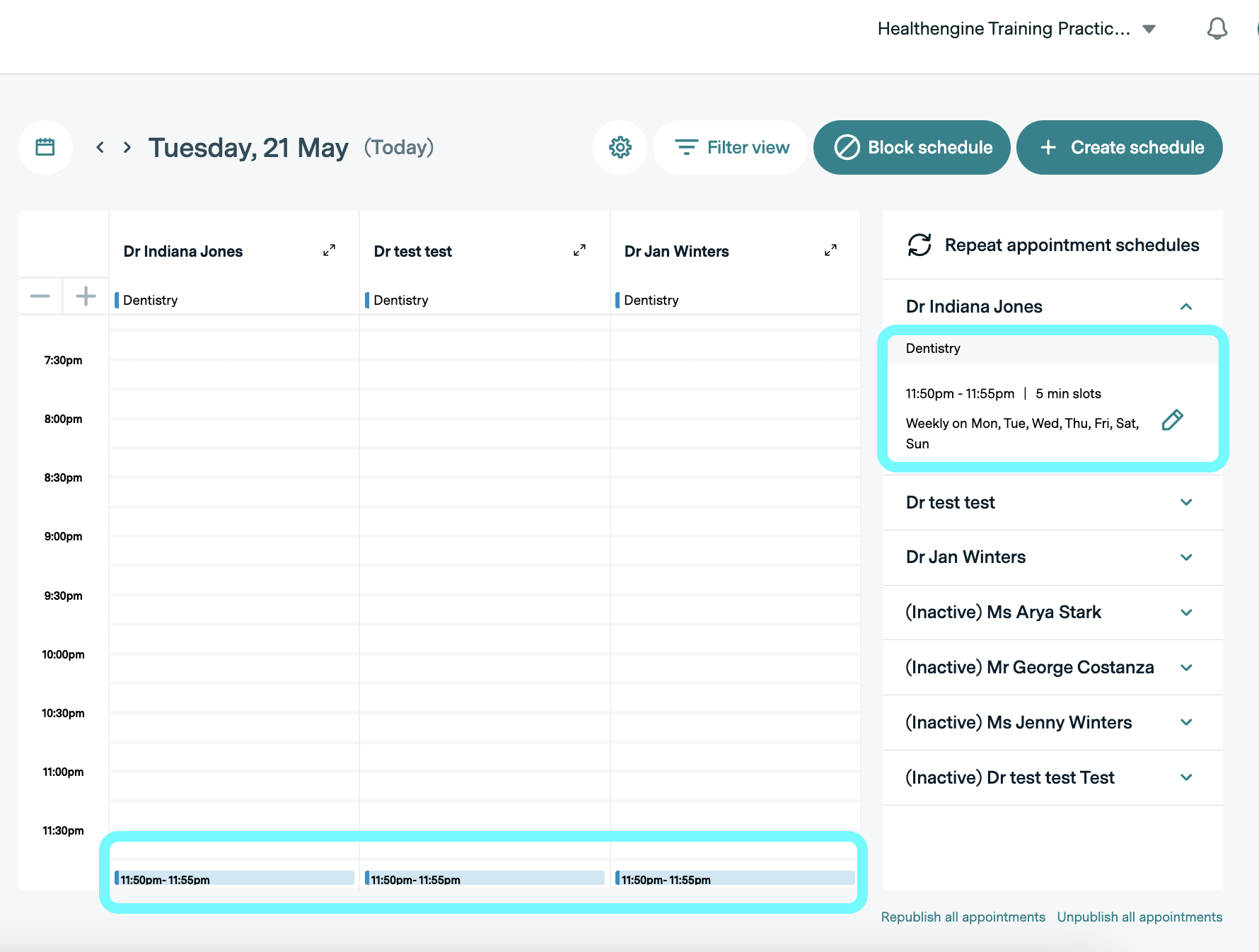
- A recurring 11:50 pm appointment schedule should always be visible on your practice admin Calendar for each practitioner (or one overall rule for your specialty on the Active Schedules page if on that format). This is what makes the book now button appear, and if it is removed, so is your book now button, so we recommend you do not touch these pages if set up in this way (you should also not publish or remove availability from the sidebar if on this setup).
Howdoes that look on the Calendar:
How it looks on Active Schedules:

- The Healthengine Feedback product will not be compatible if using the Book Now button. This is due to the fact that it will appear to our system that a patient has booked an 11:50 pm appointment that day, and so they would receive the feedback email after that appointment time rather than the appointment time you booked with them over the phone.
- The downside of this specific configuration will be on your practice to contact the patients in a reasonable timeframe and allocate an appointment time for them.
- Patients will be unable to cancel the appointment times you have booked for them through Healthengine.
- The Book Now button applies to your practice overall and cannot be used only for specific practitioners. As such, patients will be unable to click the book now button from a practitioner profile and will need to visit your practice profile to do so.