
Vertical: GP
PMS Eligible: BP, Pracsoft
Why hasn't the consent request been sent to the patient?
The request is only triggered once the appointment has been completed and invoiced to Medicare. The invoice does not need to be raised on the day of the appointment (for example, in Best Practice, invoicing the appointment a day or more later still sends the request). Check the steps for your PMS:
Best Practice
Steps to trigger the consent request
- Ensure the relevant PMS appointment types are enabled for Bulk Bill Consent in Practice Admin.
- Mark the patient as arrived.
- Start the appointment visit.
- Complete the appointment visit.
- Invoice the appointment to Medicare and select Generate & store (choose "Do not generate assignment of benefit: Managed externally" where Healthengine is managing consent collection).
Pracsoft / Medical Director
Steps to trigger the consent request
- Ensure the relevant PMS appointment types are enabled in Practice Admin
- Locate the appointment in the Pracsoft appointment book.
- Record it as a same-day visit.
- Create the invoice — add the relevant MBS items, set Invoice to = Bulk Bill, tick "Remove from Waiting Room", and select Voucher.
- Complete the appointment visit.
Tip: If there are multiple visits in a day, ensure the consult time is close to the appointment time so the correct encounter is matched.
Why does the status say "Send" with "no previous send"?
This means there is no mobile number or email address on the patient record in the PMS. Add the patient's mobile number and/or email to their record, then select Send in Practice Admin to issue the request.
The patient didn't receive the SMS or email
- Confirm a valid mobile number and email address are on the patient record (the request is sent by SMS and email at the same time).
- Re-send the request from Practice Admin (Bulk Billing Consent). SMS can be sent a maximum of 3 times per consent request (the initial send plus up to 2 further sends), which includes the optional 24-hour reminder if your practice has it enabled. Email is sent alongside each SMS at no extra cost and doesn't count towards the limit.
- Once the 3 SMS sends are used, use your practice's manual fallback process (e.g. paper consent) rather than continuing to resend.
- The link remains valid for 30 days.
I've collected consent manually (e.g. a signed paper form) - how do I stop further sends?
Mark the request as Complete in Practice Admin. This applies the same way regardless of PMS - Best Practice and Pracsoft practices both need to do this if consent is collected outside the digital flow, otherwise the automated SMS sends (including the 24-hour reminder) will keep firing.
A patient can't verify their identity
Verification uses the patient's last name and date of birth. Ensure these details match the patient's Medicare details in the PMS. If they do not match, correct the patient file in the PMS and then re-send the request. The patient should not be asked to keep retrying verification if their details are incorrect.
The status shows "Expired"
The consent link is valid for 30 days. If it has expired, re-send the request from Practice Admin to generate a new link.
If I change a patient's appointment type before their appointment, will the request still send?
Yes. If the appointment type is changed before the patient is marked as arrived and the visit is started, the request is sent once the appointment is completed and invoiced to Medicare.
Where is the patient's consent stored in the PMS?
- Best Practice: under the Correspondence In section of the patient record.
- Pracsoft: under the Correspondence tab of the patient file in MedicalDirector Clinical (the same place submitted New Patient Forms are stored).
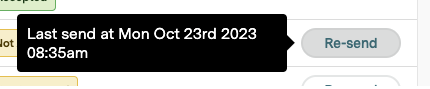
How do I find when the request was last sent?
In Practice Admin (Bulk Billing Consent), the dashboard shows the last sent date/time and contact attempts for each request.
Will a request still send if the patient is on the Blocked Communications list?
Yes. This is a transactional message tied to the patient's appointment (not a marketing message), so it isn't affected by the Blocked Communications list. We recommend telling patients at the time of their appointment that they'll receive an SMS and email to verify their identity and provide consent.