
Vertical: GP
PMS Eligible: Best Practice
The steps below are a quick and easy guide on how to enable Healthengine as a third-party integration in your Best Practice (via Halo Connect). This is required for your Healthengine integration to function.
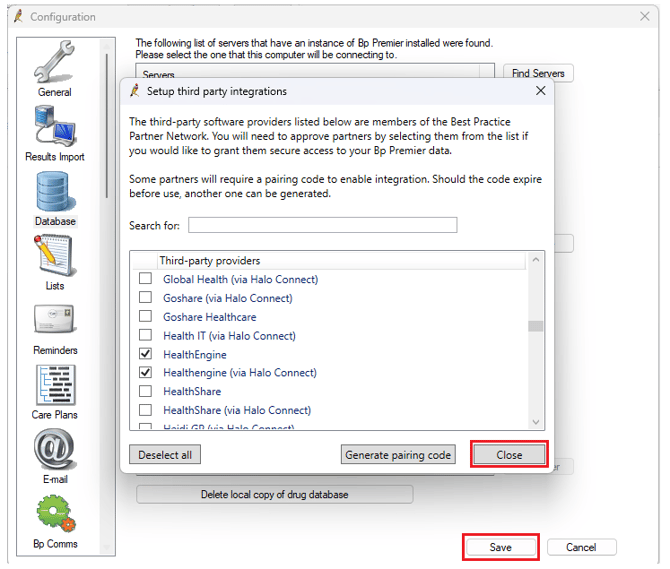
1. Open Best Practice > Setup > Configuration
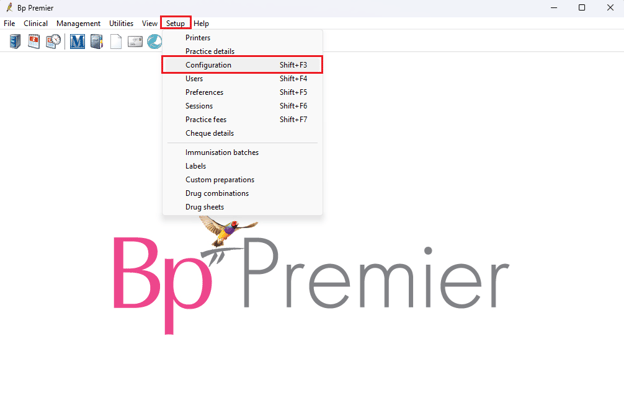
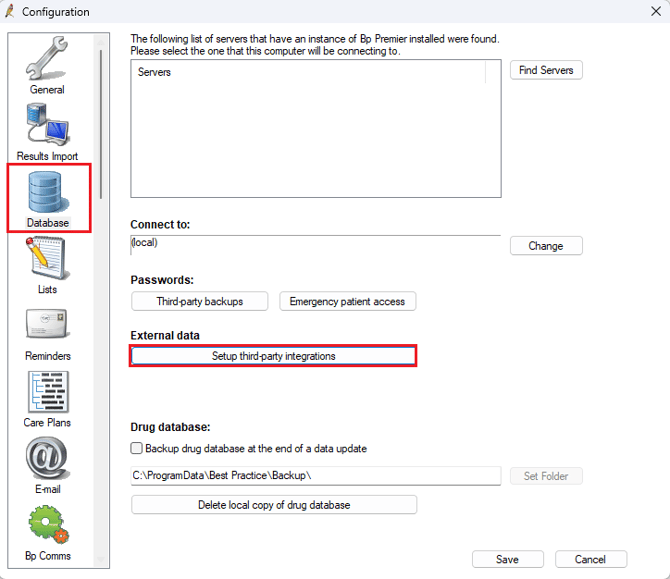
2. Select Database > Setup third-party integrations
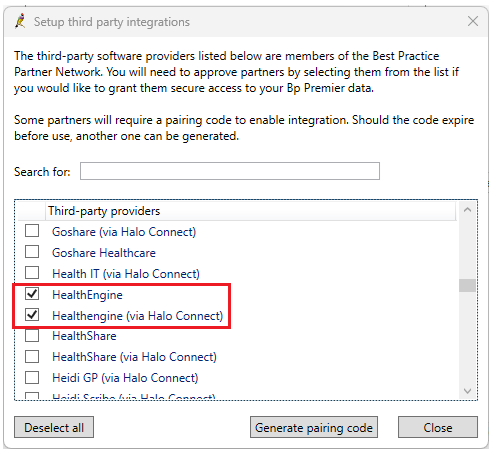
3. Tick ‘Healthengine (via Halo Connect)’ (HealthEngine should already be enabled)
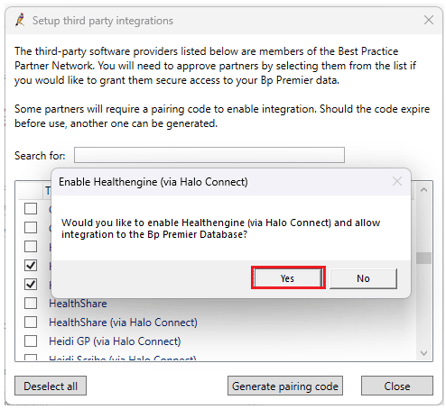
4. Then click Yes to enable Healthengine (via Halo Connect)
5. Click Generate pairing code. Best Practice will display a Site ID and a Pairing Code — you'll need both, and you must be logged in as a user with access to Setup → Configuration (usually your practice manager or owner).
6. Enter the Site ID and Pairing Code on your Healthengine integration setup page, or reply to your Healthengine support email with them and we'll complete the connection. Codes expire after 7 days, so if it's been longer, generate a fresh one.
7. Then click Close and Save
Congratulations, you have now enabled the Healthengine integration with Best Practice Halo.
For more information, you can see the Best Practice Guide located here.