
Verticals: GP, Dental, Pharmacy, Allied, & Specialist
PMS: Not Applicable
There are two ways to get support from inside Practice Admin, both in the top right-hand corner of your screen: Live chat connects you with our support team, and Help centre opens our self-serve support articles.
You can also reach the Help Centre from the **Resources** section at the bottom left of Practice Admin, or through this link: here
When you are logged in to Practice Admin, look for the Live chat button in the top right-hand corner of your screen. This was previously labelled Help.

Clicking on it will make it appear this menu: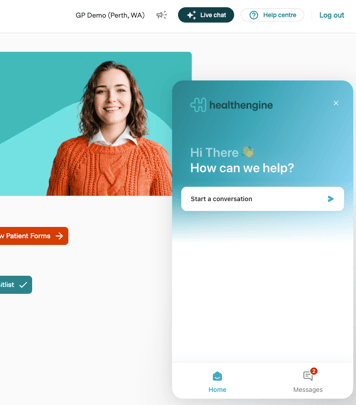
You will be able to see the old chats you have raised in the past, as well as the current one.
Click on send us a message, and fill in the information in relation to your specialty and your Practice Management software.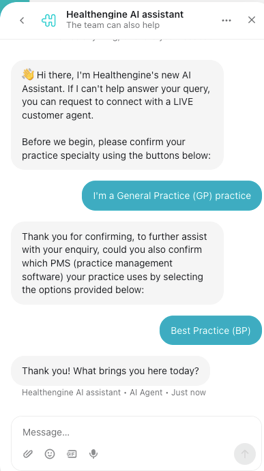
Once completed, provide more information about your enquiry, and Ai Assistant will try to provide you with the most up-to-date information.
If you prefer instead to speak with a human agent, simply let the AI assistant know.