
To obtain an API key from Nookal you will need to login to Nookal and click on Setup > Connections > API Keys and click Generate API Key
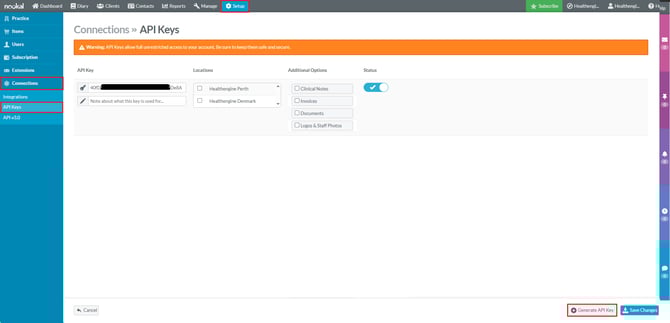
Then enter the name such as Healthengine1 select the Locations you need to grant access to or publish on Healthengine and toggle the status on as shown below
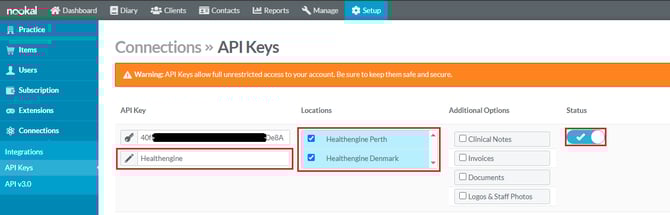
Then click on the Save Changes button in the bottom right.

Then copy the token provided to clipboard or leave the window open
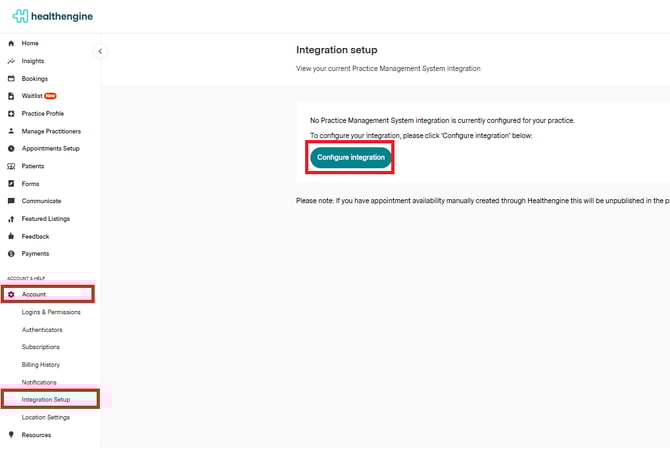
Now that you have your API key you will need to login to Practice Admin and browse to Account and then Integration Setup Account > Integration Setup and click on Configure Integration
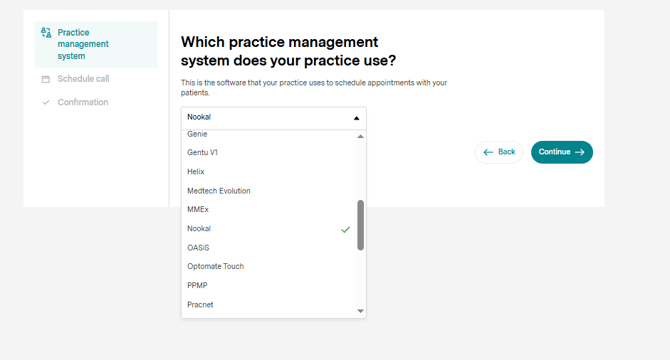
Then Click on Lets Go and select Nookal from the list and hit continue
And paste the API key you obtained earlier from Nookal into the window and click Save.
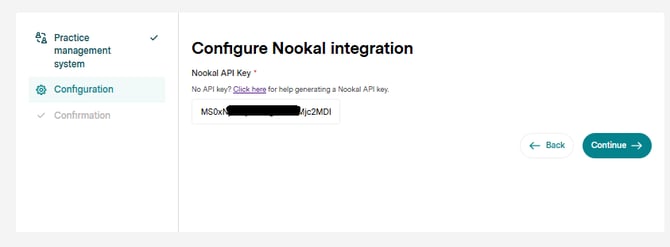
Congratulations, you have now added an API key from Nookal into your Healthengine profile. You can confirm this is up and running by refreshing the Integration Setup that displays next after 5 - 10 minutes and you should see Integration Healthy? show as Yes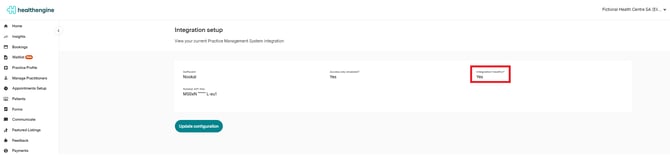
For more information on the Nookal API their help page can be found here.