Vertical: Pharmacy
PMS Eligible: N/A
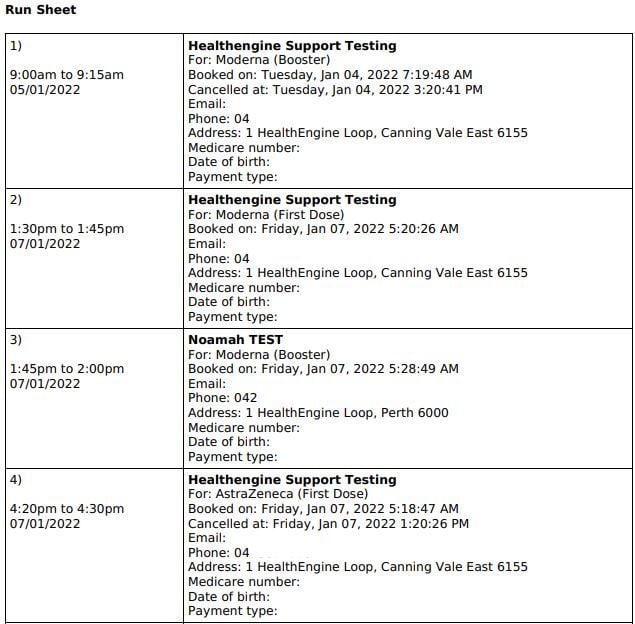
Downloading a Run Sheet is an easy and customisable feature that depends on your store's preferences!
The run sheet will provide you with a list of the bookings to be printed and for your staff to use. To download a Run Sheet, navigate to Bookings in your Practice Admin.
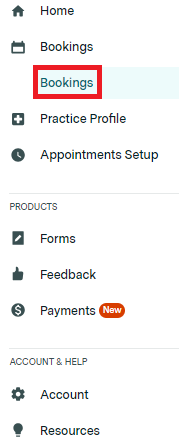
Following this, click the 'Export Run Sheet' button to generate a PDF of the listed appointments below that will then download straight to your computer.

Filtering your Run Sheet
Applying filters will help specify the Run Sheet to be downloaded depending on your store's requirements.
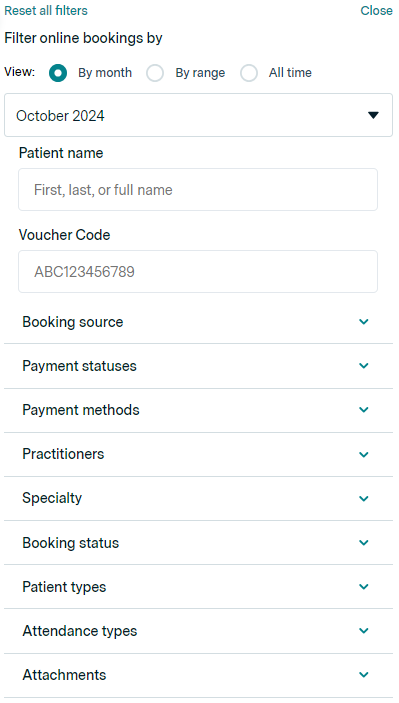
To add a filter (or multiple), click the 'Apply filters' button as seen below:

This section will give you a range of filtering options, such as:
- Filtering by month or a specific date range
- Services and appointment types
- 'Practitioners' or Consultation Rooms
- And many others, as displayed below
Once these filters are applied, repeat the steps above to download the filtered Run Sheet!
Example of a Run Sheet: