Vertical: General Practice, Dental, Allied, Specialist
PMS Eligible: Best Practice, Communicare, Consult, Genie, Medtech, Pracnet, Pracsoft, Practice 2000, Zedmed, Helix, CorePractice, D4W, Dentally, Oasis/Exact, Oasis (SOE), Dentrix (SOE), Exact (HS1), Praktika, CareStack, Back In Motion, Optomate, PPMP, Sunix, CorePlus, NOOKAL, Cliniko, MMex, PracSuite, Xestro, Front Desk 2014 v2014+, Gentu, Genie
If you have a practitioner who is set up in your practice software who temporarily doesn't need to publish their appointments online, Healthengine gives you the option to hide these appointments from your patients!
Disabling a Practitioner from Online Publishing
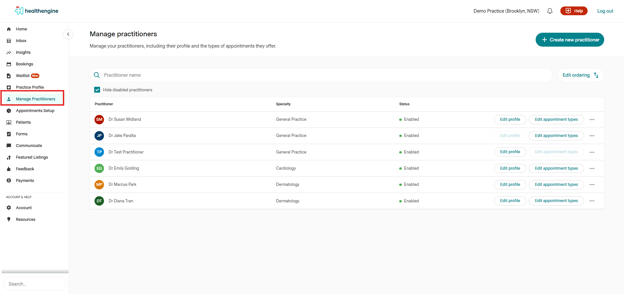
To disable a practitioner from publishing online, log into your Practice Admin and navigate to 'Manage Practitioners' on the left menu, as shown below:
From here, find the practitioner you wish to hide and click ‘Edit appointment types’ in line with their name as seen below:
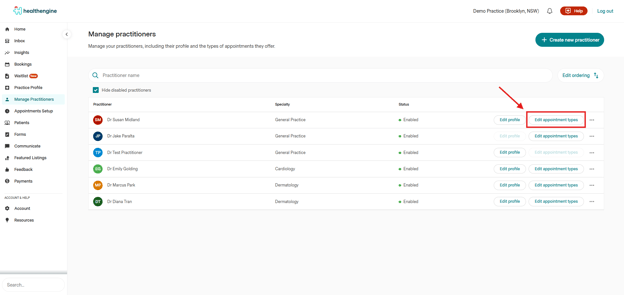
This will take you to their appointment type setup page.
Select "Practitioner Settings"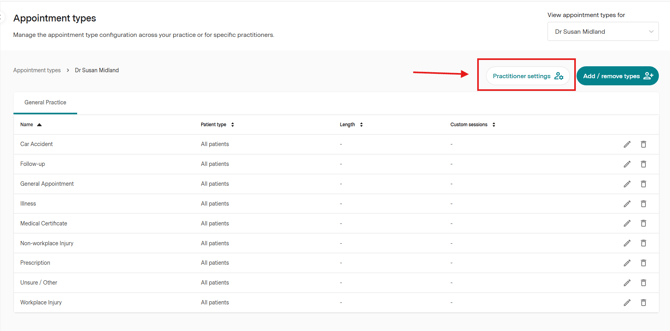
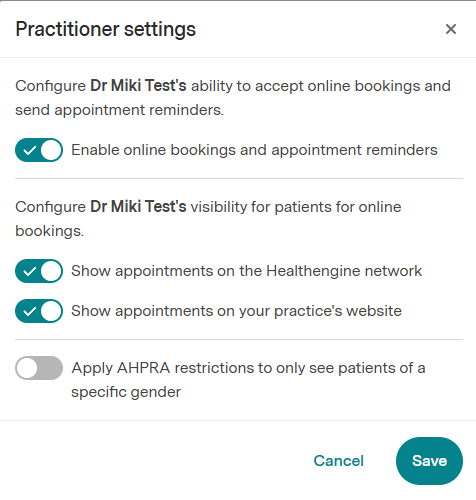
The first option will turn off completely online bookings and appointment reminders. 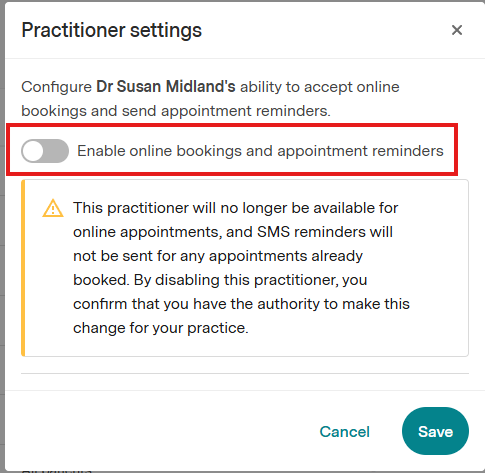
The other two options:
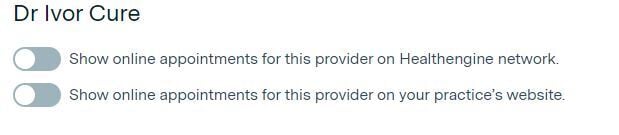
The first toggle option will hide this practitioner’s availability from the Healthengine Network, i.e., the Healthengine website and the app.
The second toggle option will hide this practitioner’s availability from the Online Booking System on your practice website.
Please note: this option is only relevant if you have this subscription with Healthengine.
When these buttons are toggled grey, as seen in the image above, this means that the appointments are hidden from online bookings.
Disabling all Practitioners from Online Publishing
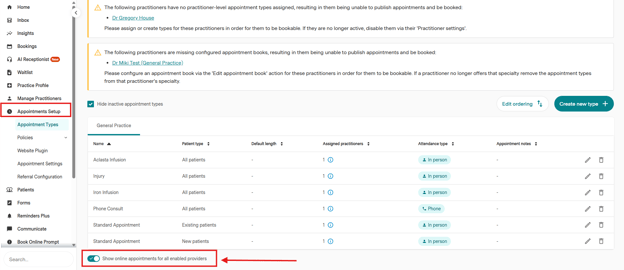
In the case of an emergency, if you need all practitioners to cease publishing appointments online, you can click on "Appointment Setup" on the left menu of your Practice Admin portal, and toggle off the option "Show online appointment for all enabled providers"
Re-Enabling a Practitioner to Publish Online
When you want to re-enable these practitioners to publish online once again, simply navigate to the same 'Appointment types' page in 'Manage Practitioners', click on "Edit Appointment Types, and select practitioner settings, and toggle these buttons back on to blue with a tick as seen below: