
Email Recalls are here, giving practices another high-performing way to reach patients and drive more responses!
Vertical: GP
PMS Eligible: BP, Pracsoft, Zedmed
Key things to note:
-
There is no additional fee to use Email Recalls.
-
By adding email alongside SMS, you can connect with patients who prefer email (or are less likely to engage with an unexpected text), helping maximise successful recall delivery.
Below is a summary of what’s changed to support Email Recalls.
Templates
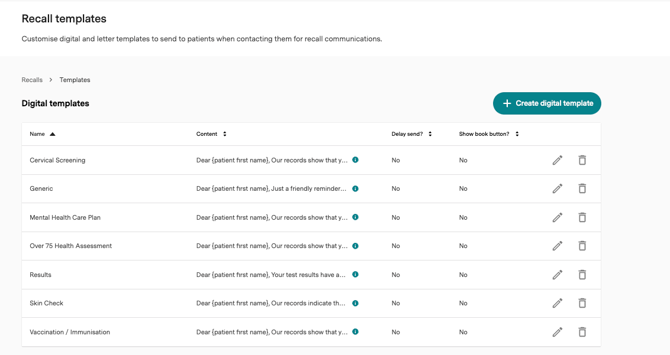
SMS Templates have been renamed to Digital Templates.
These templates are shared across digital channels (SMS and Email).
Categories
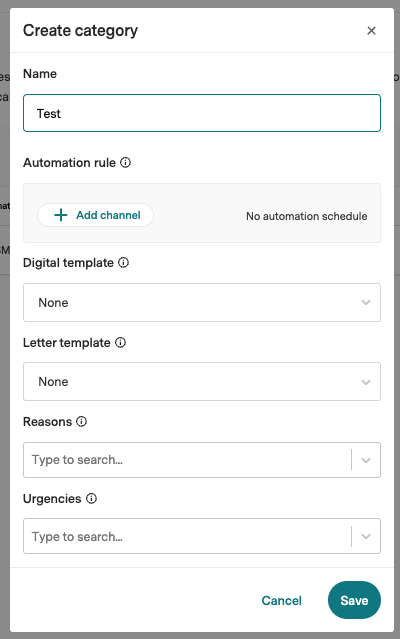
The Automation rule section has been updated to allow for more configurability.
You no longer have a hard-coded list of options - you can build the rule based on your requirements.
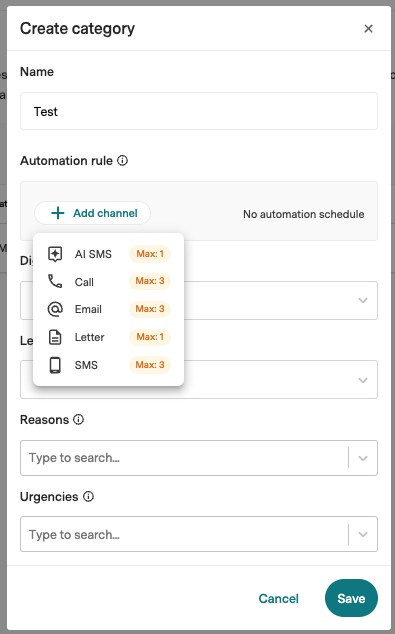
Start by clicking Add channel.
Select the channels in the order you want.
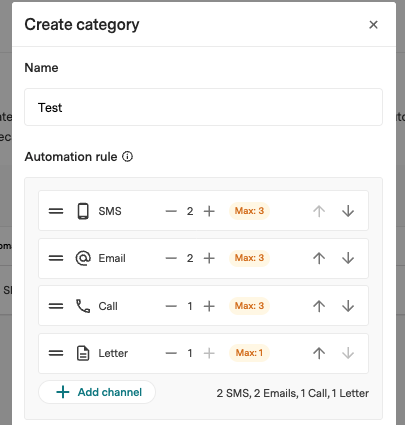
You can increase the number of attempts per channel by clicking the + button.
You can also drag and drop channels to resequence, or use the up and down arrows.
Preferences
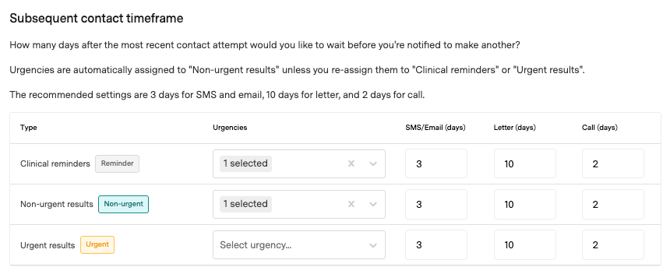
SMS days has been updated to include Email.
If your automation rule is set to 1 SMS and 1 Email, the SMS will send first and the email will be sent 3 days later.
Actions
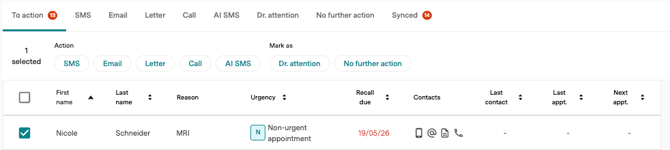
A new Email tab is available.
When a recall is selected, Email is available as an action.
The Contacts column also displays a new black @ icon when an email address is stored against the patient file.
If the patient does not have an email address, the symbol is greyed out.
Note: Contact type icons are greyed out when either missing or invalid. Icons are displayed in red when the patient has opted out or is on the blocked comms list for your practice.
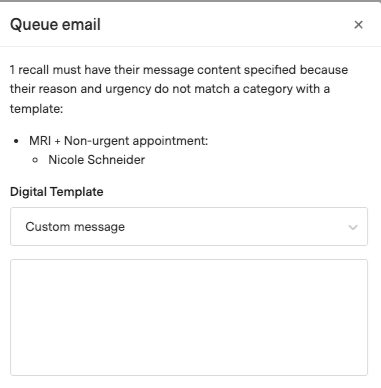
When the action to send an email is selected, the Queue email screen is displayed. From here you can select a digital template or create a custom message.
The recall is then displayed on the Email tab.
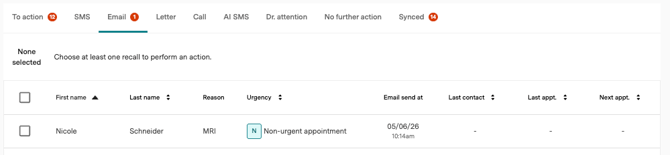
If you are using automated recalls, it will automatically move to the email queue based on your automation rule configuration.
Sender name: <Practice Name> (no-reply@healthengine.com.au)
Subject: You have a recall/result message from <Practice Name>
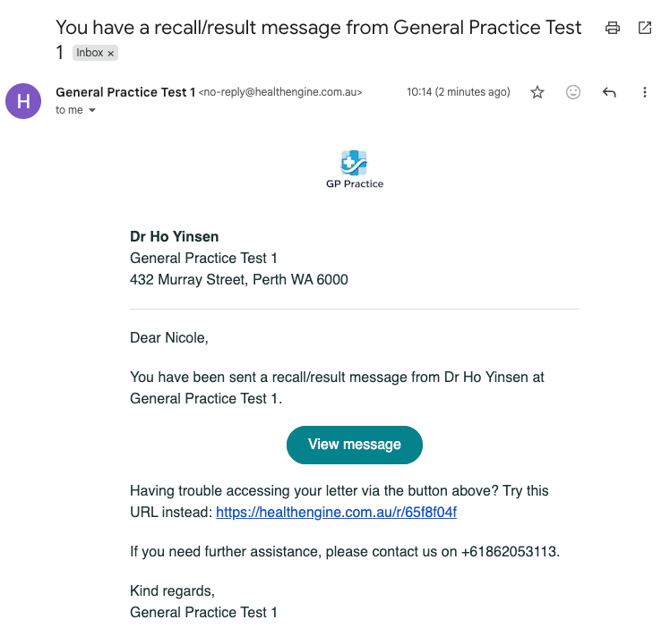
When patients click View message, they are taken to the patient verification screen before the message is displayed.
We comply with the RACGP Standards for General Practices (5th edition) and therefore require three points of identification before the electronic message is displayed.
If the practice has selected to only display the plain text message, patient verification won’t be required.
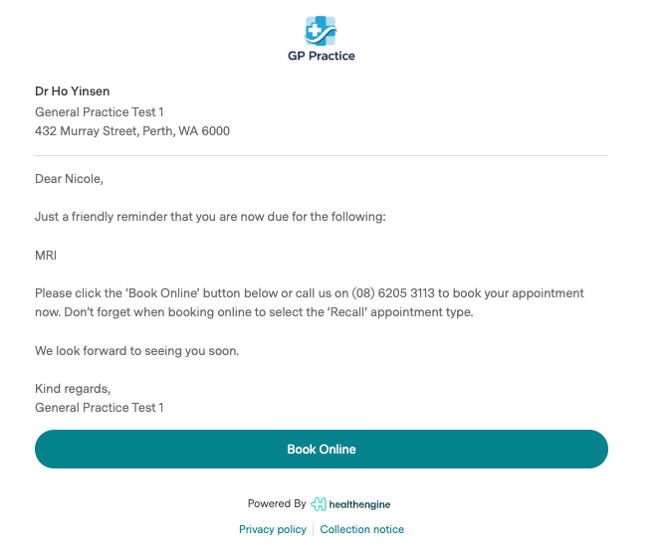
Email recalls are logged in the Action history and audit notes written back to the PMS, the same as SMS recalls.