
Vertical: General Practice
PMS Eligible: Best Practice, MedicalDirector/Pracsoft
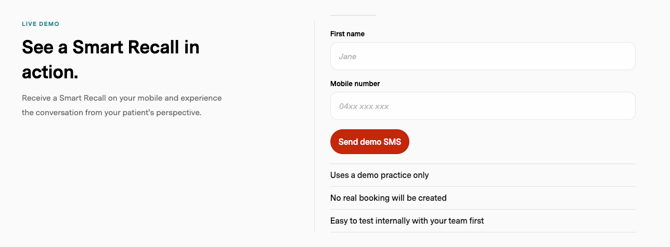
If your practice doesn't have AI SMS yet, you can try it yourself from Practice Admin before deciding whether to add it. The demo sends a real AI SMS to your own mobile, so you can see what your patients would get and reply to it as a patient would.
Who can use the demo
The demo is available to existing GP practices that:
- use Best Practice or MedicalDirector/Pracsoft, and
- don't already have AI SMS set up
If your practice already has AI SMS, you won't see the demo. See Introducing GP Smart Recalls! to get started instead.
If your practice meets these criteria but you can't see the Smart Recalls tab, contact Healthengine.
How to try the demo
- Log in to Practice Admin.
- Select the Smart Recalls tab.
- Enter your own mobile number.
- Send the demo SMS.
- Reply to the message on your phone to go through the clinical reminder conversation, just as a patient would.
Use your own mobile number. Don't enter a patient's number.
What you'll see
The clinical reminder conversation. The demo SMS is a clinical reminder: a routine reminder for preventive healthcare. Helen, the AI assistant, has a back-and-forth SMS conversation with you to book an appointment. There are no links or booking forms.
Example Patient Chats. The Smart Recalls tab also has example conversations you can open. They show how AI SMS conversations appear to your team, including how staff can view a conversation and step in with their own message.
The demo only shows clinical reminders. AI SMS can also be used for non-urgent test results. See Introducing GP Smart Recalls! for both types.
Adding AI SMS to your practice
To start using AI SMS with your patients, contact Healthengine to discuss getting started.