
Vertical: Pharmacy
PMS Eligible: N/A
When joining us at Healthengine, you should inform your patients that you are now using our software and advise them about what communication they may receive from us on your practice's behalf.
If a patient wishes to opt out of receiving any communication from Healthengine, you can promptly add them to your Healthengine Blocked communications list in Practice Admin!
Our Blocked communications list is used to manage your patient's consent to receiving messages from us, including:
- Appointment Reminders
- Feedback Requests
- New Patient Forms
- Waiting Room Messages
- Communicate SMS'
Please note: For the Blocked communications list to also apply to Recall messages, there is an additional checkbox your practice would need to tick to also block those.
How to Block a Patient from Receiving Healthengine Communication
If a patient requests that you stop sending them any of these types of communication, you can manage this consent in your Healthengine Practice Admin Portal.
To do so, navigate to "Patients" as seen below, and select "Blocked communications"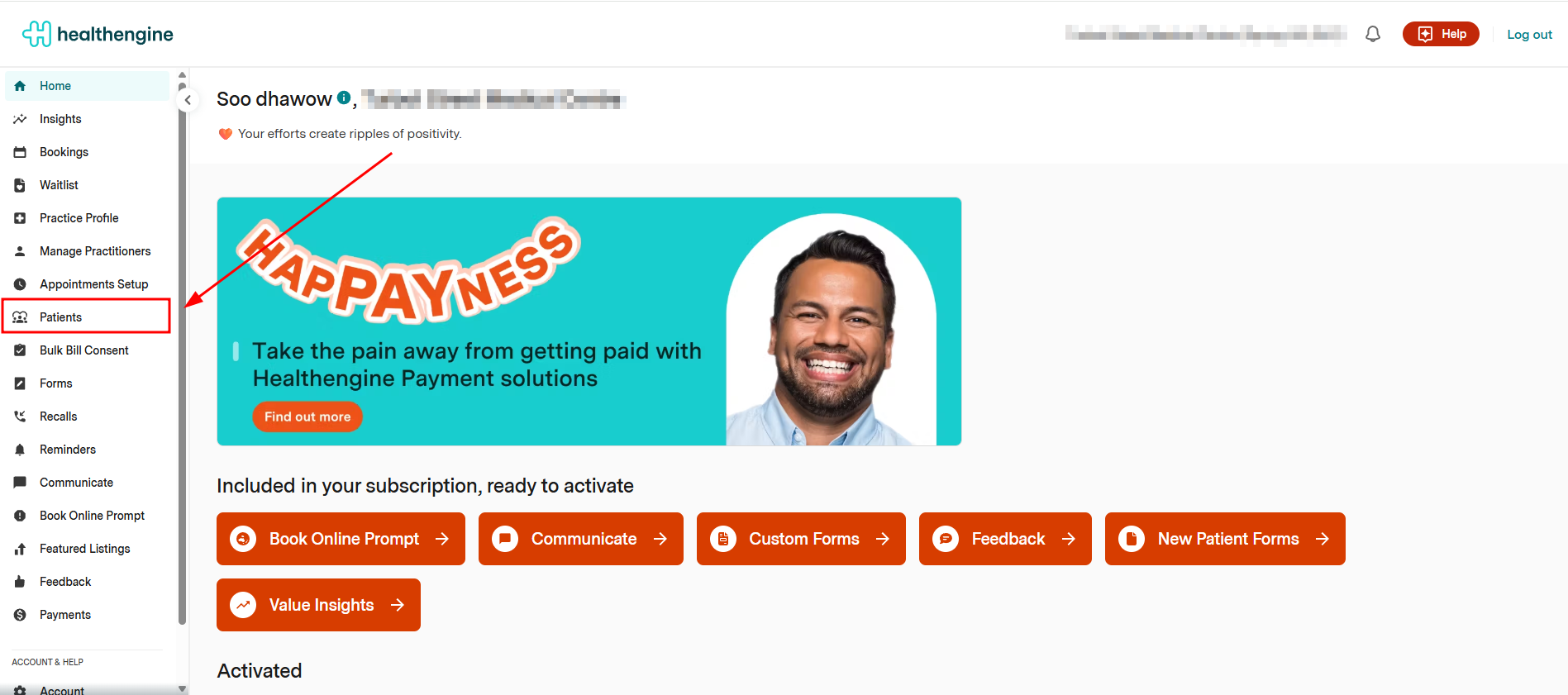
In this Blocked communications list, you can add a patient's email address and/or mobile phone number to block it from receiving communications from Healthengine.

Once added, it will appear below under the email or mobile number section, depending on what you have chosen to block for this patient.
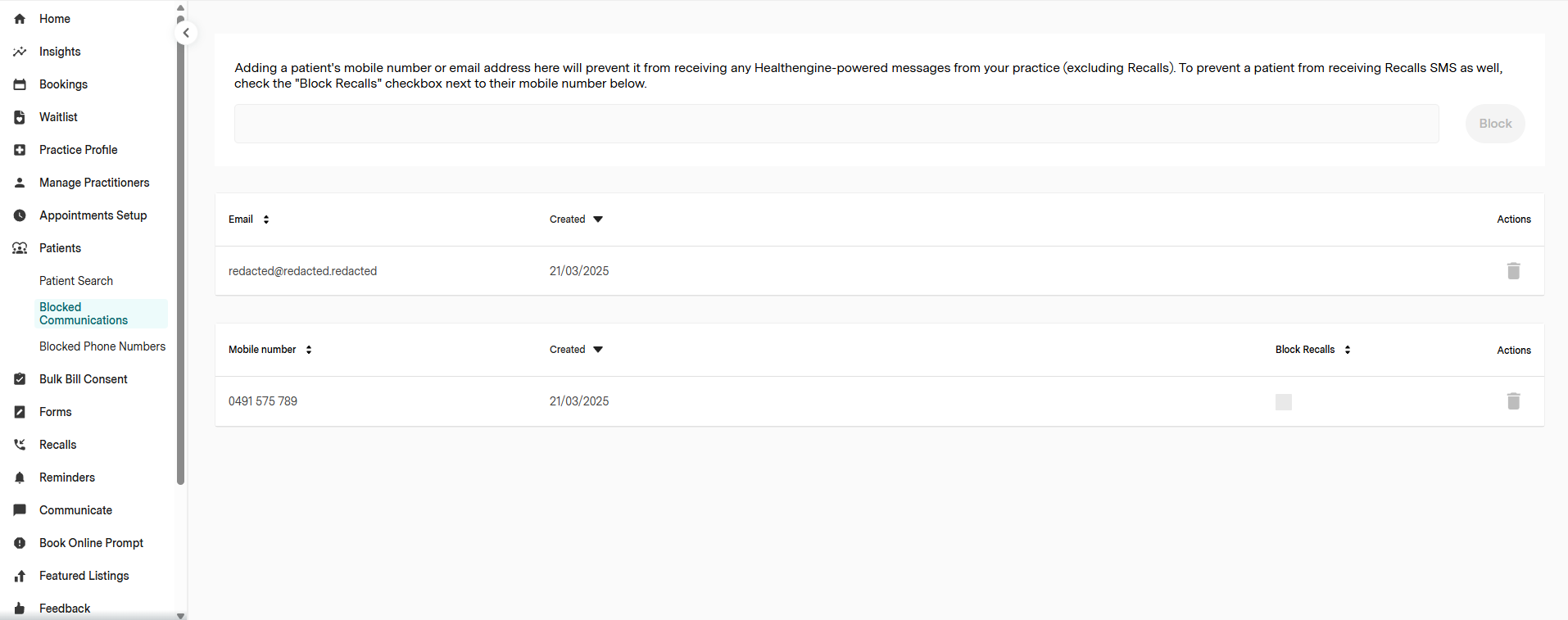
If you wish to remove a mobile number or email from the block list, simply select the trash can icon in line with the patient's form of communication. Following this, the patient will be able to receive any future communication.

IMPORTANT: To be able to block recalls, you will need to tick the box under "block recalls"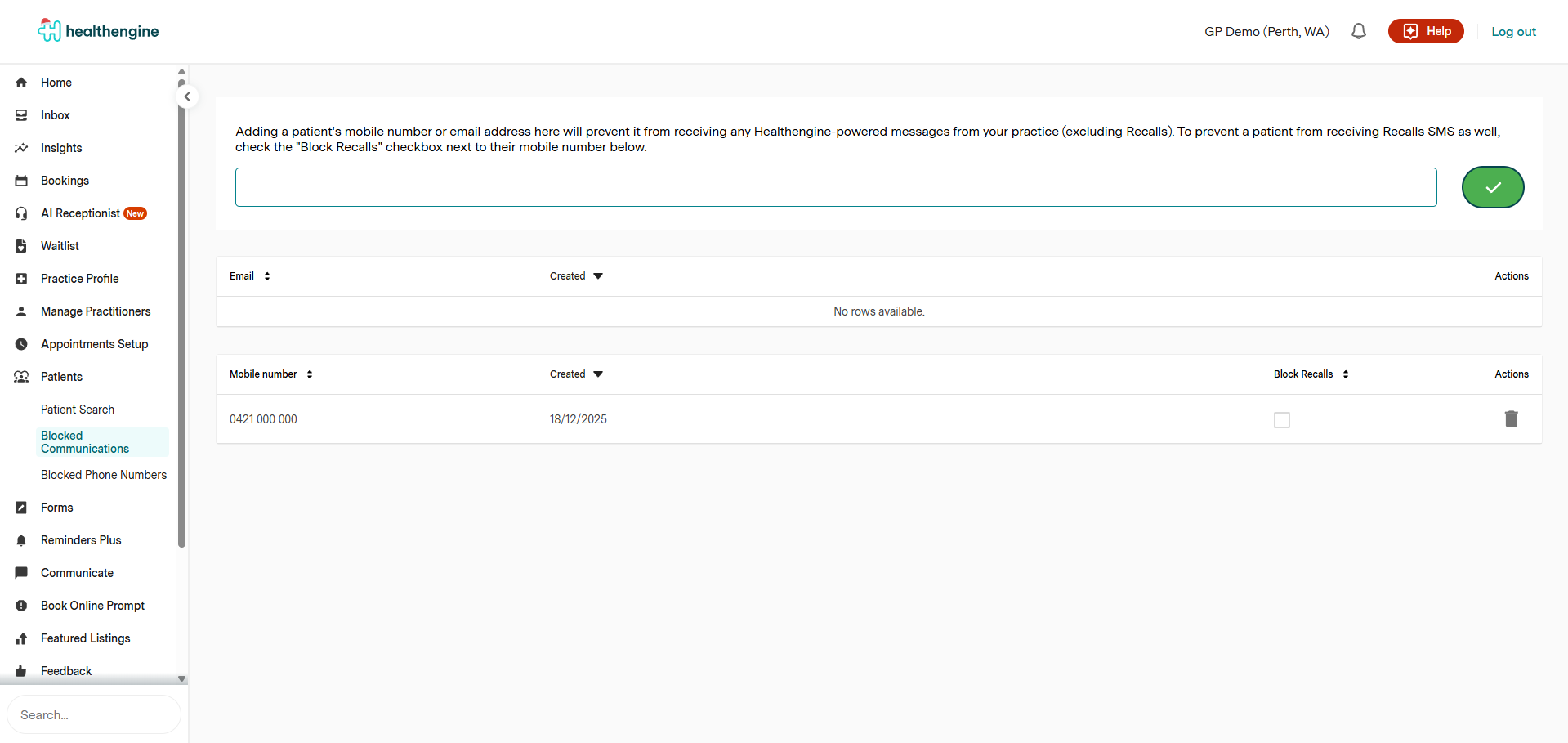
Communication for Best Practice Software
In the latest versions of Best Practice, the software does not allow third-party access to consent settings. What this means is that settings that have the ability to read consent settings from your own PMS (like the one shown below in Reminders) will not be able to do so.
These practices must use the Blocked communications list to manage patient consent settings instead.
