
Vertical: GP
PMS Eligible: Pracnet
This article will go over the most common problems we see with Pracnet and how you can attempt to troubleshoot them.
Availability Not Showing?
If you notice your practice is missing availability from Pracnet that should be publishing to Healthengine, there are two different areas you can check to ensure they have been set up correctly.
Appointment Scheduling
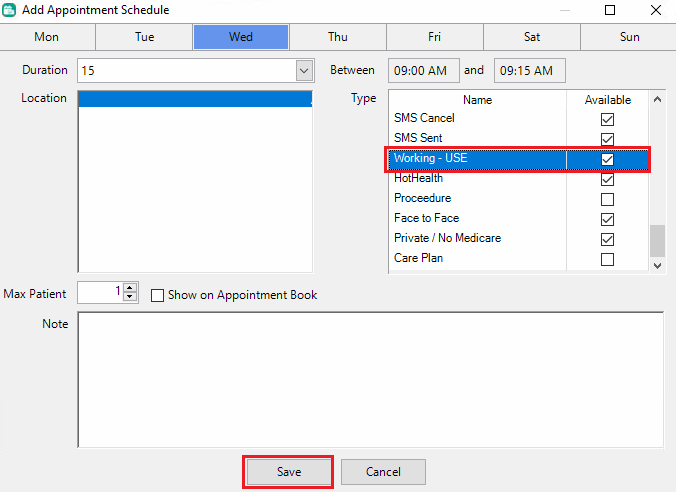
If you are having problems with a particular practitioner/s, check to ensure that the session they wish to have published has a valid appointment type set, not a note, and that they are enabled for bookings.
In Pracnet, navigate to Setup > Appointment > Appointment Scheduling. Once in here, right-click the schedule and then select or highlight a valid appointment type and click save.
Please note: Only the highlighted appointment type/s will be used here.
Appointment Types
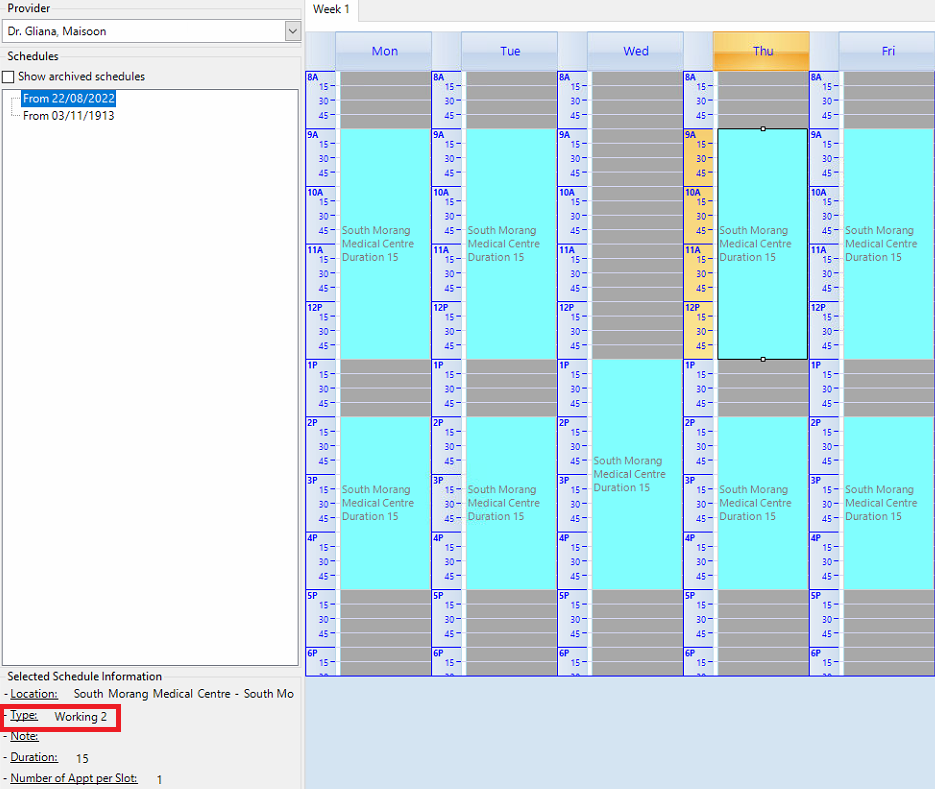
Another problem we see occasionally with Pracnet occurs when the appointment type set against a schedule does not or no longer exists in the system.
In the example below, the selected practitioner has 'Working 2' listed as their appointment type set for this schedule under Setup > Appointment > Appointment Scheduling.
However, from the list of their valid & existing appointment types, 'Working 2' does not exist. This is found under Setup > Appointment > Appointment Types.
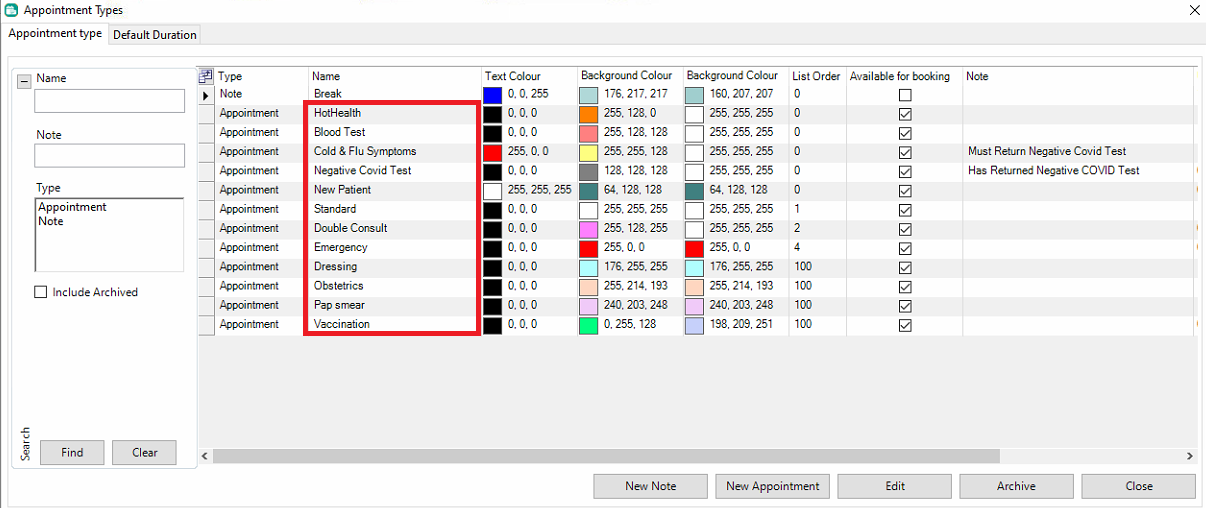
To amend this, simply click 'Edit', select a new type from the active appointment type list, and then 'Save' to overwrite this.
Appointment vs Note
Please note: Healthengine will not pick up appointment types created with the type 'Note'. In order for us to read a schedule as available, the appointment type set must be set as 'Appointment'.
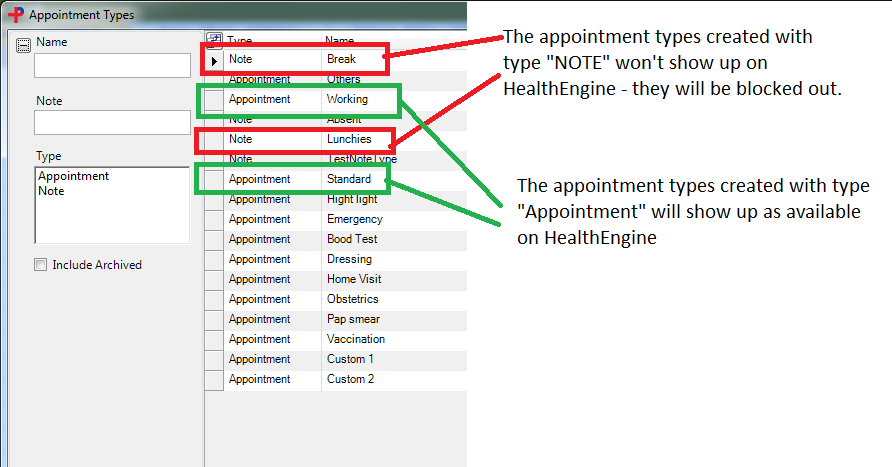
After you update your appointment types, please allow some time for Healthengine to publish any new availability.