
Vertical: General Practice, Specialist
PMS Eligible: N/A
What is the telehealth refunds policy?
Your practice is responsible for handling patient refund enquiries and for setting your telehealth appointment refunds policy. The Healthengine Service Fee is non-refundable unless the refund reason is directly attributable to a Healthengine service issue.
How do I submit a patient refund request?
If your practice has determined that a patient is eligible for a refund, follow these steps to submit a refund request.
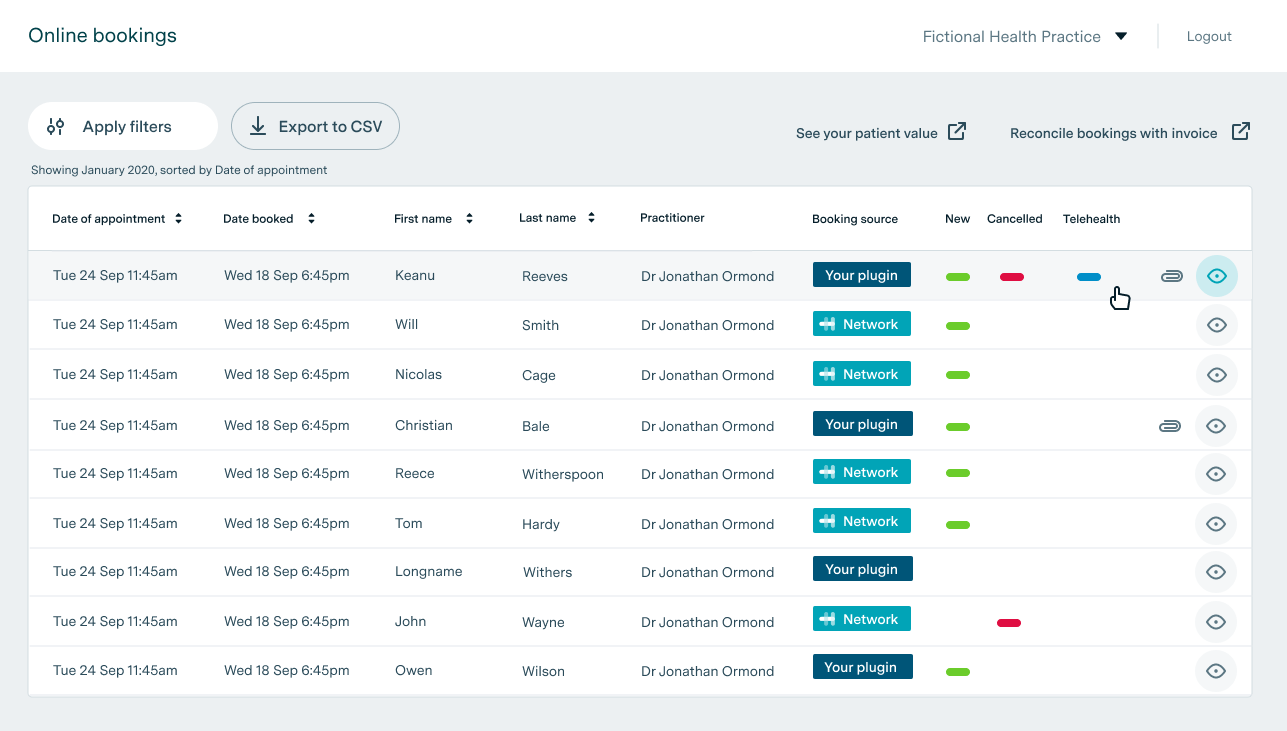
- In the Bookings table in Practice Admin, click the eye icon to the right of the booking for which a refund is being requested to open the booking details screen.
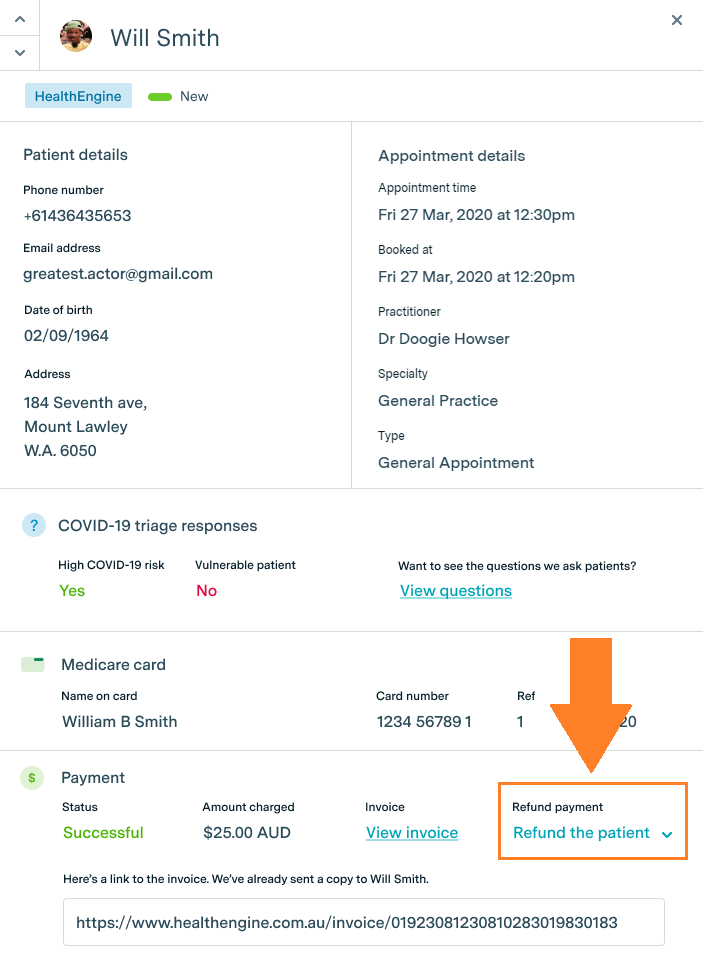
- In the booking details screen, click the Refund the patient link to the right of the Payment section at the bottom of the screen.
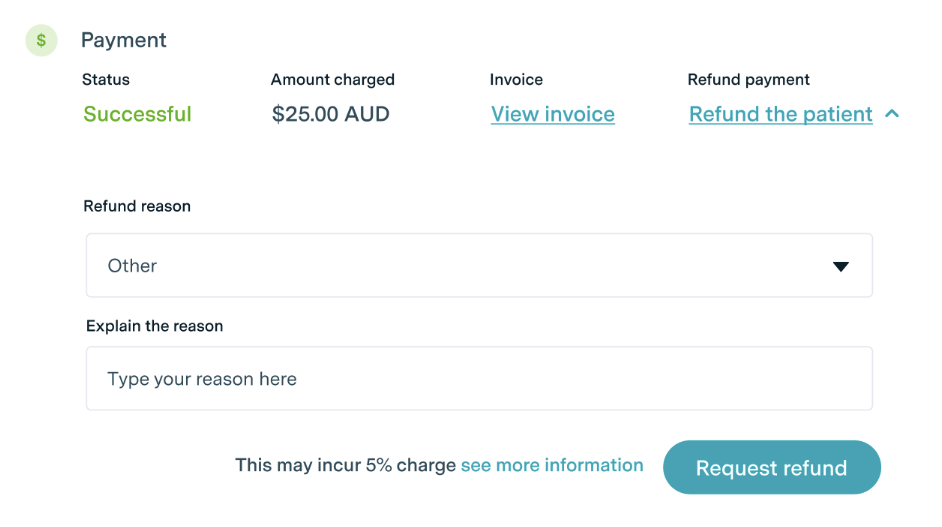
- Select a refund reason from the drop-down menu.
If the refund is required due to Healthengine's inability to provide the service, select the Other option and provide the relevant details in the free text box that appears, then proceed to Step 4. The Healthengine team will review the details and, if the request meets the criteria, will refund the Service Fee in addition to the patient's payment.
Refunds are processed automatically within 5–10 business days (subject to change — verify the current timeframe with your Healthengine account manager).
- Click the Request refund button.
Step 1:
In the Bookings table in Practice Admin, click the eye icon to the right of the booking for which a refund is being requested to open the booking details screen.
Step 2:
In the booking details screen, click the Refund the patient link to the right of the Payment section at the bottom of the screen.
Step 3:
Select a refund reason from the drop-down menu.
For all reasons except Other, the Healthengine Service Fee charged to your practice is non-refundable unless the reason for the refund request can be attributed to a Healthengine service issue.
If the refund is required due to Healthengine's inability to provide the service, select the Other option and provide the relevant details in the free text box that appears. The Healthengine team will review the details and, if the request meets the criteria, will refund the Service Fee in addition to the patient's payment. Refunds are processed automatically — contact your Healthengine account manager to confirm the current processing timeframe.
Step 4:
Click the Request refund button.
After your refund request is submitted, the payment Status will change from Successful to Refund pending. Once the refund is complete, the Status will change to Refunded.