
Vertical: GP, Allied, Specialist
PMS Eligible: BP, Genie, Pracsoft, Zedmed, Sunix
- Were you
- Are you no longer wanting to integrate the appointments from your appointment book to Healthengine?
All Healthengine Best Practice integrations now run through Halo Connect and no longer require the Appointment Connector installed. For more information on Halo Connect, please see Halo Connect FAQ.
If you were integrated with Best Practice prior to 1/4/2026, you can uninstall the Healthengine Appointment Connector by following the instructions below.
Uninstalling the Healthengine Appointment Connector is a quick and easy process that can be done in under 10-minutes!
How to Uninstall the Appointment Connector
To uninstall the Healthengine Appointment Connector, please follow these step-by-step instructions:
-
Log in to the old server
-
Go to the Start Menu
-
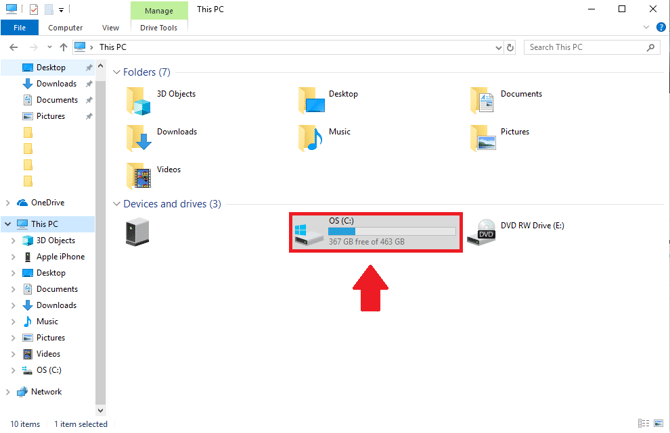
Open the (C:) drive on My Computer
-
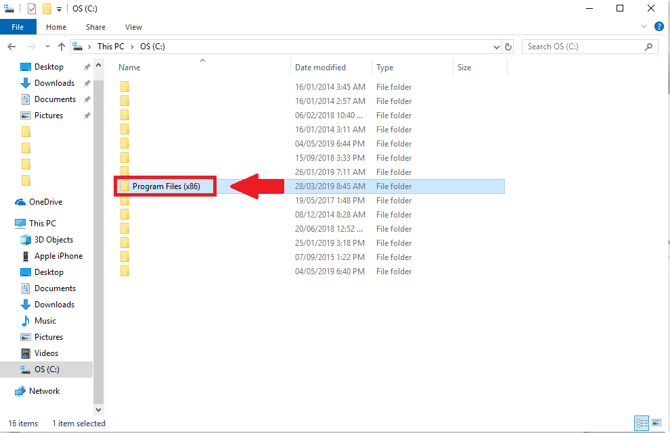
Next, open 'Program Files (x86)'
-
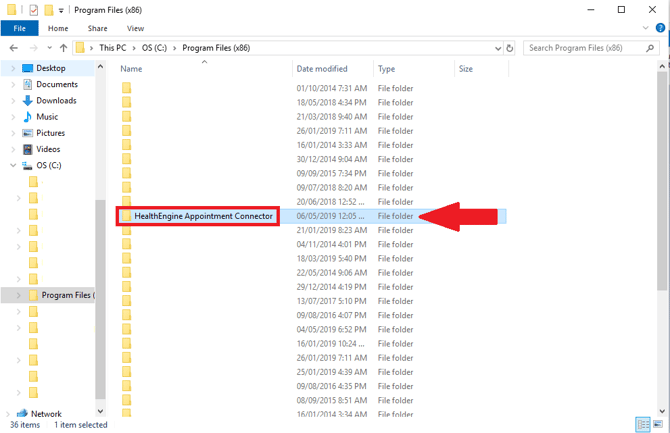
Select 'Healthengine Appointment Connector'
-
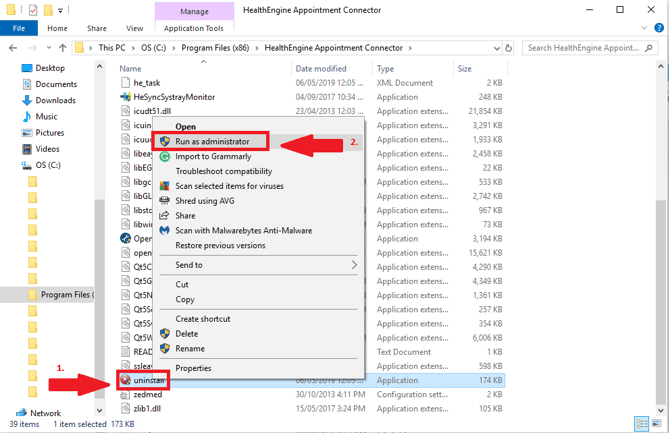
Right-click on 'Uninstall' > Click ‘Run as Administrator’
-
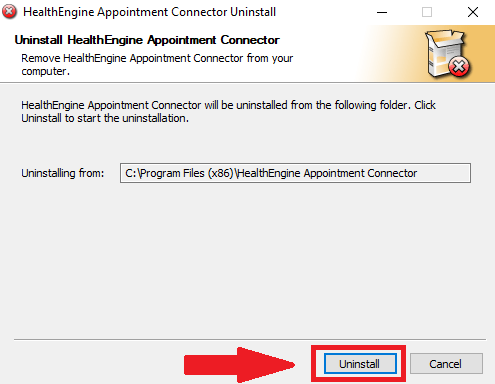
Follow the prompts:
-
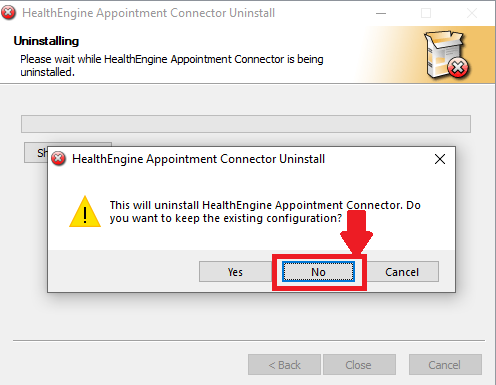
“Do you want to keep the existing configuration?” Select ‘No’
This section will load the uninstall and present the message Uninstall was completed successfully - Press ‘Close’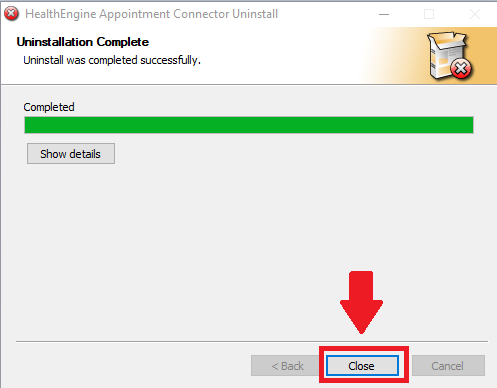
The uninstallation of the Appointment Connector is now complete!