Vertical: General Practice, Dental, Pharmacy, Allied, Specialist
PMS Eligible: N/A
If you ever need to update your payment details, there are multiple ways of doing so via either Practice Admin or talking to one of our friendly Accounts Team Members!
Updating via Practice Admin
In your Practice Admin, you have the ability to update your credit card details as well as view and download your recent invoices
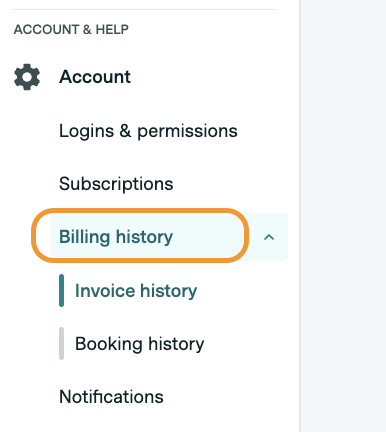
To update your credit card details, simply log in to Practice Admin and navigate to 'Account', then select 'Billing History' as seen below:
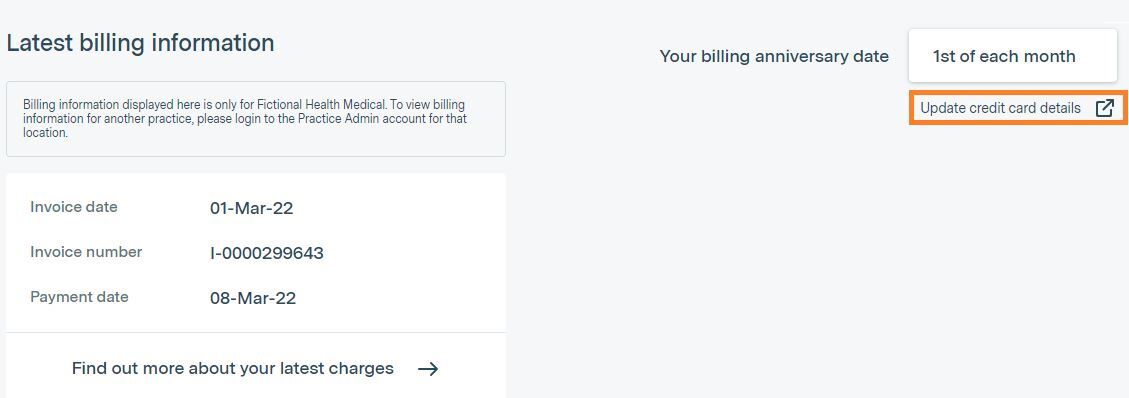
You'll be presented with your latest billing information, and you just need to select the 'Update credit card details' button in the top right-hand corner. Once you have done this, you'll be taken to the Healthengine Billing Portal page, where you'll be asked to log in with a 6-digit code via SMS or have a link sent to your email.
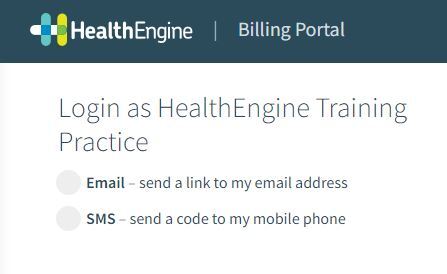
Alternatively, you can log in to your Healthengine Billing Portal page by accessing the secure billing link found on your invoice, as seen in the example below:
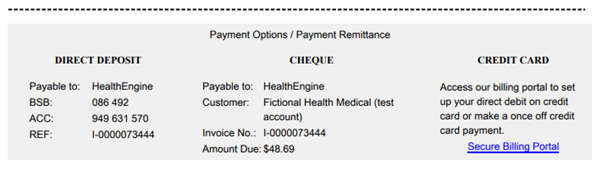
Please Note: This contact information to login is dependent on the information available in your account.
Healthengine Billing Portal
Once you're in the Healthengine Billing Portal, you have several options as to whether you'd like to update your billing information or make invoice payments.
Setup/Update your Credit Card Details
To set up or update your credit card details, click on the 'Review/update payment button' under Payment method.
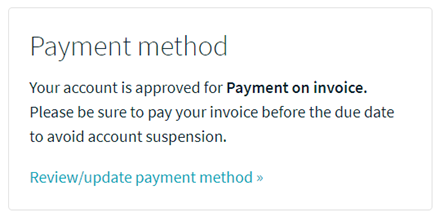
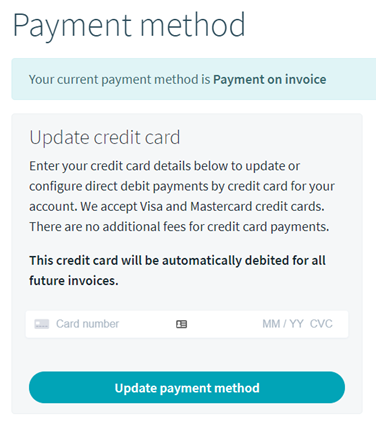
From here, simply enter your credit card details to setup direct debit or enter your new credit card details for direct debit and click 'Update payment method'.
Please Note: Your credit card will be automatically debited for all future invoices.
Making a Once-Off Credit Card Payment
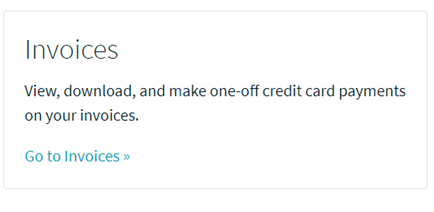
To make a one-off credit card payment, select the 'Go to Invoices' link under the Invoices section of the Healthengine Billing Portal.
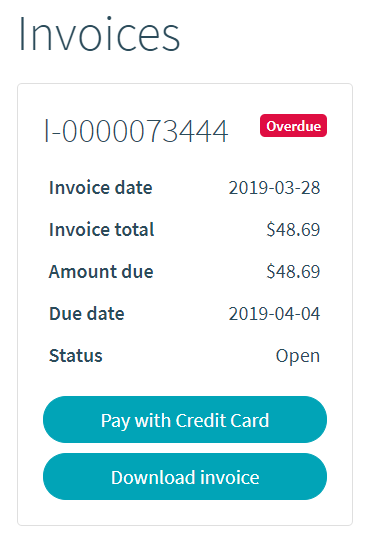
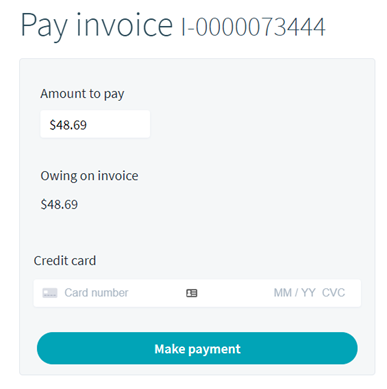
Then, select the “Pay with Credit Card” on whichever invoice you'd like to pay and make the payment by inserting your credit card details.
Please Note: Only one invoice can be paid at a time, and your credit card details will not be saved for one-off credit card payments.