Vertical: Dental
PMS Eligible: N/A
To provide better experiences for both practices and patients, we've upgraded the way practices manage and patients view dental treatment pricing on Healthengine profiles.
Features
The new treatment pricing experience - designed specifically for dental practices - will make it even easier to provide more important information for both new and existing patients seeking to book with your practice.
- Select from any ADA code to display your individual treatment pricing
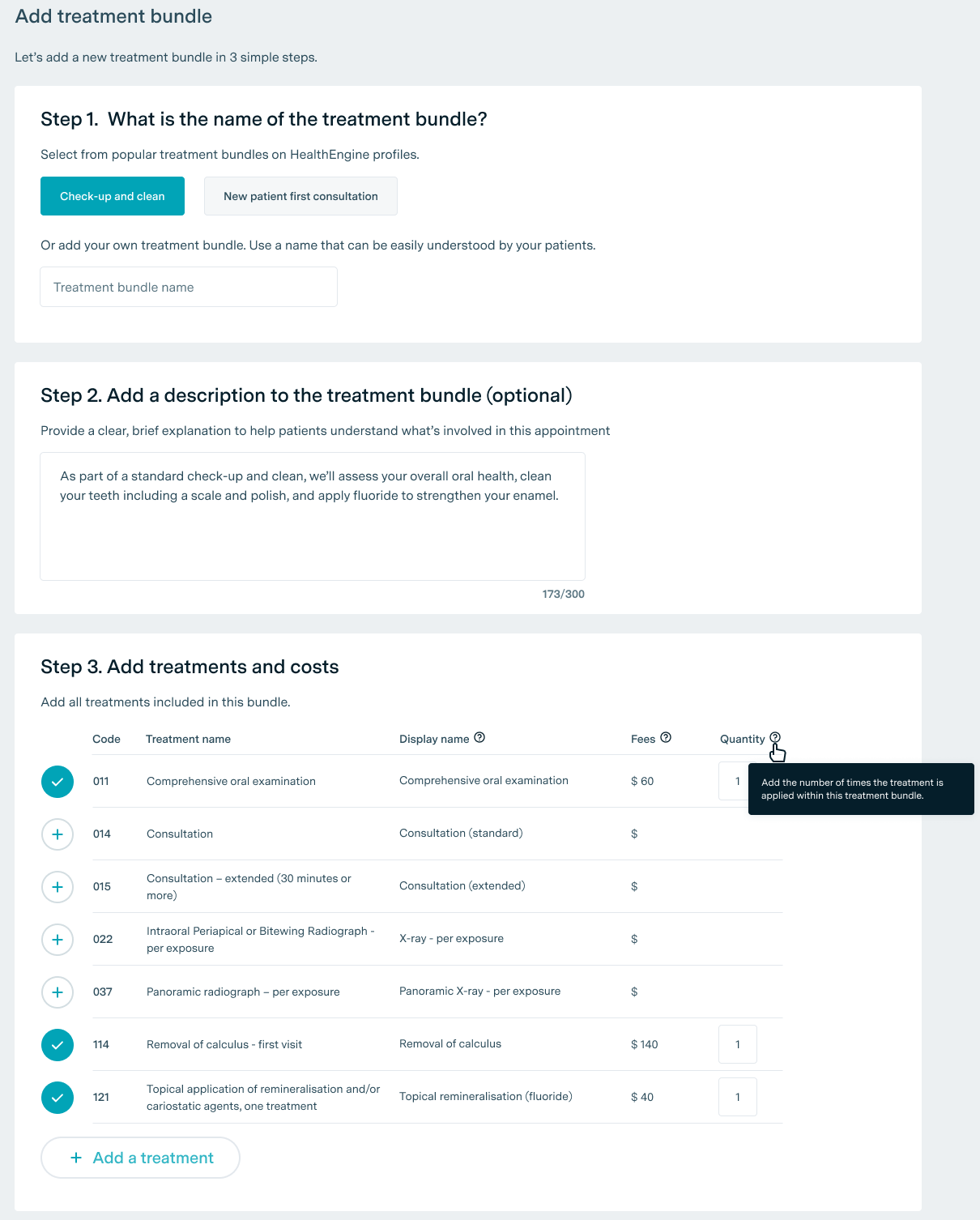
- Create treatment bundles to help patients understand common appointment types
- Manage all of your treatment pricing anytime within Practice Admin, including customising your display names and bundle descriptions.
Patients are also clearly informed that all pricing published on profiles is indicative only.
Easy for Patients to Understand
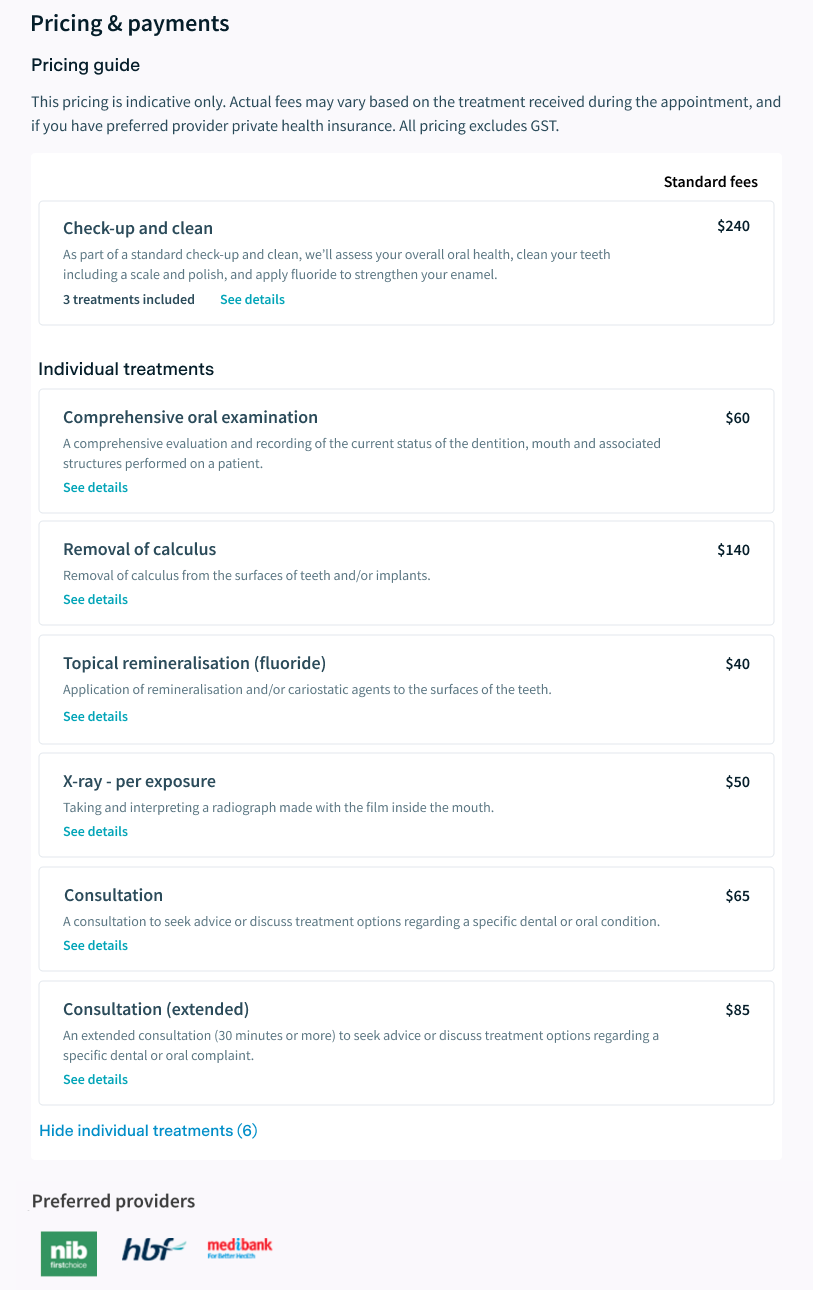
Patients will be able to see a full breakdown of all treatments and treatment bundles that you wish to display on your profile.
They’ll continue to be able to see any additional information about special offers.
How the new treatment pricing breakdown may appear on a typical practice profile
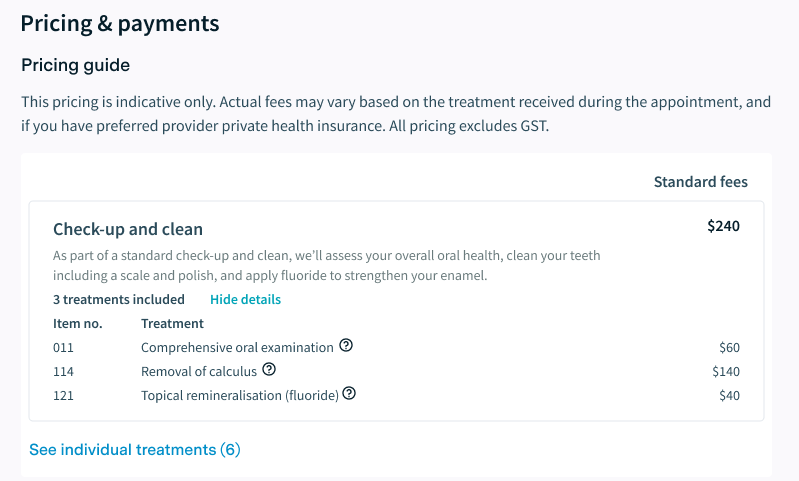
Patients can click to see a breakdown of all treatments included in a bundle
Easy for Practices to Manage
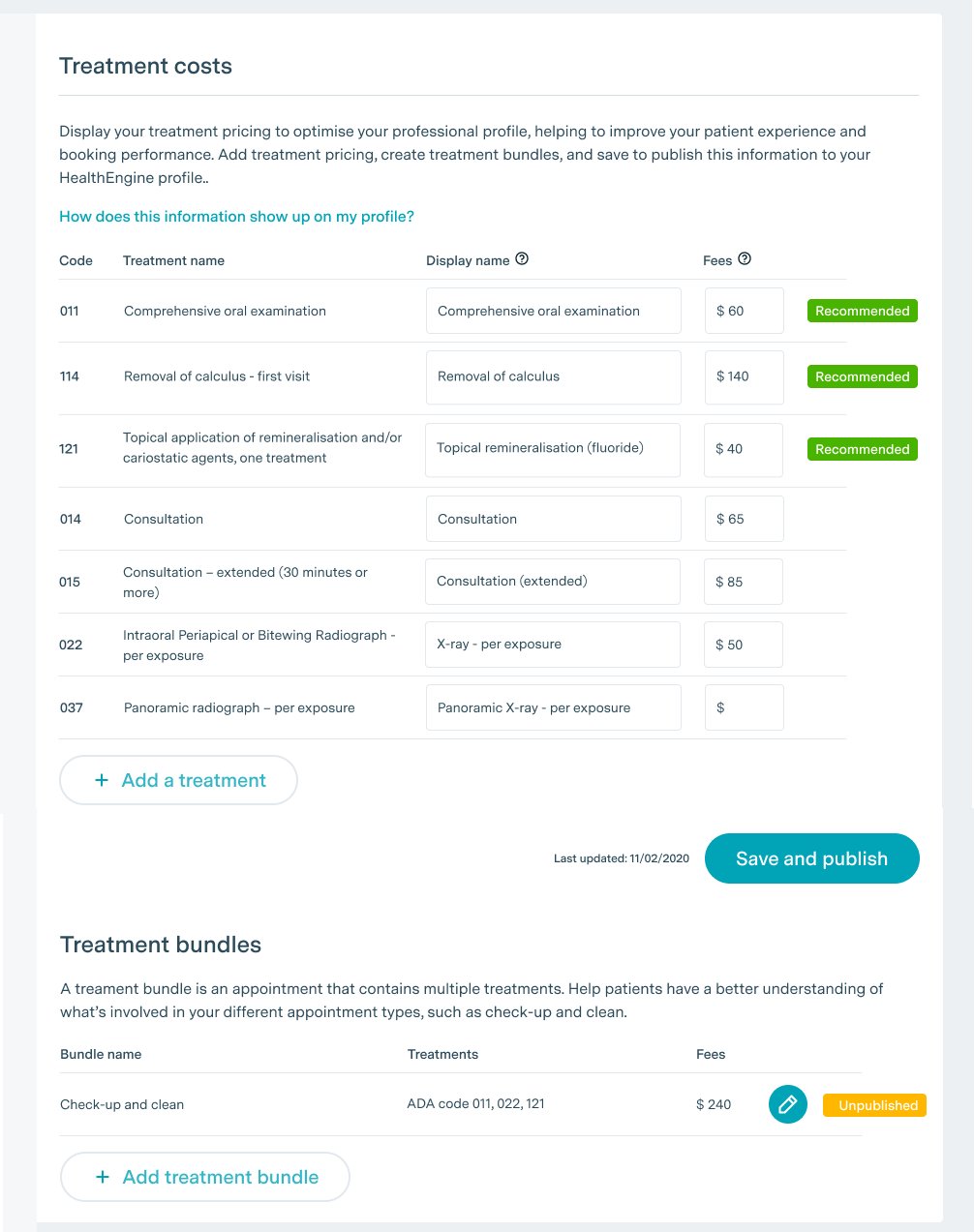
You’ll be able to manage the treatment pricing displayed on your profile, all from within Practice Admin, by clicking on Practice profile > Treatment Costs.
From here, you can quickly and easily;
- Add pricing for a selection of the most common treatments
- Search by ADA treatment code/name to add any additional treatments you want to display
- Create any treatment bundles to display on your profile (we’ll even create the first one for you once you’ve updated your pricing information)
- Customise the display names for your treatments and bundles, as well as bundle descriptions.
Manage your treatment pricing within Practice Admin
About Treatments
We’ll display a selection of the most common treatments for you to provide pricing for.
To add a treatment, simply click on Add Treatment, and you’ll be able to select from a searchable dropdown box containing all ADA codes and treatment names, and customise the display name.
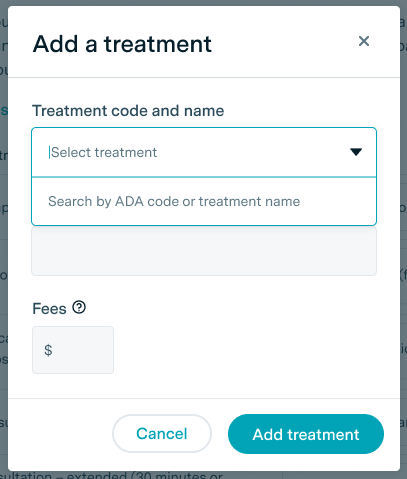
Treatments will only be displayed on your Professional Profile if you’ve entered a fee and clicked Save & Publish.
About Treatment Bundles
While individual treatment pricing is still useful, to really help patients understand what’s involved in their potential appointment, you can create treatment bundles for each of your common (or even uncommon) appointment types.
We’ll start you off with a simple ‘Check-up and clean’ bundle, which, for example, might include a comprehensive oral examination, removal of calculus and topical remineralisation treatments.