Healthengine's Special Offers feature lets you create, manage, and promote offers on your Healthengine Practice Profile — helping you reach new patients and re-engage existing ones.
With Special Offers, you can clearly display the details of your offer and supply additional information for Healthengine to promote it to patients.
Please Note: Special Offers is available to customers on the Patient Connect Premium plan or above. To upgrade your plan, please contact your Healthengine Account Manager.
Accessing Special Offers
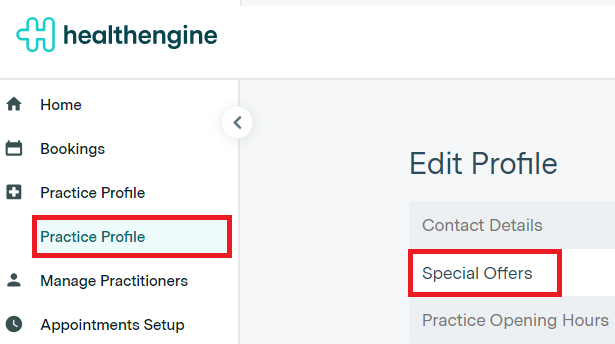
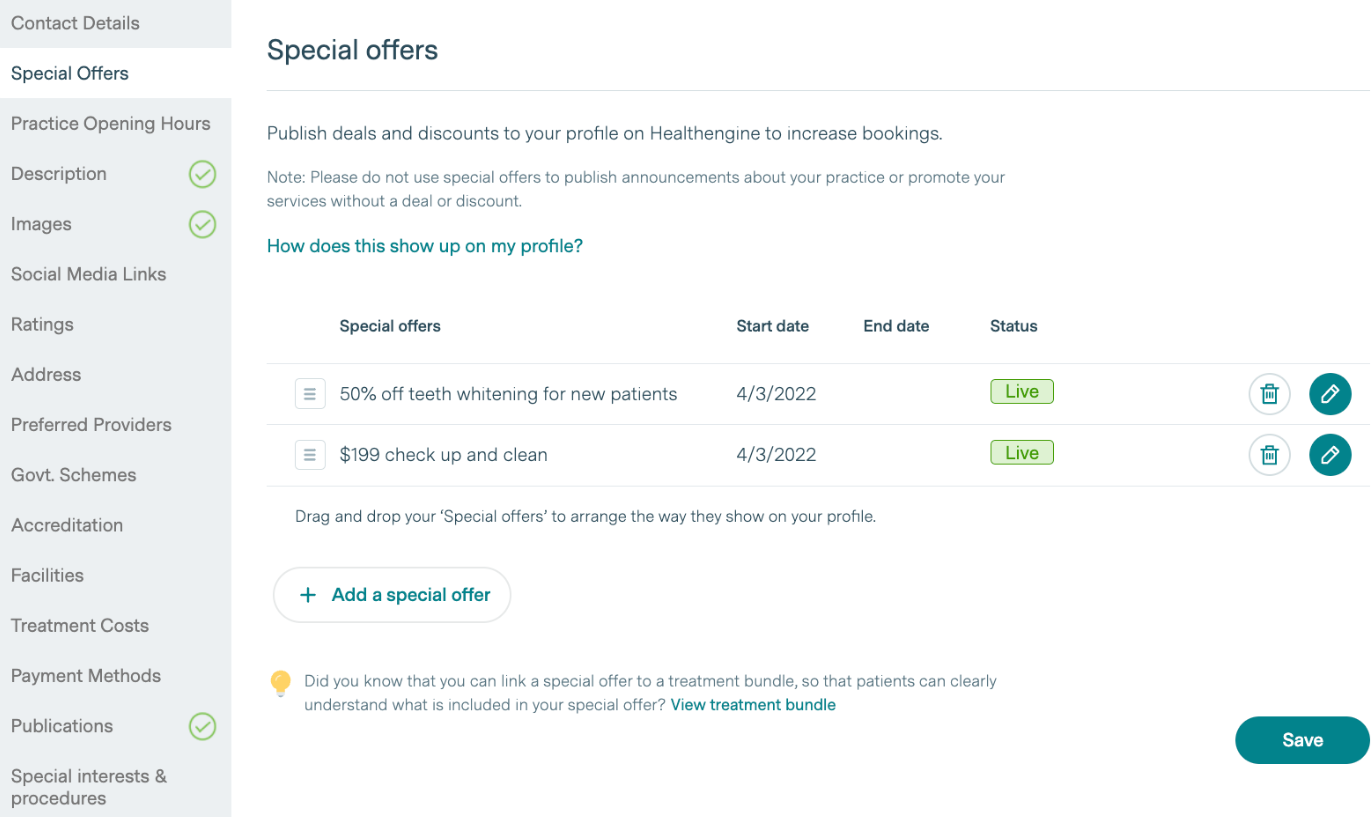
To access Special Offers navigate to your Practice Admin and click on 'Practice profile' then 'Special Offers'.
Creating a Special Offer
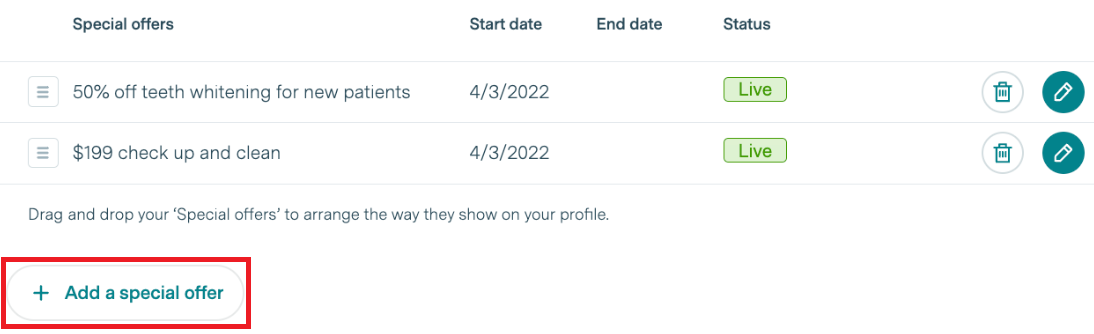
To create a Special Offer, simply click on the ‘Add a special offer’ button in the bottom left-hand corner and you’ll be presented with the necessary steps in order to create and publish your Special Offers to your Healthengine Practice Profile.
Please Note: Once you have completed all steps, click 'Submit'. This sends your Special Offer to our Customer Support Team for review and approval. You will be notified within 1 business day via email whether your offer has been published or whether a change is required.
Editing or Removing a Special Offer
To edit a Special Offer, click on the pencil icon to the right of the Special Offer you'd like to change. To remove a Special Offer from your Healthengine Practice Profile, click on the bin icon to the right of the special offer you'd like to delete.
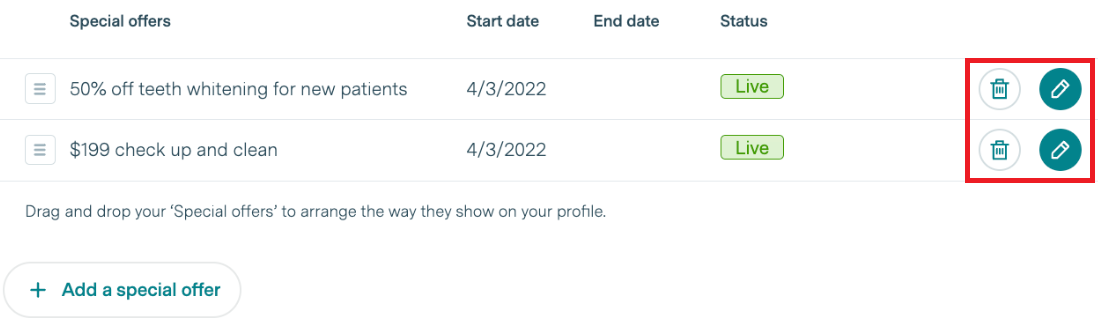
An 'expired’ Special Offer can be turned back on by editing the ‘End date’ of the offer to a future date. This will not require the offer to be resubmitted for approval if this is the only change.
Please Note: Any changes made to your offer's start/end date, the linking to a treatment bundle or additional information to promote your offer, will apply immediately after you click 'Submit'. For changes to information regarding any other step, please allow 1 business day before those changes are displayed online.
What do Patients see on my Practice Profile?
Patients will be able to see your Special Offer(s) above the 'Pricing & Payments' section of your practice profile. Patients will then have the ability to ‘Book & redeem’ the offer directly from the special offer card - this will take the user straight to the booking form. If a user makes a booking using this method, the special offer will be confirmed in their booking confirmation email.
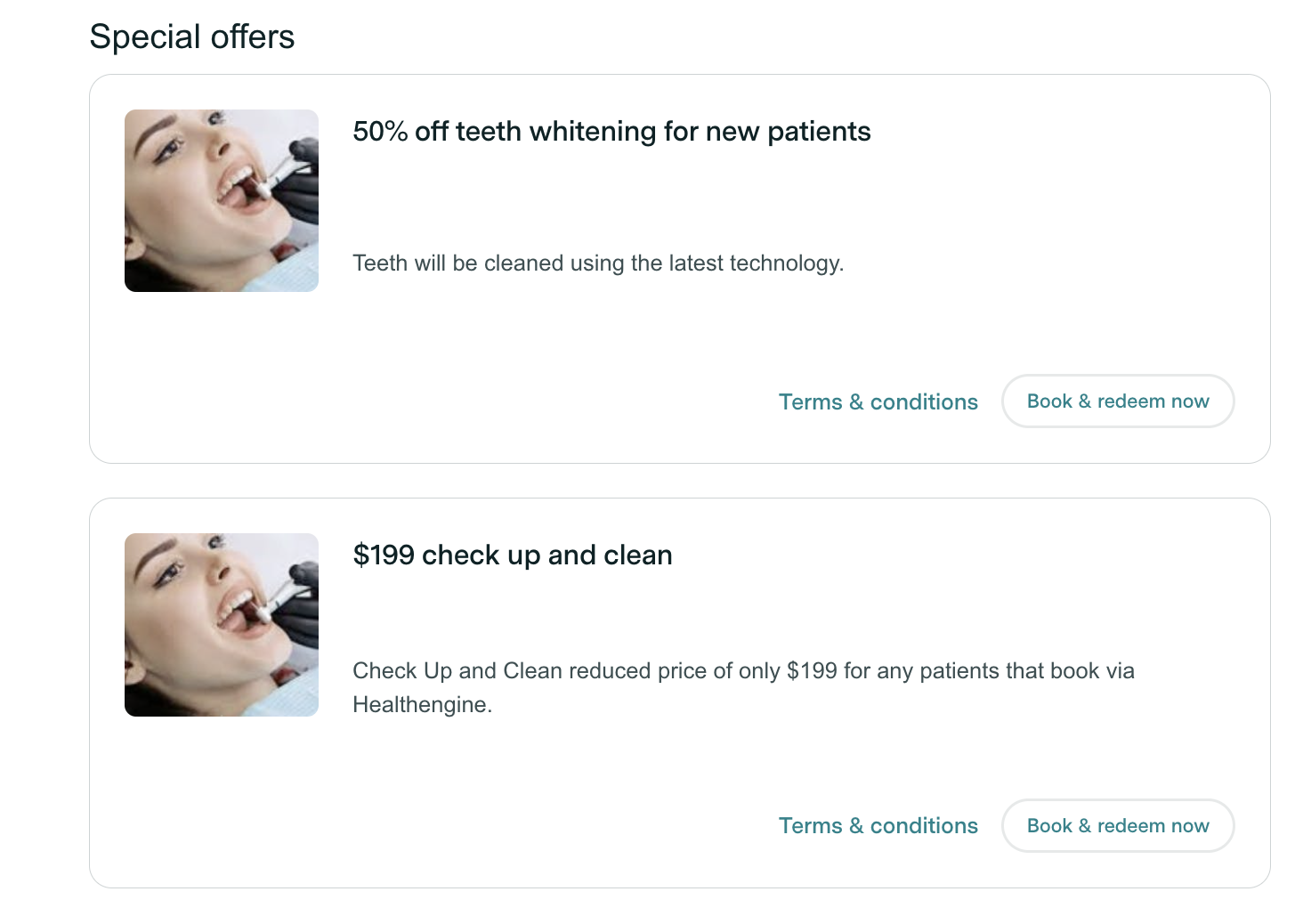
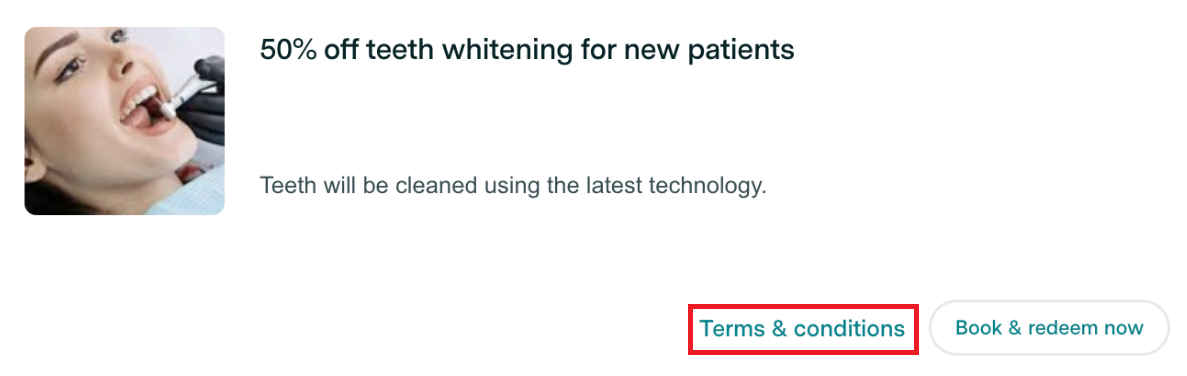
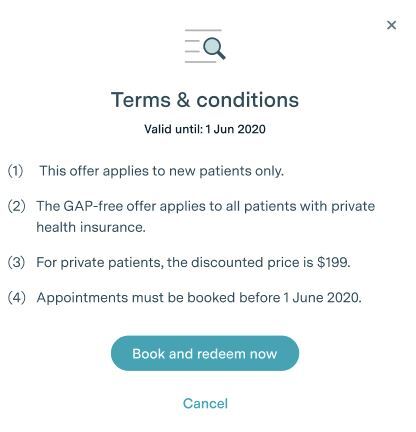
Patients can click the ‘View terms & conditions’ button to bring up all the T&Cs related to that special offer:
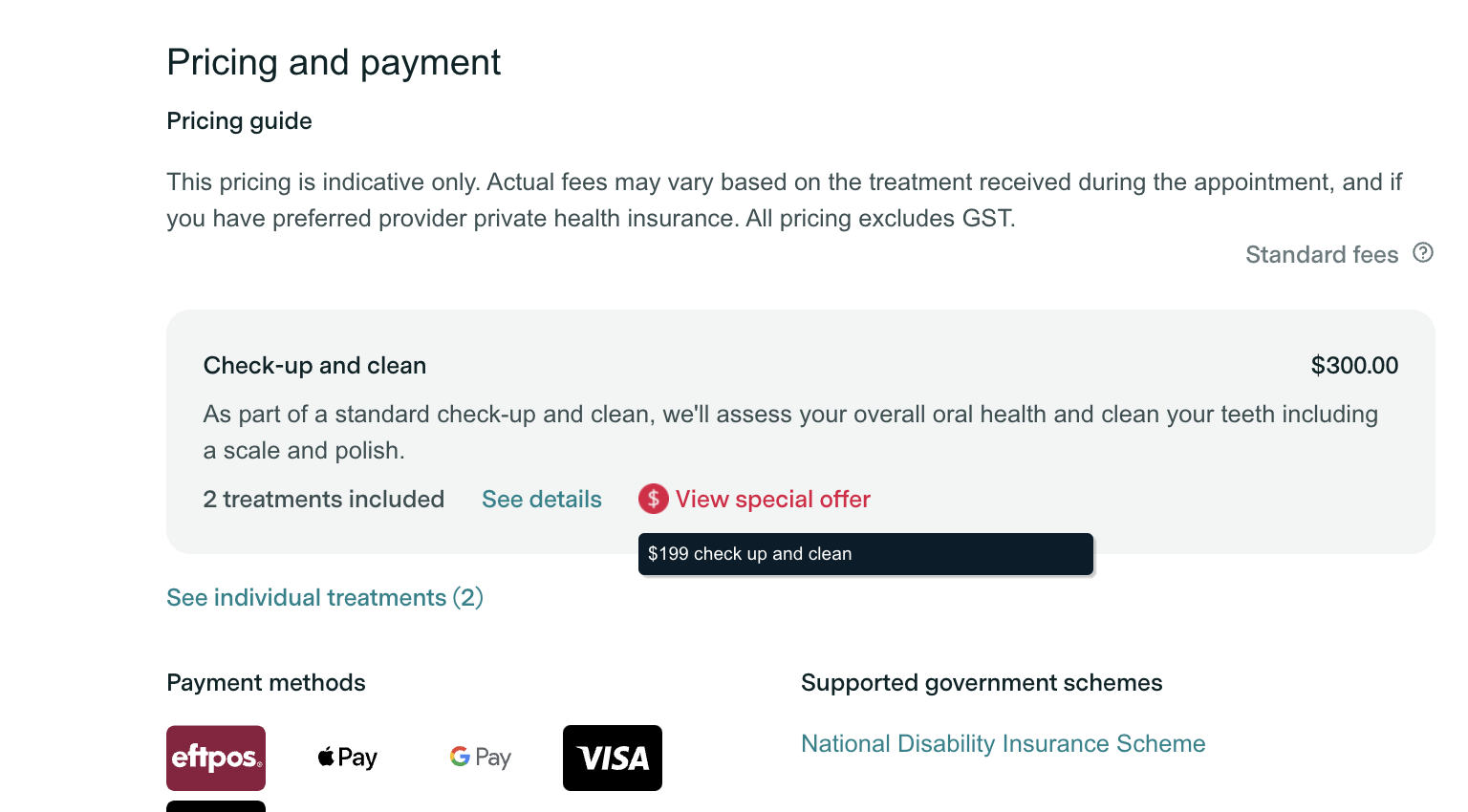
Patients also have the ability to see which treatment bundles and treatment prices are linked to a Special Offer. If a Special Offer is linked, hovering over the ‘View special offer’ label on the bundle/treatment will provide the patient with the name of the linked special offer.
Please Note: Please note that Special Offers are not linked to the appointment types available for booking through your practice on Healthengine. They are for informational and promotional display only.