
IMPORTANT: This will apply only for bookings made by you meanwhile logged in to your account and booked through Healthengine.
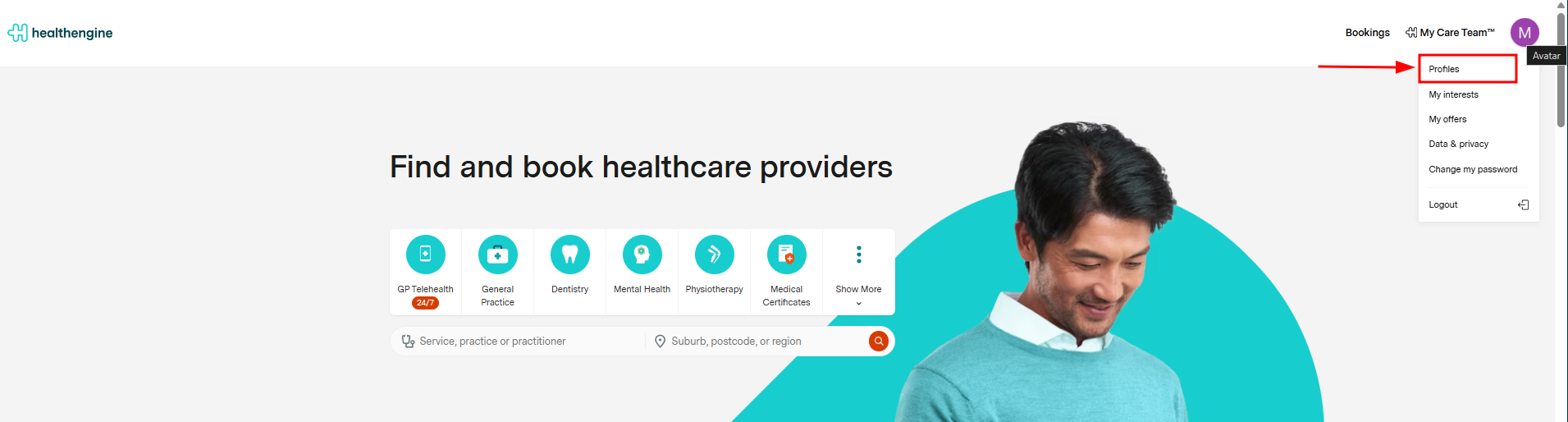
When logged in, you will see a button at the top right of the website with your name and initials. Click that and choose "Profiles" from the menu.
Select My Bookings, and this will take you to a page with your upcoming appointments and past appointments.
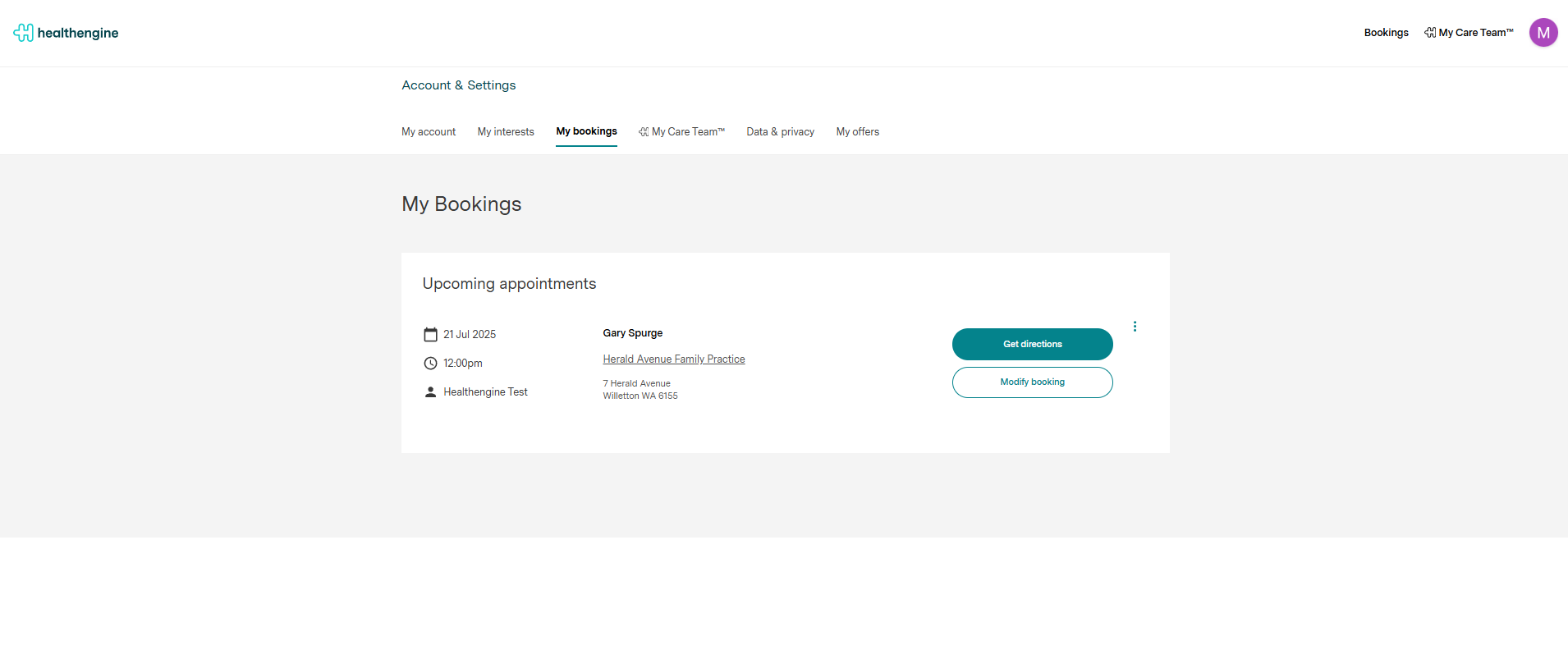
Clicking on modify appointment you will be able to edit or delete the appointment if the practice allows.
If unable to edit or cancel, please contact the medical practice directly using their contact number on their profile or on your booking confirmation email.
How about bookings made when not logged in to my account?
In these circumstances, please check your email address folder that you inserted at the time of the booking. You should receive a booking confirmation email at the time of the booking showing the details.
If you didn't receive a booking confirmation email, it may be possible that you mispelled the email address at the time of the booking or the booking failed.
IMPORTANT: Whether you booked meanwhile logged in or not, we don't have access to your booking history for privacy reasons. If you need to confirm the status of your booking, please contact the medical practice directly using their contact number on their profile.