
How to delete a secondary user profile?
Simply login in to your account from the website. To remove a user profile from your account using the HealthEngine website, navigate to your settings by first clicking on your user name at the top right of the screen. From the drop down list that appears, click on ‘My account’. 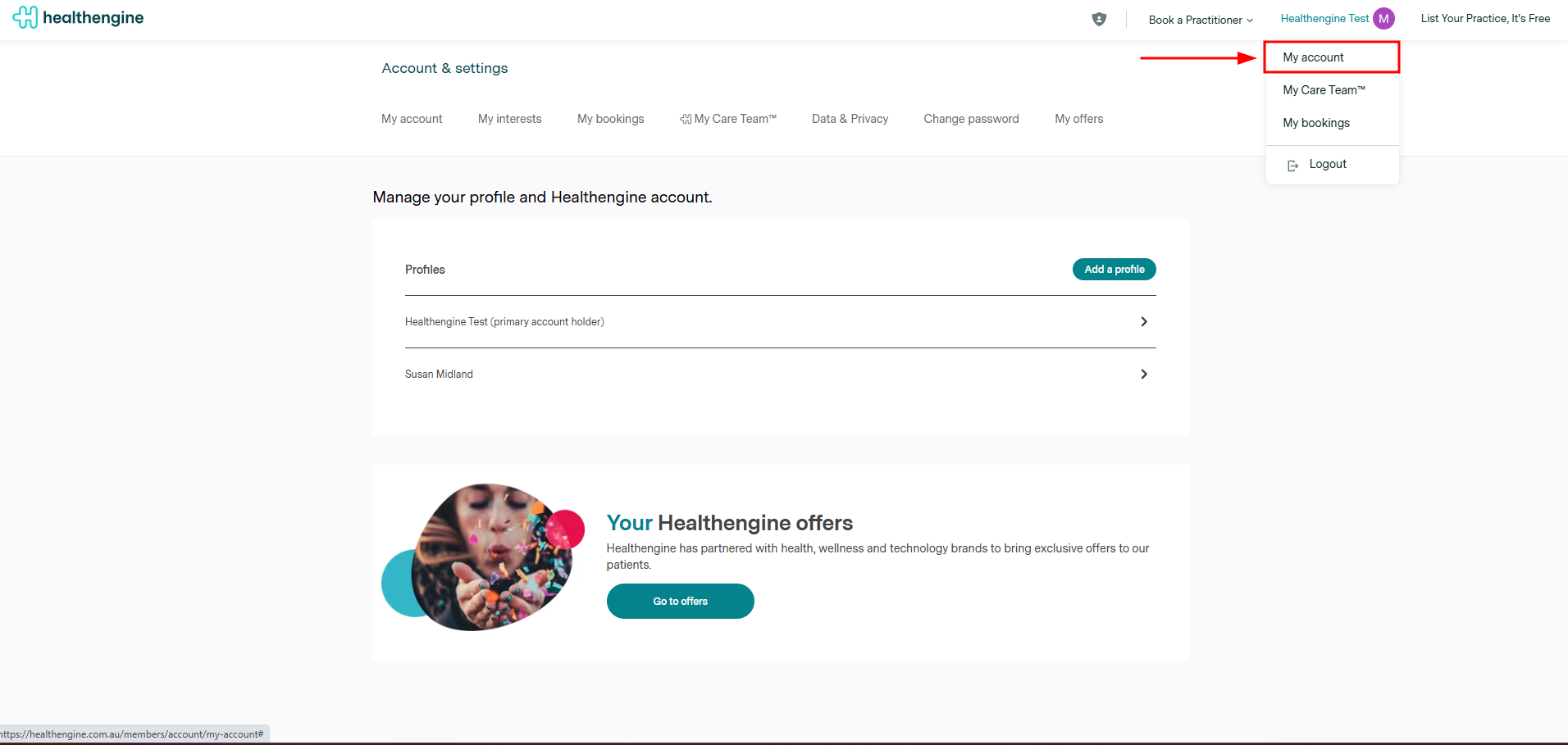
Please note: You can not delete the profile labelled 'primary account'.
This is your main account that you use to log in to HealthEngine. If you have changed the details of your primary account profile by accident, you can edit the details of the primary account profile back to how you had them. You just can't remove it or select a different profile to be the primary account.

Select the profile you wish to delete
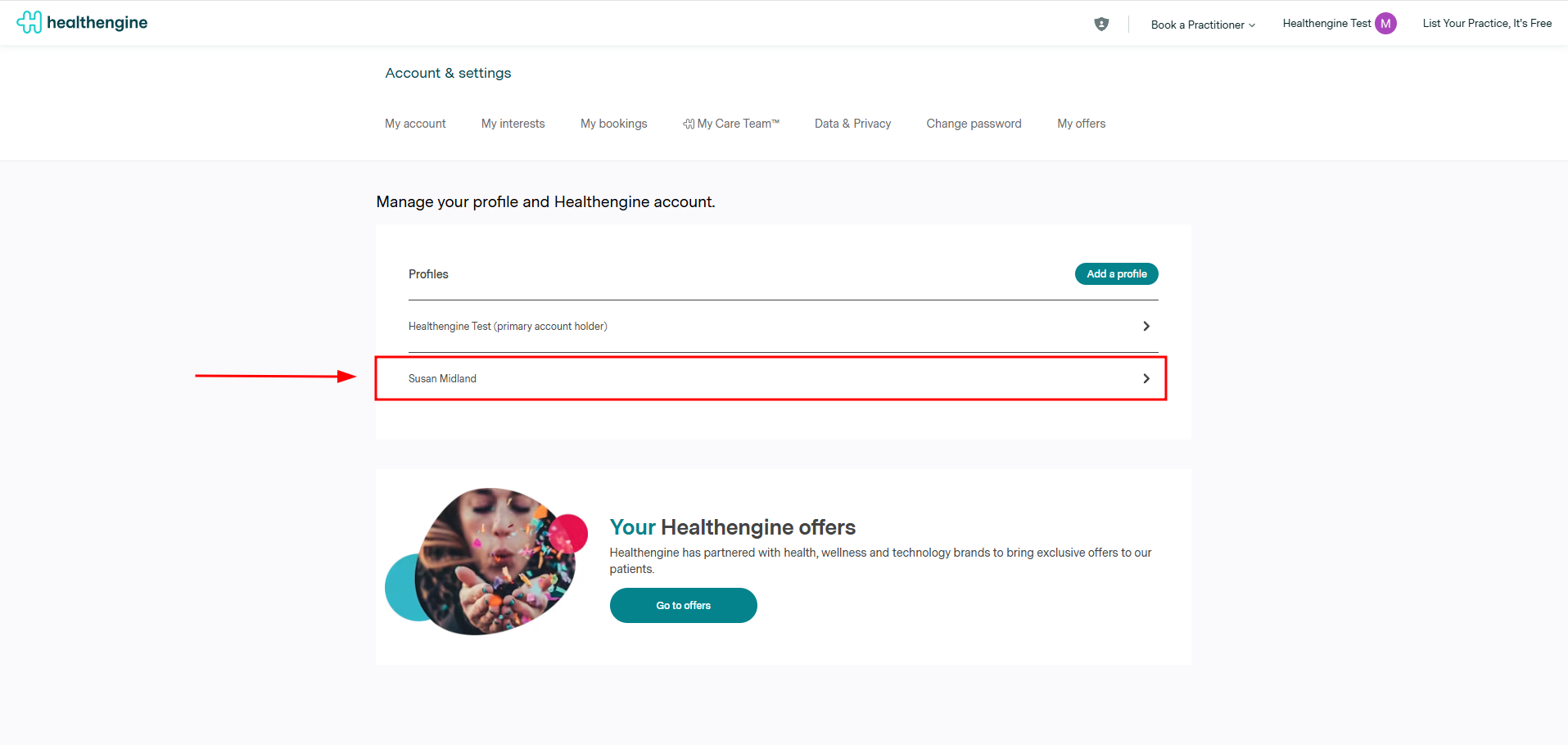
Once you have the profile settings of the profile you wish to delete on the screen, scroll to the bottom of the page. There will be a button that says ‘Delete this Profile’. To delete the profile, click on the button.
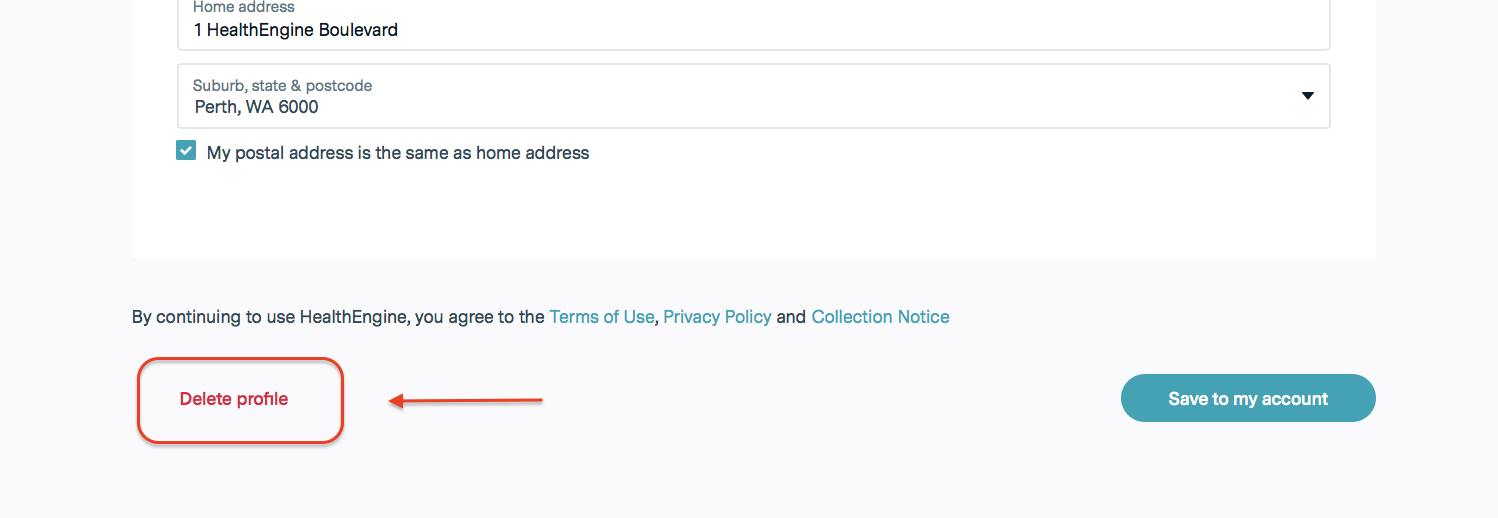
How to delete the account from the website
To delete the account, simply log in to the account, navigate to your settings by first clicking on your user name at the top right of the screen. From the drop-down list that appears, click on ‘My account’.
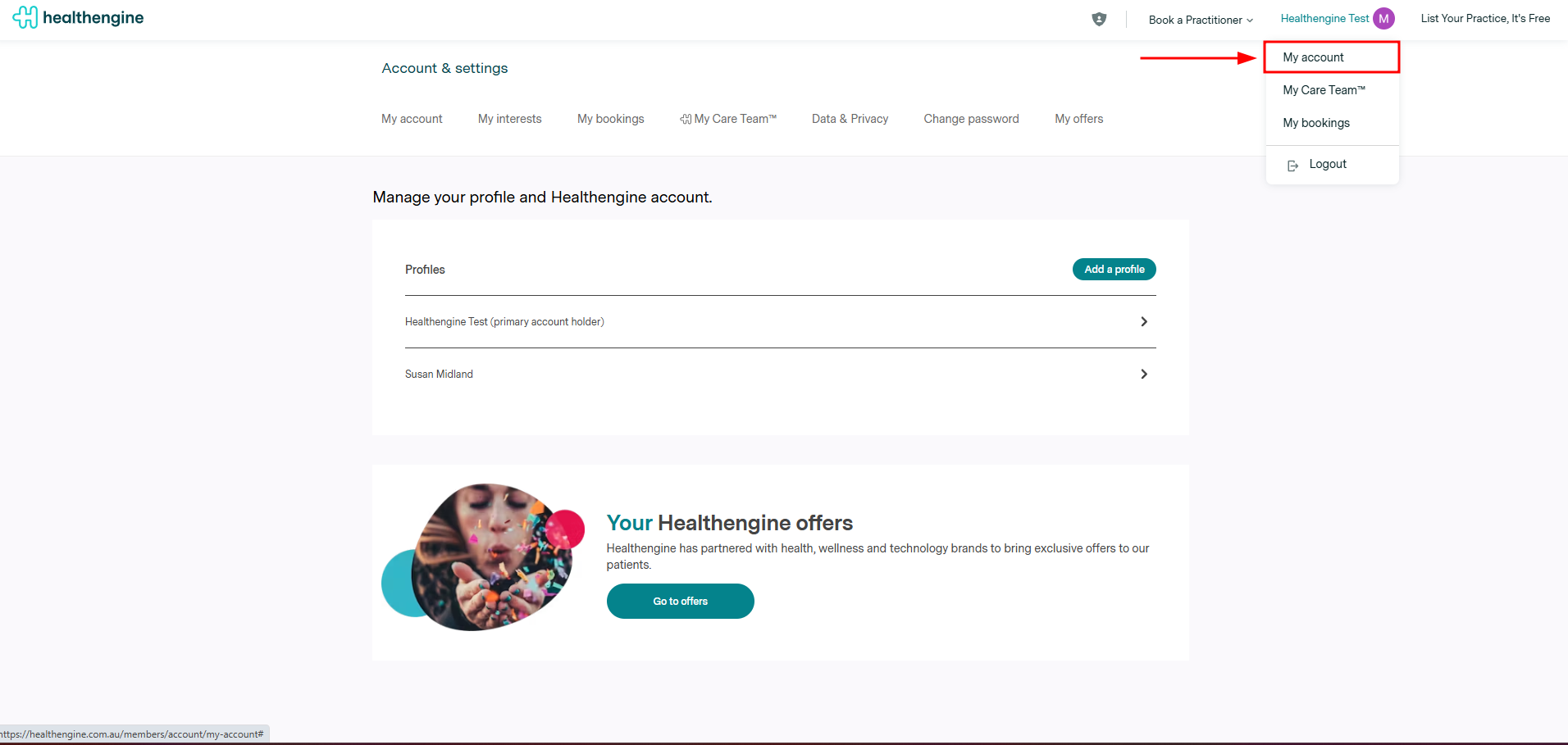
Click on the button "Request account deletion"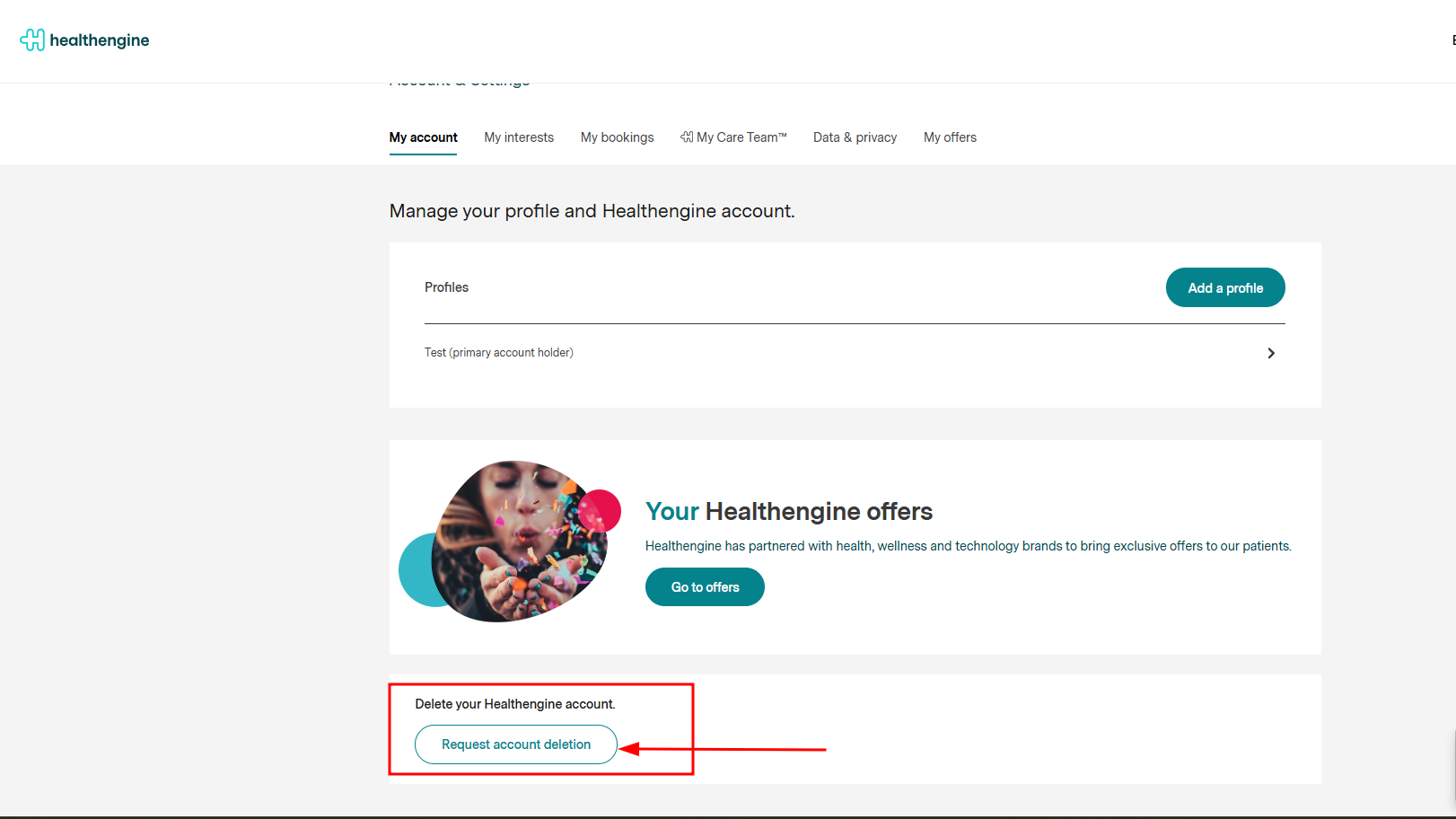
You will be required to confirm your identity by verifying a six digit code: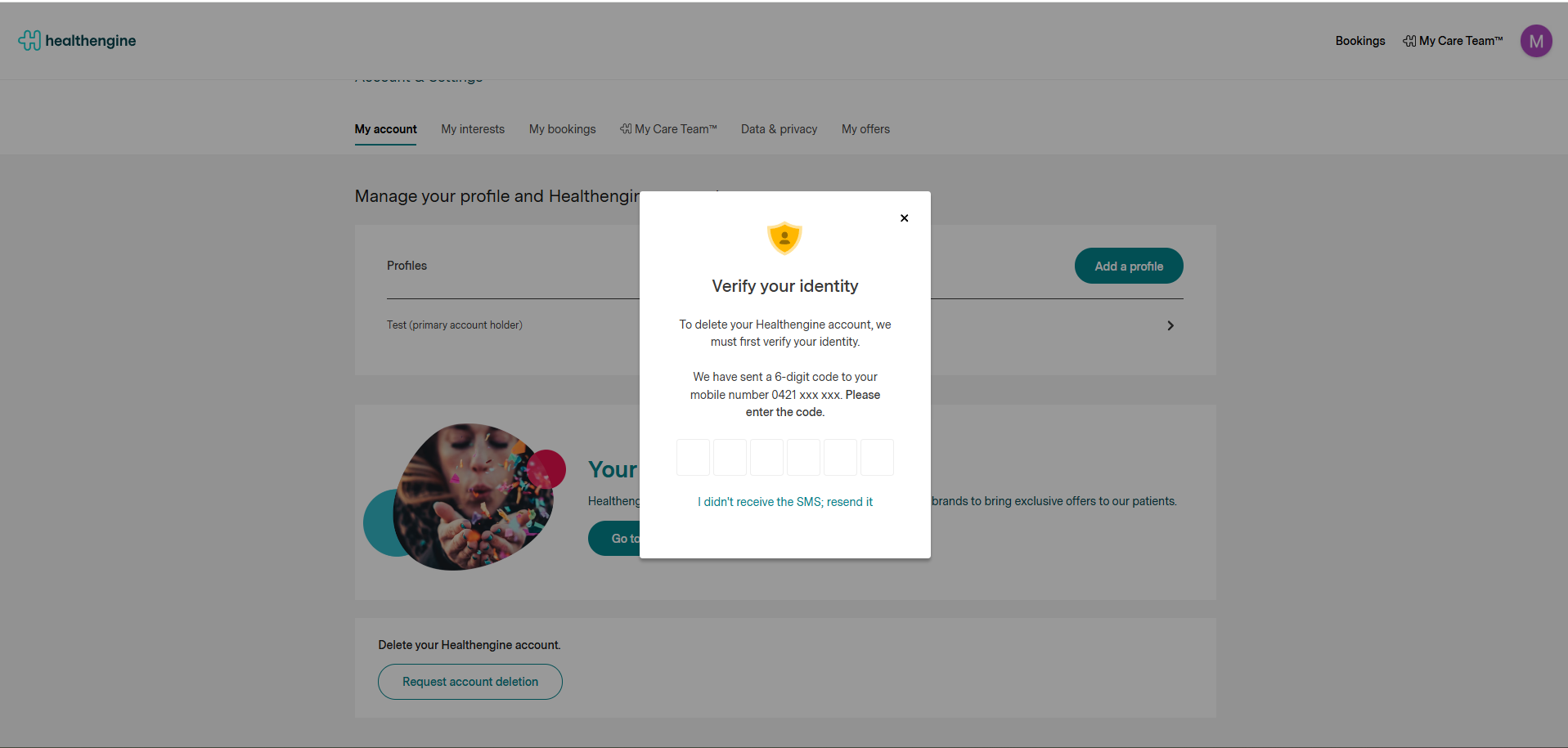
And your request will be submitted once the details are confirmed.
IMPORTANT: If you are experiencing any issues with the deletion of your account, please reach out to our privacy team at: privacyofficer@healthengine.com.au