
If you would like to reset your Healthengine password from the app, please follow the instructions below:
IMPORTANT: If you don't receive an email after completing the process, the email is not recorded as the primary email for an account. Please also check your spam email folder to confirm if you received the password reset.
1) Open the Healthengine app.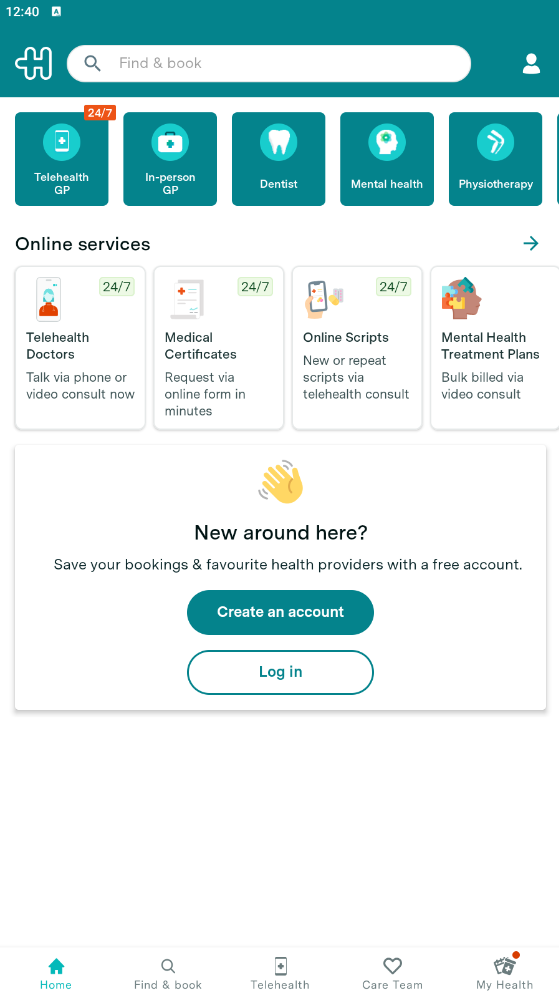
2) Click on the icon on the top right side and select Log In
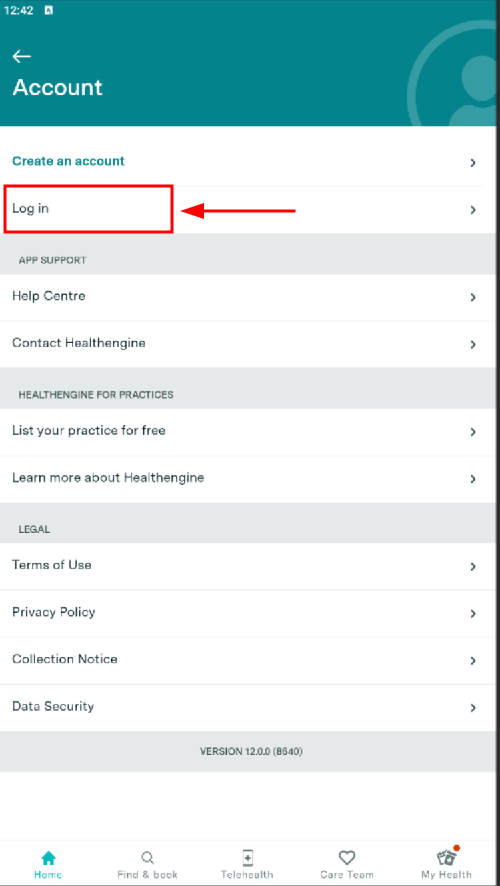
3) Select Continue with Email
4) Once selected you will be taken to a secondary page to log in, under the Email Address and Password boxes there will be a "Forgot your password" button, click this and you will be taken to an external page where you can enter your email address and if you have a HealthEngine account we will advise that an email has been sent to the nominated email address and there will be provided steps in resetting your account password.
If upon entering your email our system advises that we could not find an account attached to that email address then what this means is you have not officially signed up and created a HealthEngine account, for steps on how to create an account please click here.
Please note: The Login email address is your primary account profile email address, you cannot login using the email addresses under secondary profiles if these differ from the primary account profile email address.
Please note: The Login email address is your primary account profile email address, you cannot login using the email addresses under secondary profiles if these differ from the primary account profile email address.