
When you’re logged in on our homepage, you will see a button with your initials on it at the top right. Click on that to bring up a drop-down menu and choose the "Profiles" option.
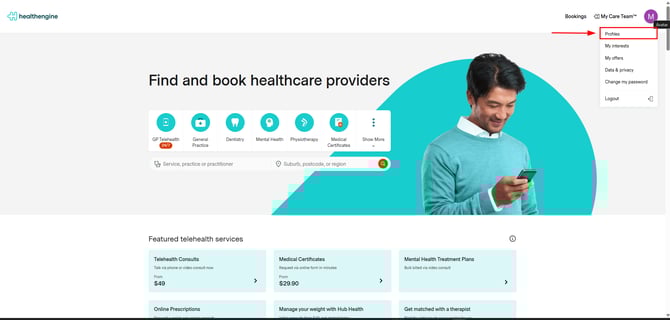
This will take you to a page where you can add and see all your profiles.
Click on the profile you wish to update so that you make it easier to book future appointments without having to enter details.

You can also edit previously added details from this page.

Don't forget to save when you are done!

If you need to update the verified mobile number for your primary account holder profile, you can only do this in our app. If you haven’t used the app before, please verify your email first, otherwise the option to change your mobile number in the passcode setup won’t appear.
Updating your details on Healthengine will not update your patient file at any practices you’ve booked with. Please contact your practice directly to update their records so any practice‑powered communication is sent to your correct details.