
How to book an appointment for someone else on the website?
On HealthEngine, you can have several profiles under the same account.
Select a practice you wish to book with and a time frame: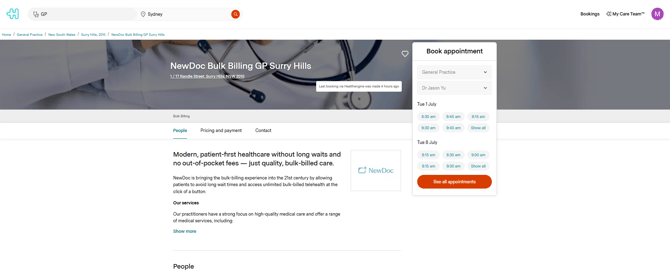 As you are going through the booking form, select that you are booking for someone else.
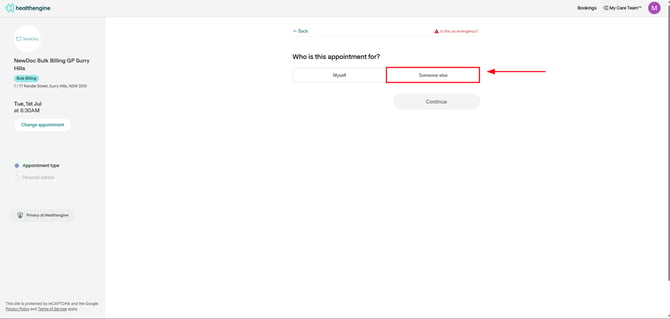
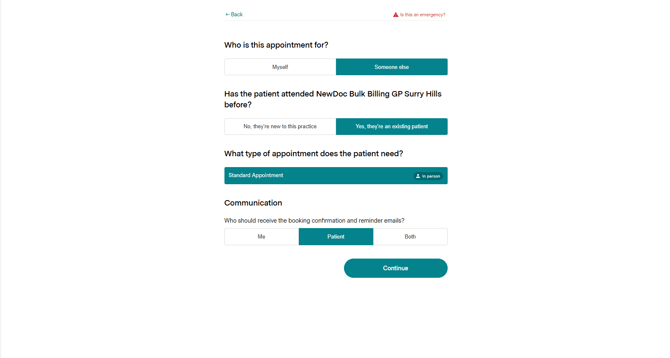
Provide the relevant information, select the appointment type and if you want to receive the booking communication or the patient.
The section "About you" will contain your information, as you are the person making the booking for someone else. The section "About the Patient" will contain the information of the actual patient for the booking. Take note of the drop-down arrow on the section "Patient Profile"
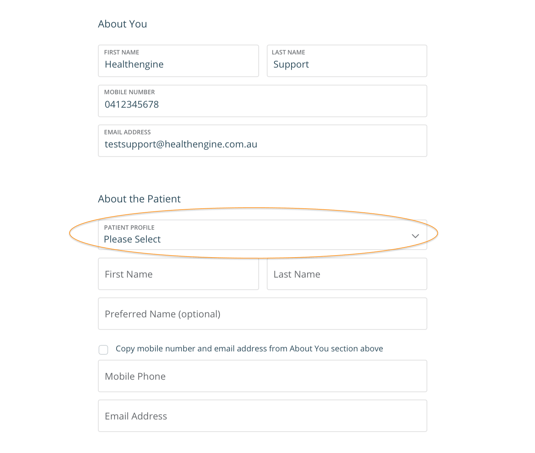
In the drop-down, you will see any patient profiles under your account, including your own profile, which will be marked (myself). You will also see an option for Enter new details.
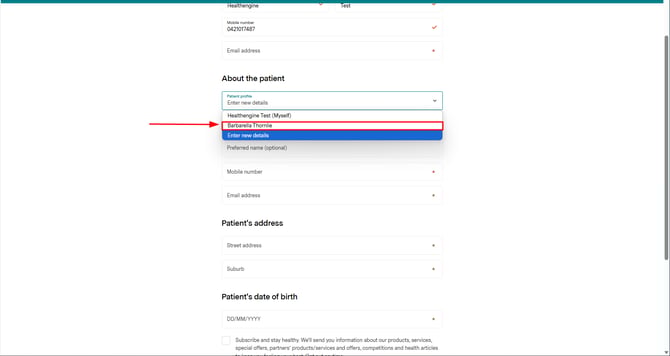
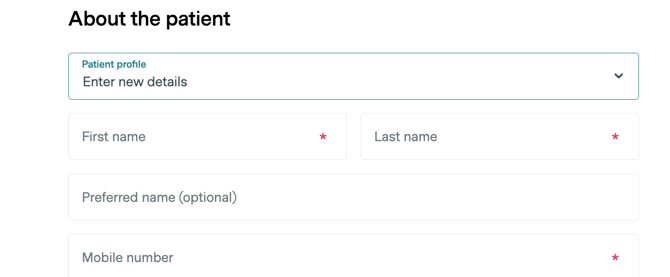
If you select Enter new details, the fields will be blank for you to write in the patient's details. This will also create a new patient profile with these details that you can then select from the drop-down next time you book.
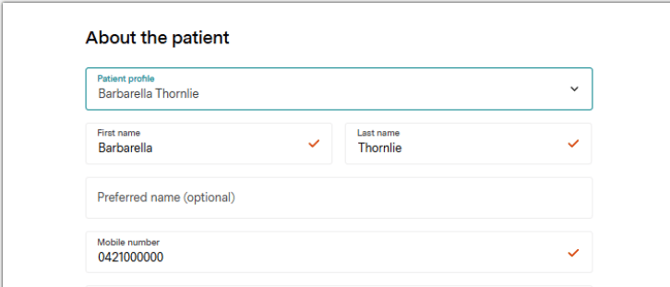
If you select one of your profiles, the fields will auto-populate with that profile's information.
You then complete the booking as you normally would.
Don't waste time entering your family members' details multiple times. Create profiles and make it even easier for you to book appointments on HealthEngine!
If you'd like to find out how to set up profiles for other people on your account, click here.