
Healthengine lets you take control of your health, allowing you to:
- Find trusted GPs, dentists, physios, specialists and more across Australia
- Book appointments 24/7, whenever is convenient for you
- Save all your health providers in one place for faster booking next time
- Find and book Telehealth appointments with online GPs and doctors
- Use our app to save your prescriptions
You will be able to download the Healthengine app from the Google Play Store and the Apple App Store.
For Google, the requirement is to have a system version that requires Android 7.0 and up.
For IOS/Apple, the requirement is to have a system version:
iPhoneRequires iOS 16.6 or later.
iPadRequires iPadOS 16.6 or later.
How to install the app on Android/Google phones:
To install an Android app, you primarily use the Google Play Store. Open the Play Store, search for the desired app, and tap "Install"
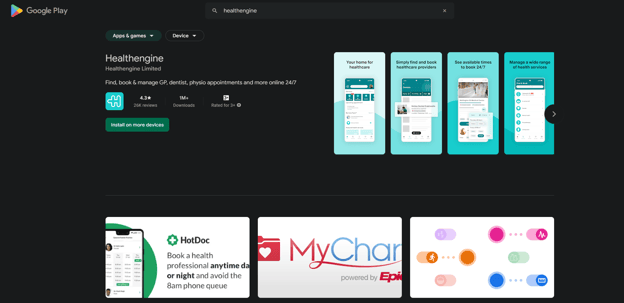
To install on an IOS/Apple phone:
To install an app on an iOS device, you need to use the App Store. Navigate to the App Store app, find the app you want, and then tap "Get"
You might need to authenticate with Face ID, Touch ID, or your passcode to complete the download.
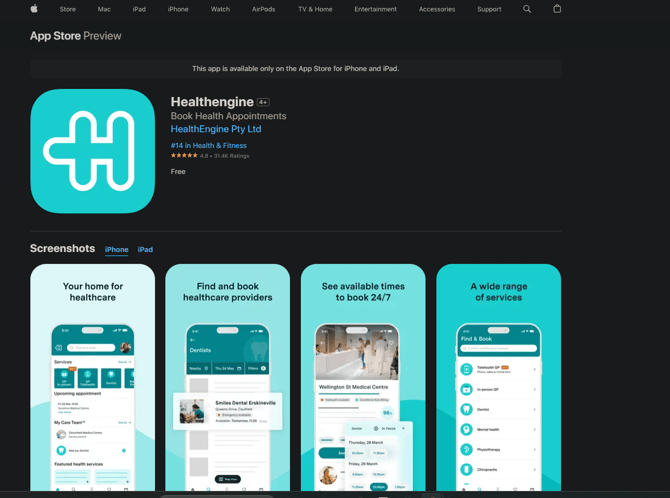
If you want to see how to create an account within your app, please click our guide: here
If you need to raise a suspected bug, please click our guide: here
How to uninstall the Healthengine App on Google/Android phones:
- To uninstall an app on an Android device, you can either use the Google Play Store or your device's settings. In the Play Store, find the app, tap on it, and then select "Uninstall".
- Alternatively, go to your device's settings, find "Apps" or "Application Manager", locate the app, and tap "Uninstall". Confirm your choice to remove the app.
How to uninstall the Healthengine App on IOS/Apple:
- To uninstall an app on an iPhone, you can either delete it directly from the Home Screen or through the iPhone's Settings app.
- From the Home Screen, touch and hold the app icon, tap "Remove App," then select "Delete App". Alternatively, go to Settings > General > iPhone Storage, select the app, and tap "Delete App".