
Telehealth gives you the ability to access healthcare online anywhere, anytime! Healthengine's Telehealth feature gives you the ability to book an online appointment with one of our chosen providers or with your local GP if they offer this.
Booking a Telehealth Appointment on our website with a Telehealth aggregator:
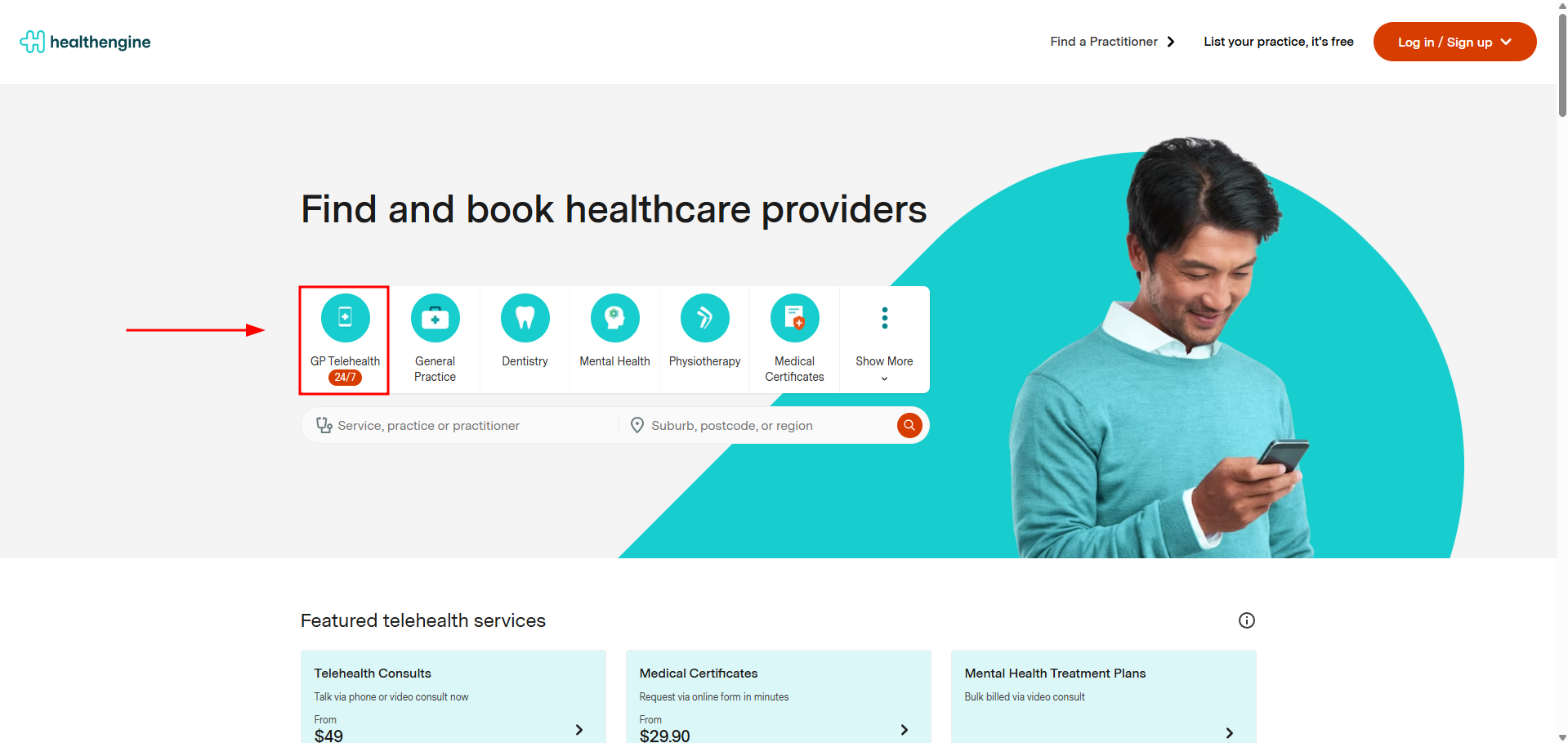
When visiting our Healthengine.com.au homepage, you can select the 'GP Telehealth button'.
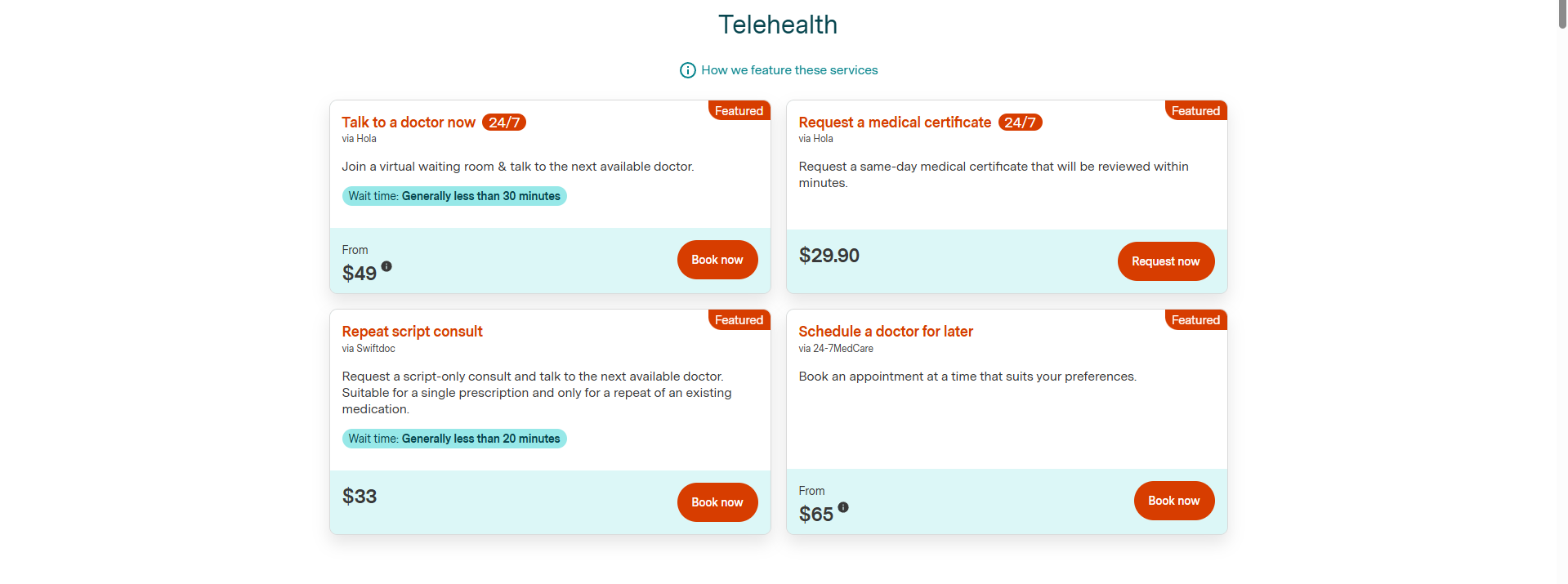
Under that category, you will see the current telehealth aggregator currently publishing through Healthengine.
Following this, select 'Book Now' and make a selection suitable for your needs and fill in the information required.
IMPORTANT: Please read carefully the information in relation to the service you are booking.
For support in relation to medical certificates, prescriptions or referrals not received from those telehealth aggregators, please contact them directly:
24-7 Medcare
-
Email: reception@24-7medcare.com.au
-
Phone: 139247
SwiftDoc
-
Website: http://swiftdoc.com
-
Email: admin@swiftdoc.com
-
Phone: 1800 794 383
Medmate
-
Website: https://medmate.com.au/
-
Email: clinic@medmate.au
-
Phone: 1300 858 909
Booking a Telehealth Appointment on our website with a specific GP:
This way, it will allow you to book a Telehealth appointment with your regular GP practice, but make sure you have had a face-to-face consultation with them in the last 12 months!
Alternatively, from the homepage, search for "General Practice" and include the suburb: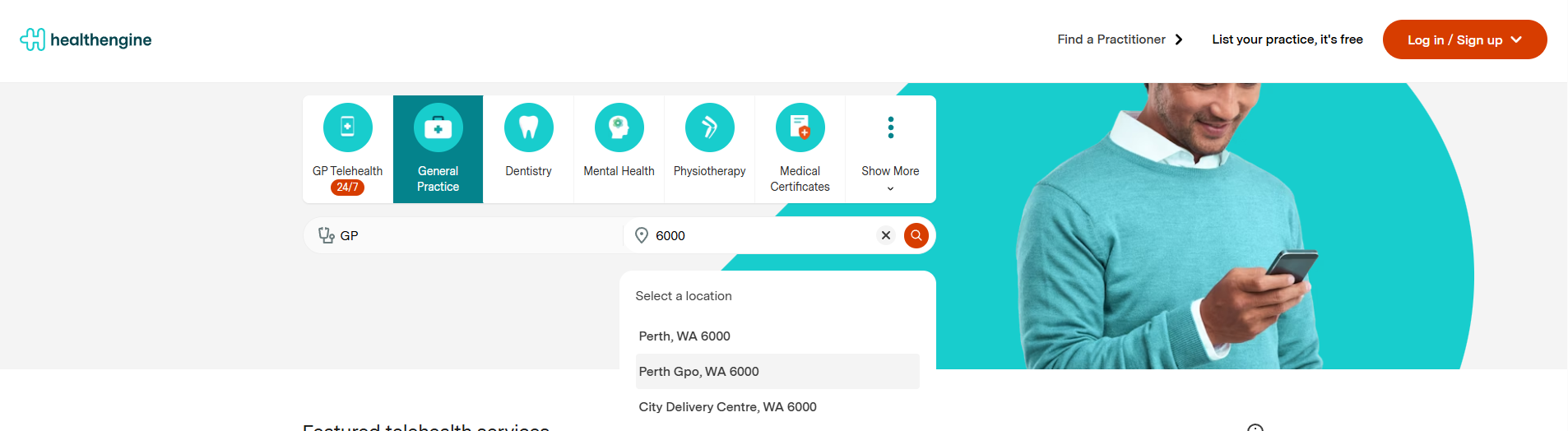
Select the filter "Telehealth" on the results page:
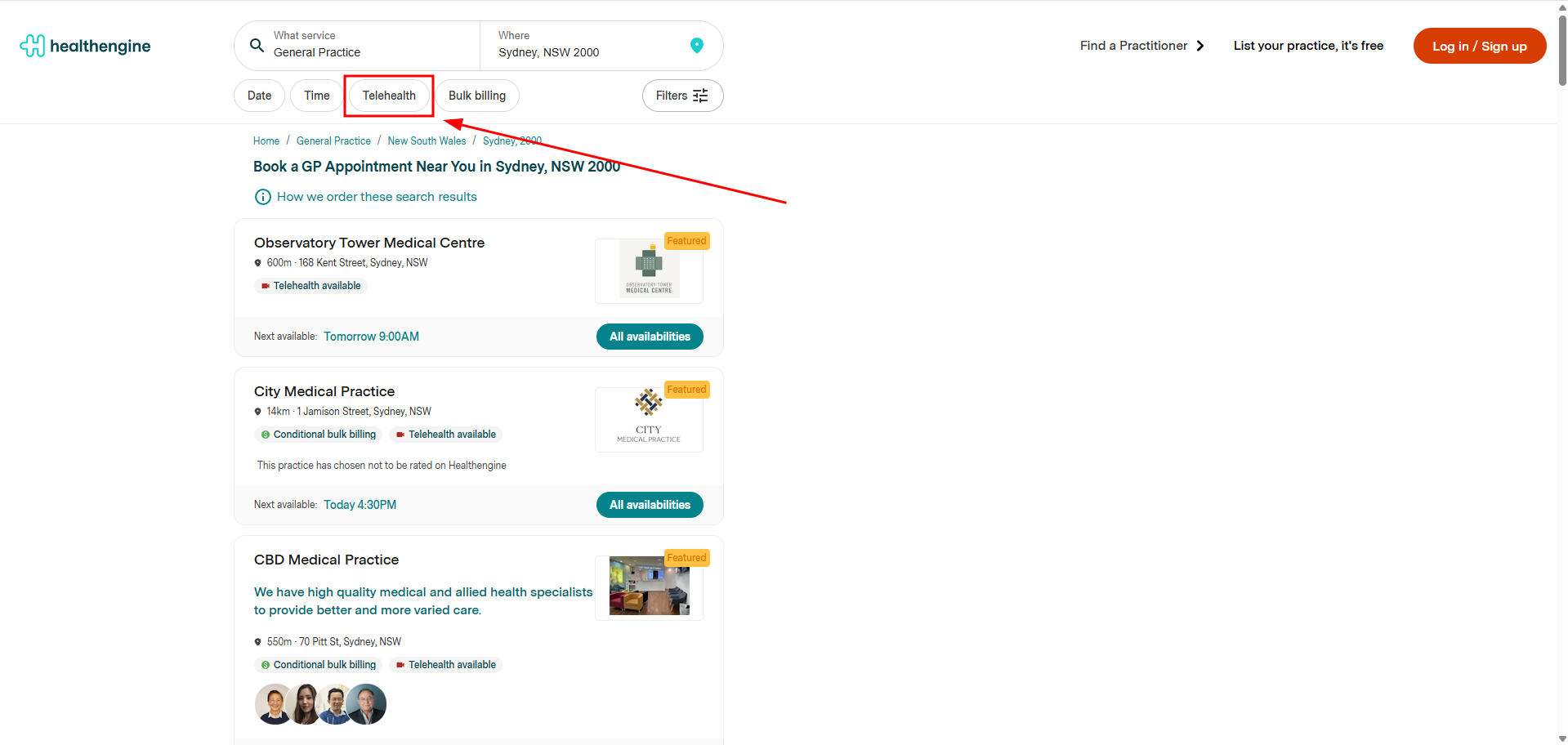
Please note: When going through the booking form, you will still need to select a Telehealth appointment type, as other appointment types may be offered.
Select a time and go through the booking flow: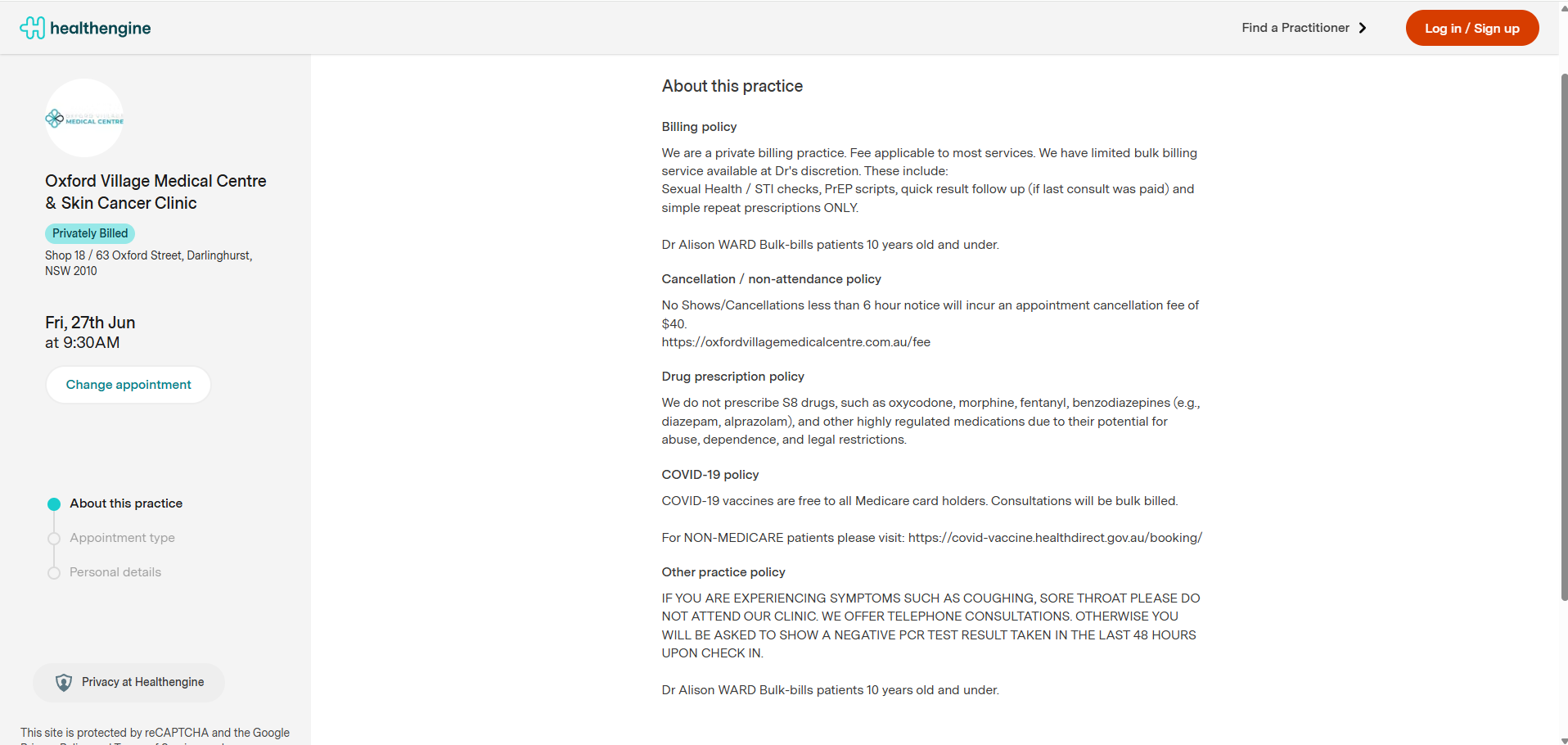
Fill in the information required, and you will be asked what type of appointment you are looking for:
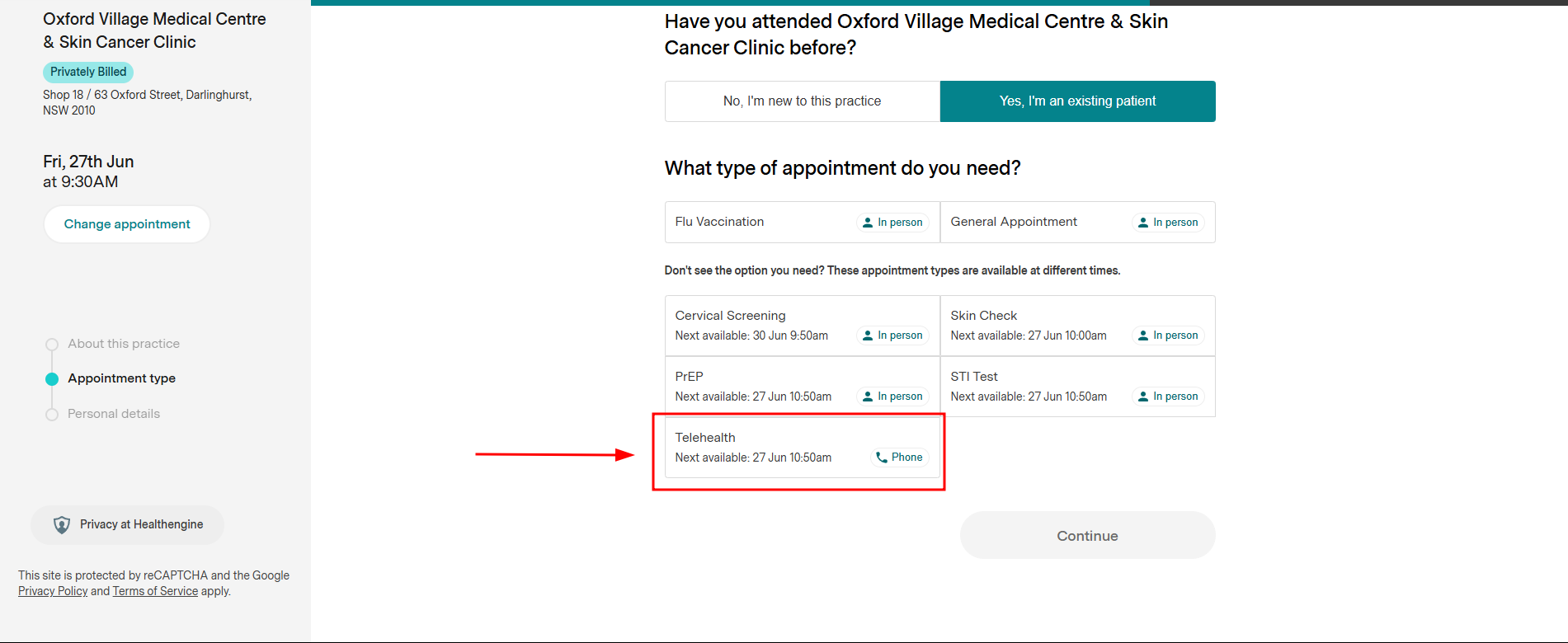
IMPORTANT: Like in this example, sometimes some appointment types may be available at a different time due to some practice settings, so make sure you are still happy with your selection!
Appointment time and appointment type may be selectable before or after, depending on the practice's settings.
Booking a Telehealth Appointment on our App with a Telehealth aggregator:
On the Healthengine App, you can also search for Telehealth appointments by selecting Find & Book at the bottom of the screen and clicking Telehealth.
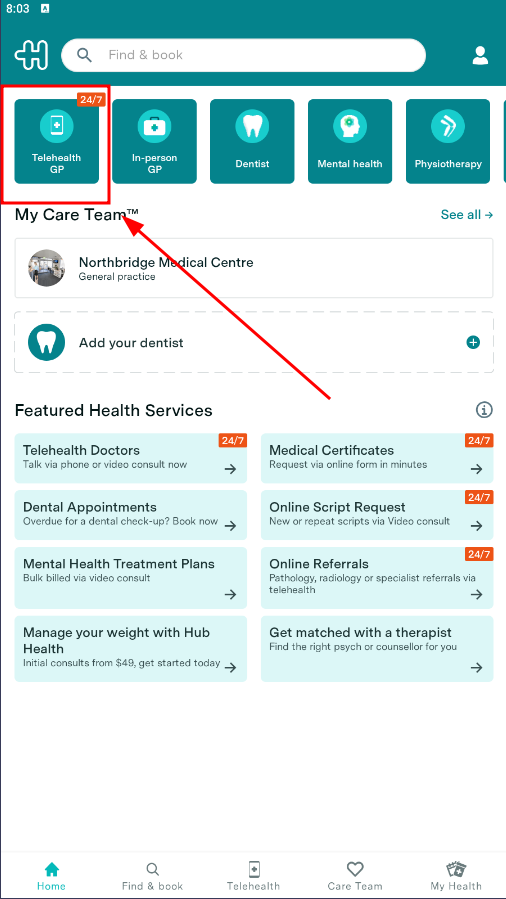
You'll then see the options available to you using our chosen Telehealth providers or searching for a practice via suburb, practice name or practitioner.
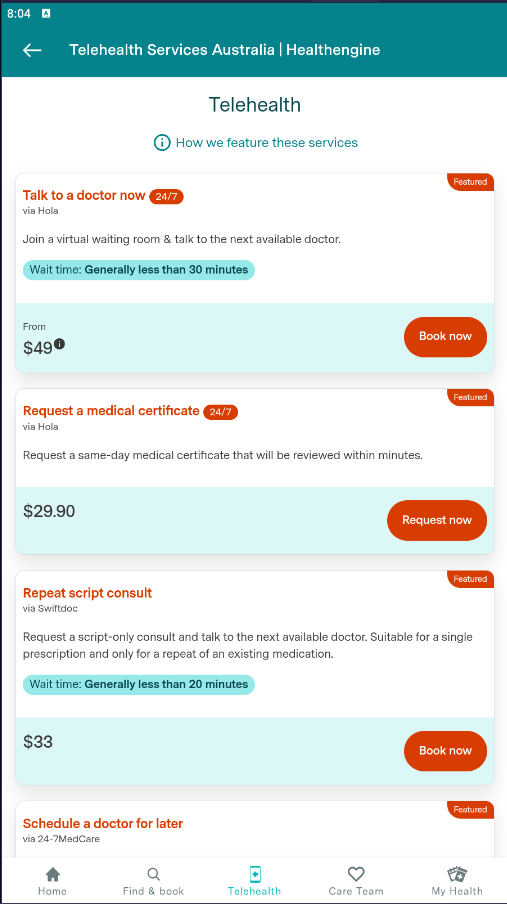
Please Note: Specialties other than GP may also offer Telehealth appointments, so for different specialties, look for the Telehealth flag in the regular search results.
Regarding Video Consults, if you book this appointment type, please be aware of the software requirements to perform the video consult. If your software does not support this, please use a device that does or book a phone consult instead. You can read about those requirements here.
For support in relation to medical certificates, prescriptions or referrals not received from those telehealth aggregators, please contact them directly:
24-7 Medcare
-
Email: reception@24-7medcare.com.au
-
Phone: 139247
SwiftDoc
-
Website: http://swiftdoc.com
-
Email: admin@swiftdoc.com
-
Phone: 1800 794 383
Medmate
-
Website: https://medmate.com.au/
-
Email: clinic@medmate.au
-
Phone: 1300 858 909