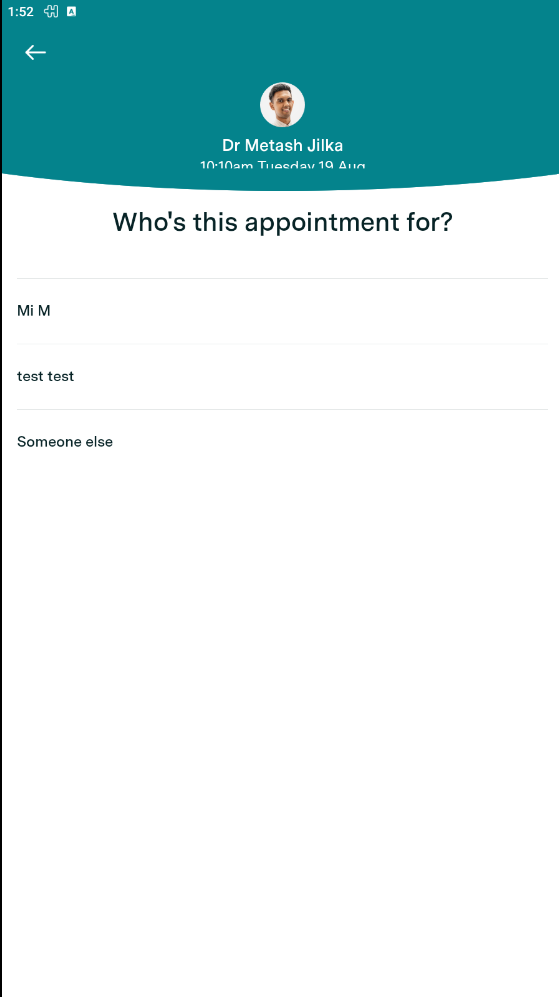
Yes - to save yourself from having to re-enter the details of your family member each time you book an appointment for them, we have enabled user accounts to have multiple profiles attached to them.
To do this, you must have an existing account with HealthEngine for yourself.
If you don't have an existing account, have a look at our guide: Creating and Updating your Healthengine Account - App
Once this is complete, it is then possible to create additional profiles for your family members.
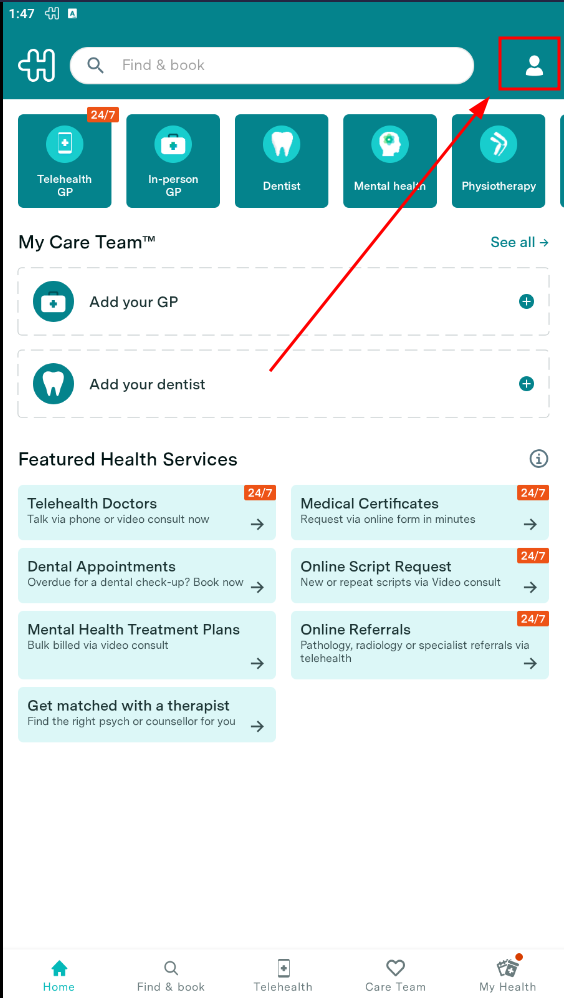
To do so, Simply login through your app, click on top right corner.
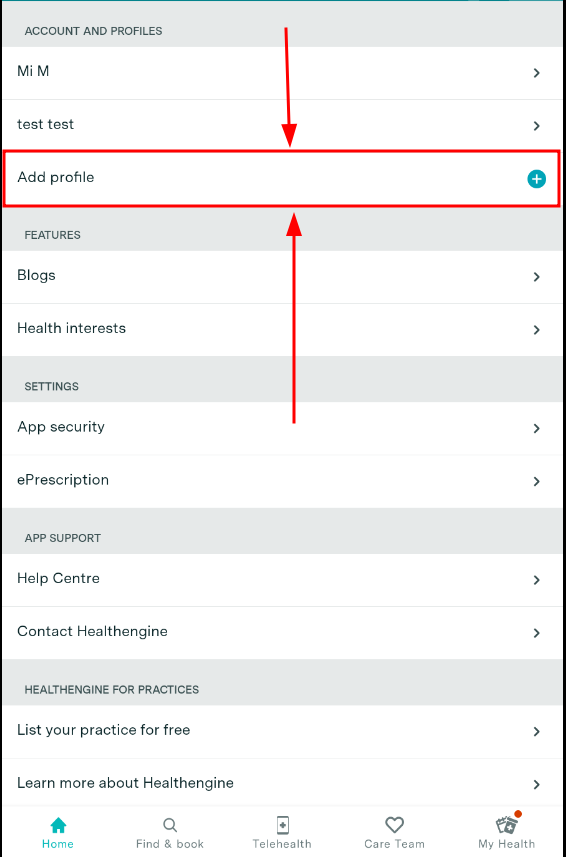
Select "Add Profile":
Include the relevant information:
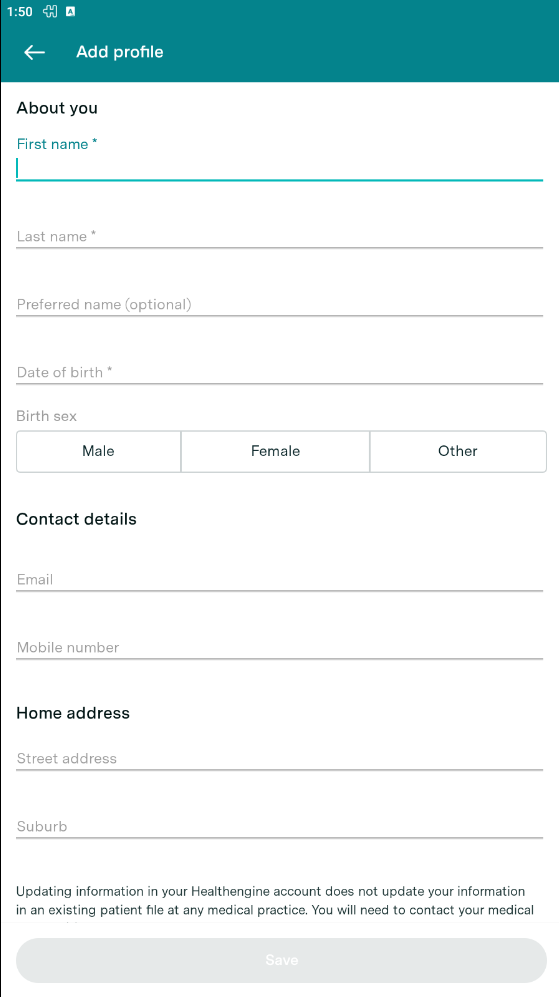
Fill in the details as prompted and ensure to click 'Save Profile' once you are done.
Now, whenever you make a booking, you can choose which profile/person you want to book the appointment for by clicking on the drop-down box that says 'Book this appointment for' (see image below).