
To create a Healthengine user account via the HealthEngine website, you will first need to access the website on your preferred browser (Google Chrome is recommended). You can do so by clicking here. Once you are on the website, you will see a red "Log in / Sign up" button at the top right of the screen.
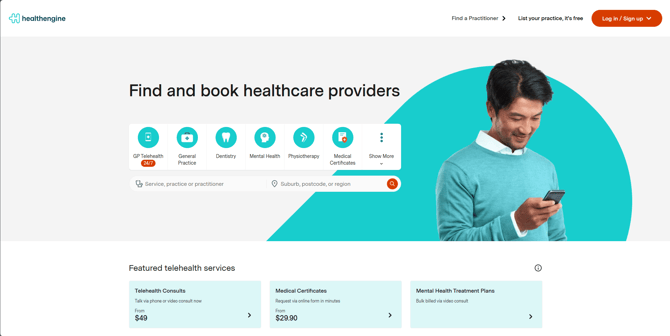
Click on the '"Log in / Sign up" button and subsequentially click on the sign up on the same line of the word patient.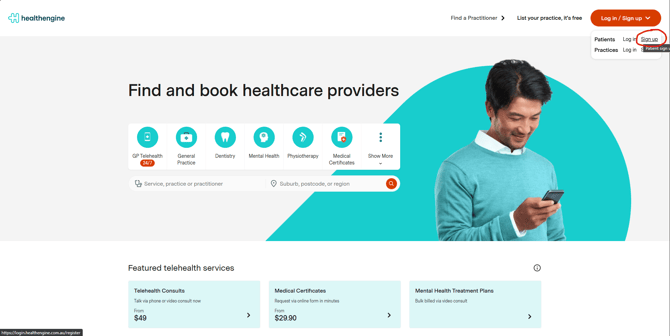
It will request if you want to continue using prefilled options, using Google, Facebook, Apple or simply an email.
Please note that if you are using Google, Facebook or Apple logins, some data will be prefilled.
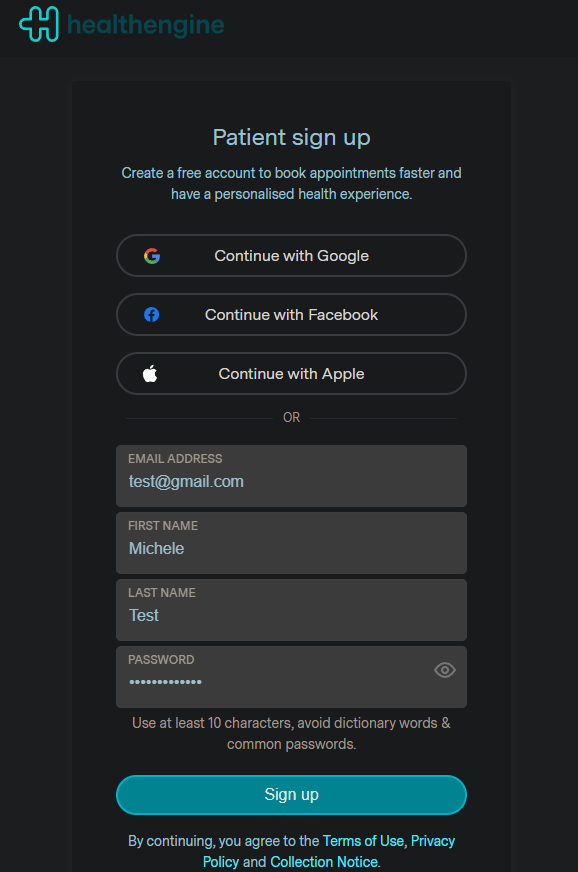
When clicking on continue with email you wll be required to provide email, full name and set up a password.
Once choosen the sign up method, your screen will show like this: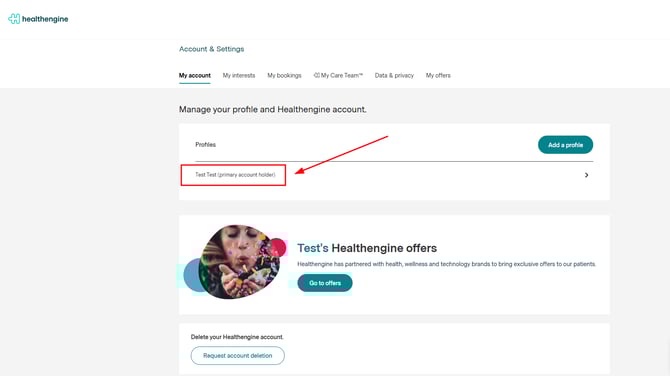
Click on the profile and you will be able to add the additional information missing. 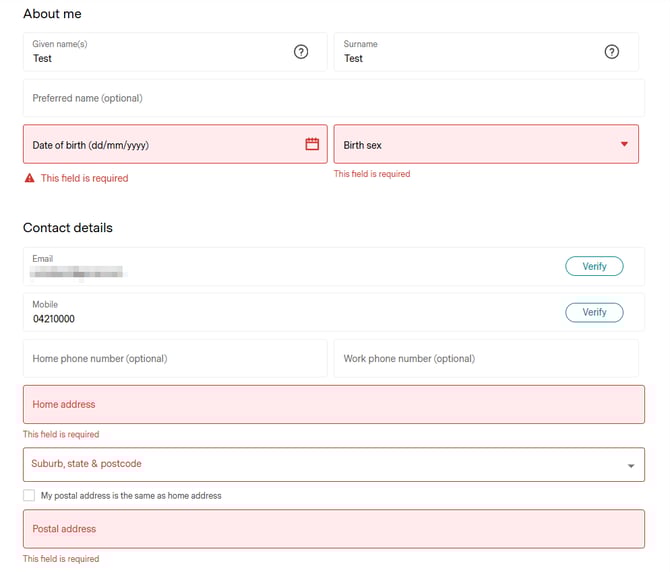
After your mobile number is verified and all your details have been added into the “About You” section your profile is complete and you can progress with making your bookings!
Below is an example of a complete Account Profile Set Up: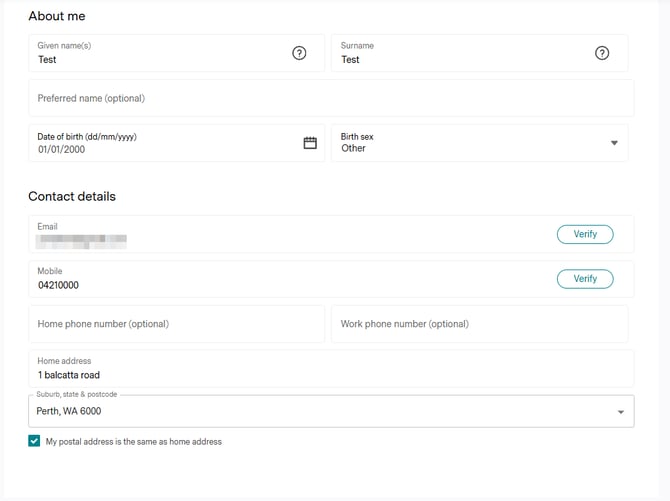
Once you have completed your profile, you can go back to the HealthEngine site and you will be able to see you are logged in. Where 'Sign In/Join' previously was, is where your name will be.