
How to delete any secondary profile within your account?
IMPORTANT: You cannot delete a primary user profile this way, only secondary users. If you are looking to delete the primary user, please follow the instructions under "Delete Account Request while logged in" below in this guide.
Meanwhile you are logged in the account, click on the upper right side icon: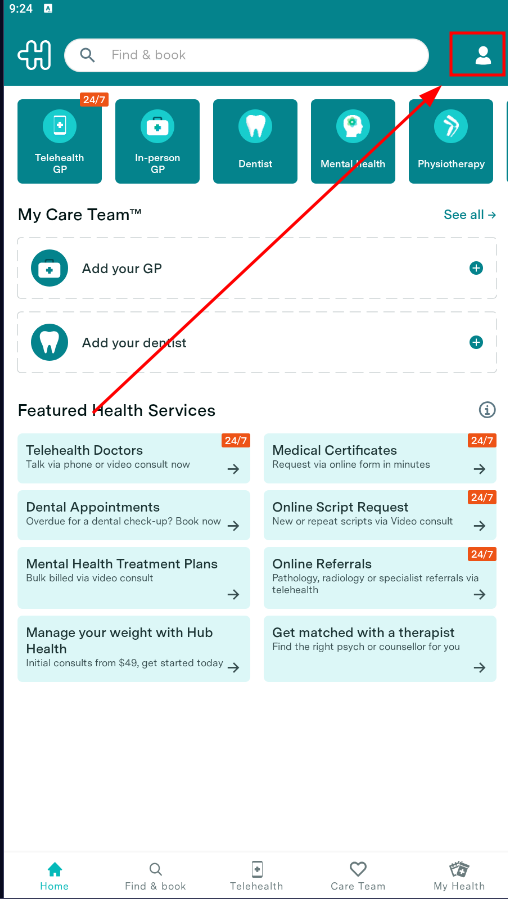
Select the secondary profile you wish to delete: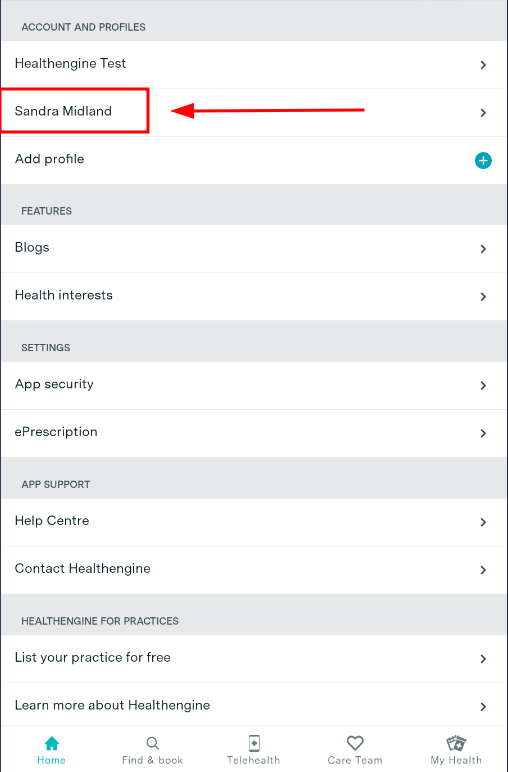
Click on the Bin icon displayed on the top right side: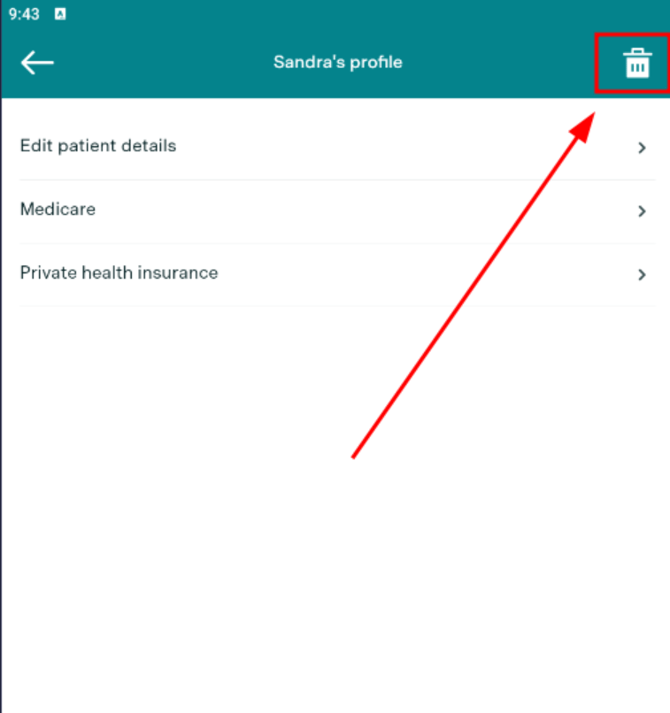
Confirm your decision and the profile will be cancelled.
Delete Account Request while logged in:
Simply log in to your account.
Once logged in, click on the upper right side icon:
Scroll down until you see the last option "Delete profile" and confirm your decision.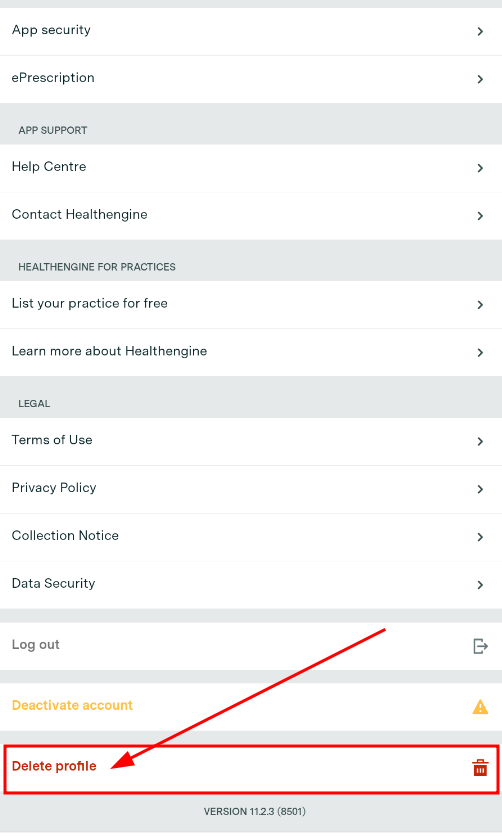
Your request will be submitted to the system and once the deletion is processed, you will receive an email confirmation
IMPORTANT: Please note that it may require 24-48 hours for the system to send the email confirmation.
Deletion Request via email:
If by any chance, you cannot perform the deletion of the account via app or website, please reach out to the email:
privacyofficer@healthengine.com.au