
What is My Care Team?
My Care Team is a feature available only when you are logged in to your account, which allows you to save a preferred practitioner or practice for faster future bookings!
How to add a practitioner or practice via the Healthengine app
There are two methods you can use to add a practitioner or practice to your My Care Team through the Healthengine app.
Firstly, you can search for your usual practitioner or practice using our helpful search bar at the top of the app as seen below:
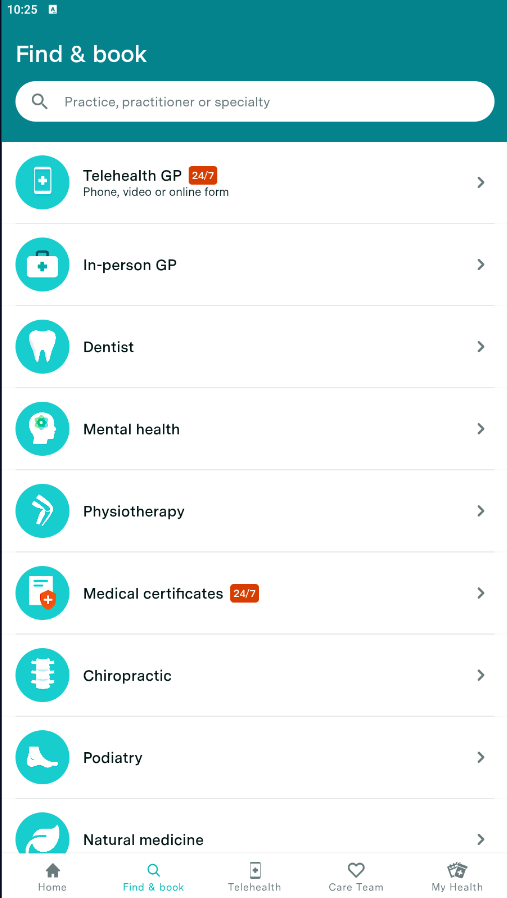
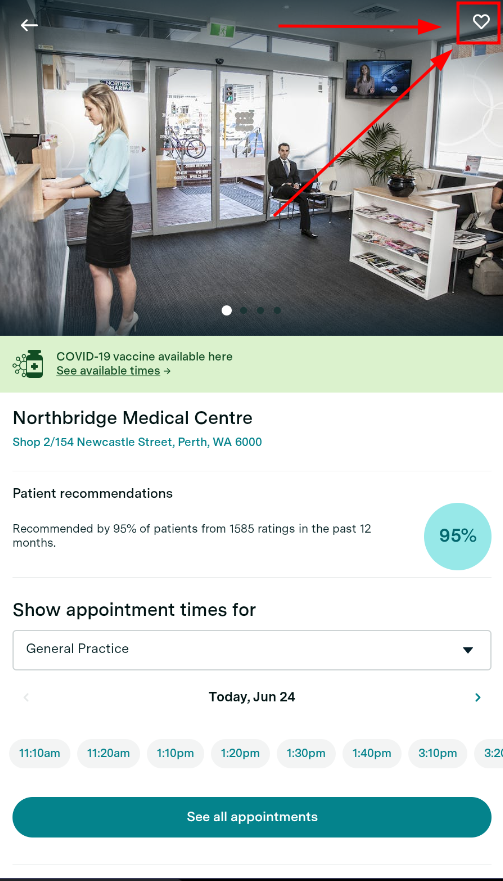
Once you've found your practitioner or practice, select their name to bring up their Healthengine profile then tap the heart in the top right-hand corner to add to your My Care Team.
Please note: The heart will turn white and a notification will appear when successfully added!
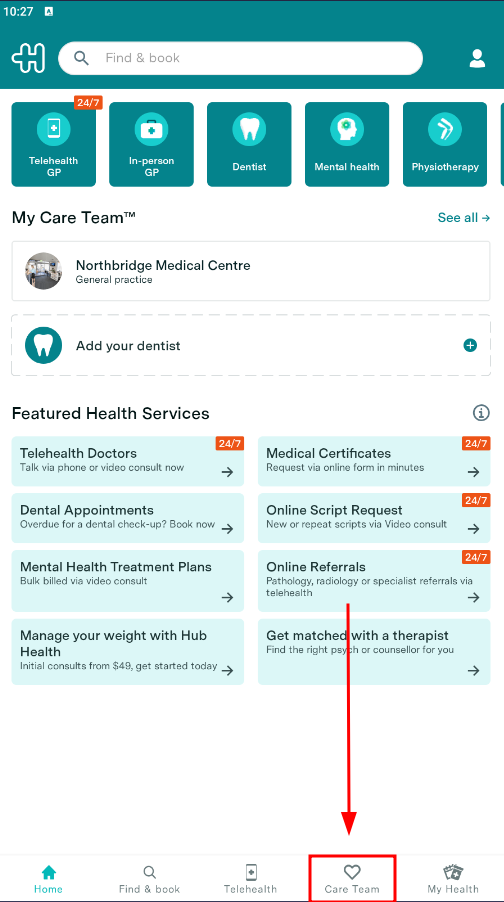
Another way to add a practitioner or practice to your My Care Team is to scroll down to the My Care Team section within the app and select the box shown below.
You can then use the search bar again to find and favourite your practitioners and practices quicker!
How to remove a practitioner or practice from My Care Team
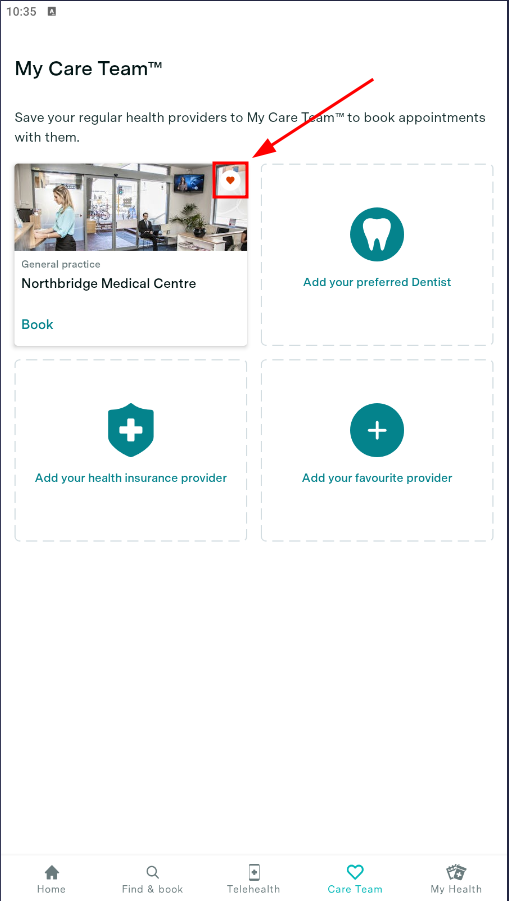
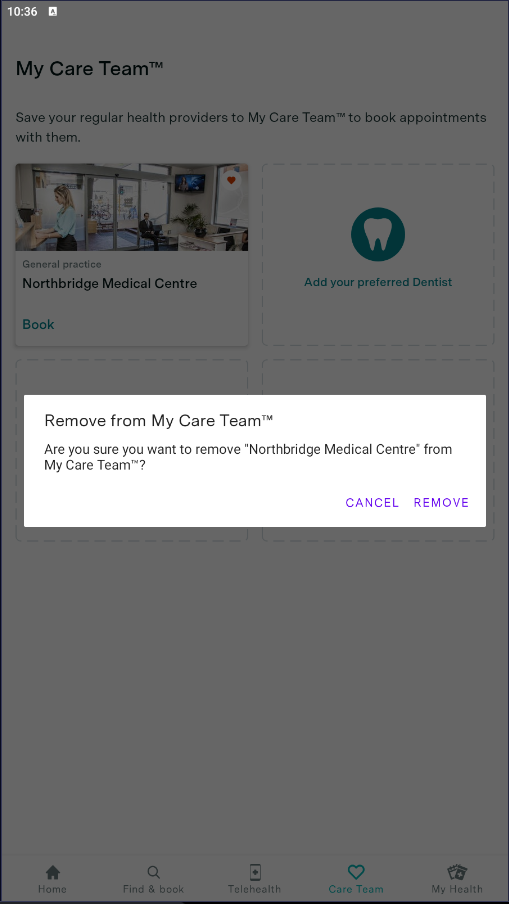
If you wish to remove a practitioner or practice from your My Care Team section, simply tap the heart icon again.
If successful, a confirmation alert will appear on your screen as seen below.
If you are experiencing issues with this functionality, please follow the instructions on "How to raise a Bug within the app"