
How to verify an email address on the website?
You can only verify and change your email on the website.
1. Go to https://healthengine.com.au
2. Log in to your account with your email address and password
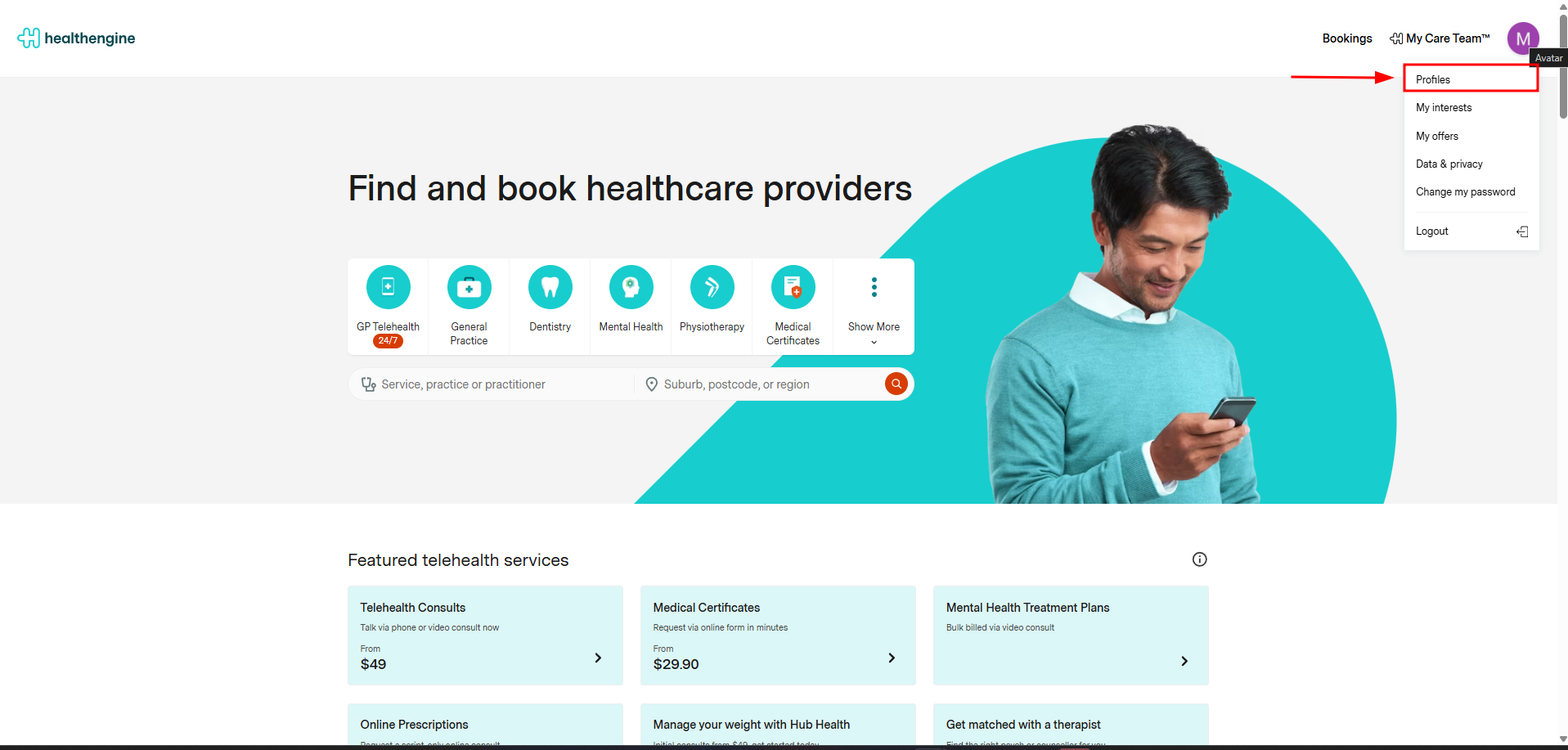
3. Upon logging into your account successfully, click on the top right side icon with your initials and select "Profiles".
Select the profile (only the main profile email can be verified), and click on the box for email, and a pop-up will appear:
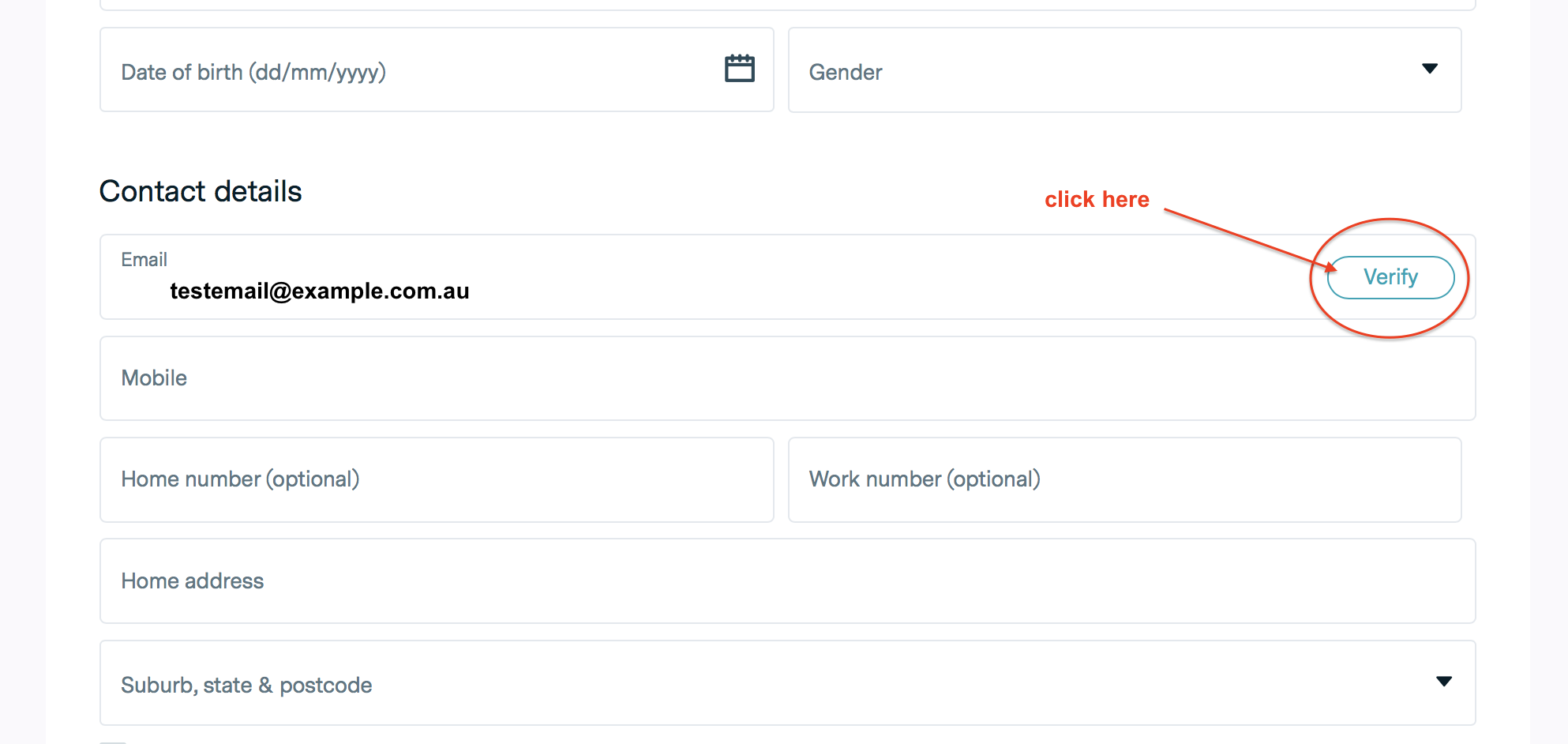
This triggers an email to be sent to your email address with a link in it that, once clicked, will verify your email address.
How to change your email address on the website?
1. Go to https://healthengine.com.au
2. Log in to your account with your old email address and password
3. Upon logging into your account successfully, click on the top right side icon with your initials and select "Profiles".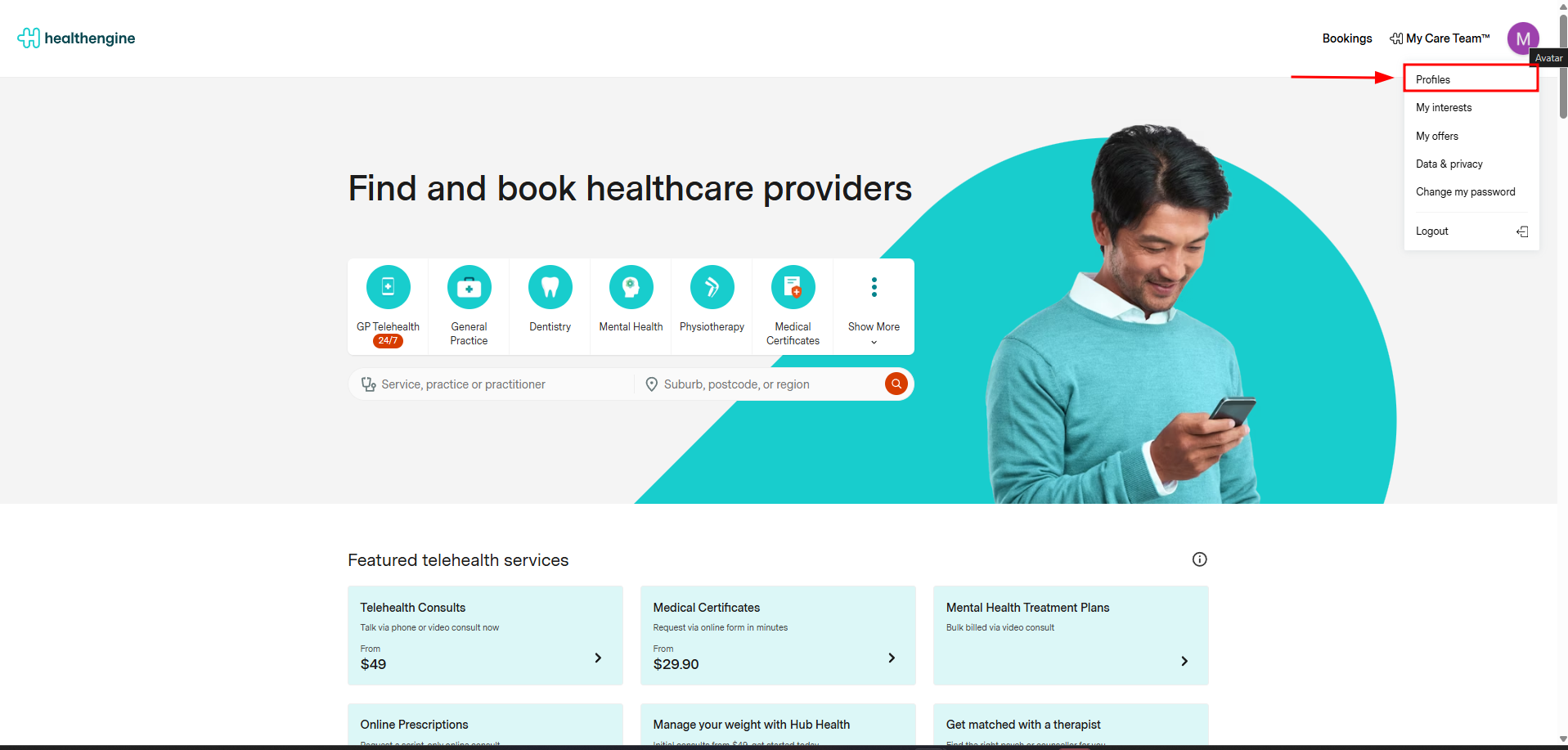
Click on the relevant profile:
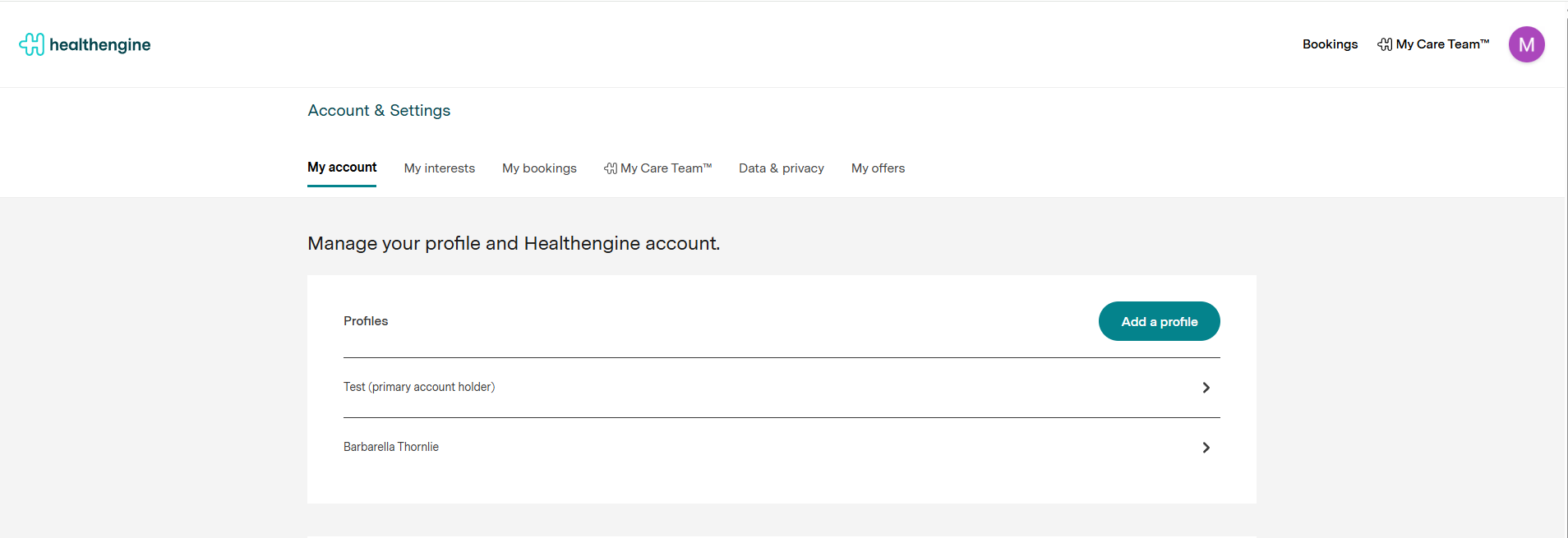
4. Under "Contact Details", there will be an email address box. If editing the primary account holder's profile, within this box, there will be a button which says either VERIFIED or UNVERIFIED
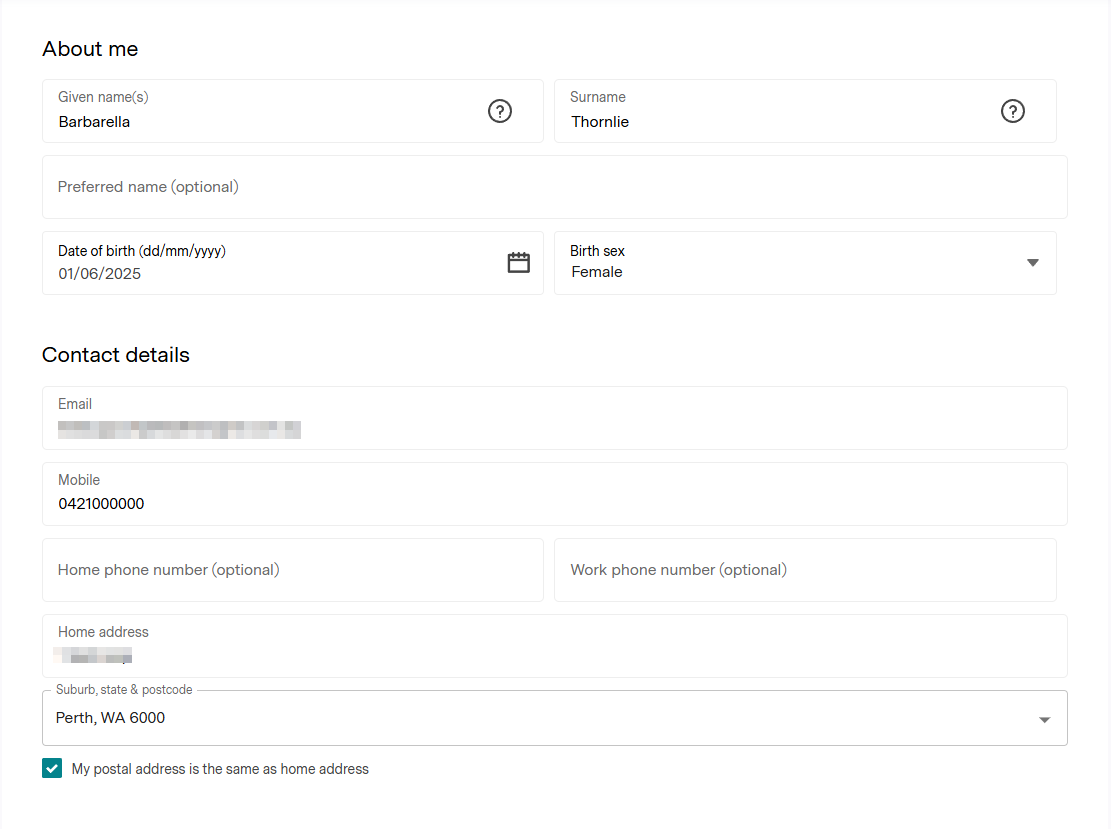
5. Click anywhere on this email box, and a small pop-up box will appear with "Change email address"
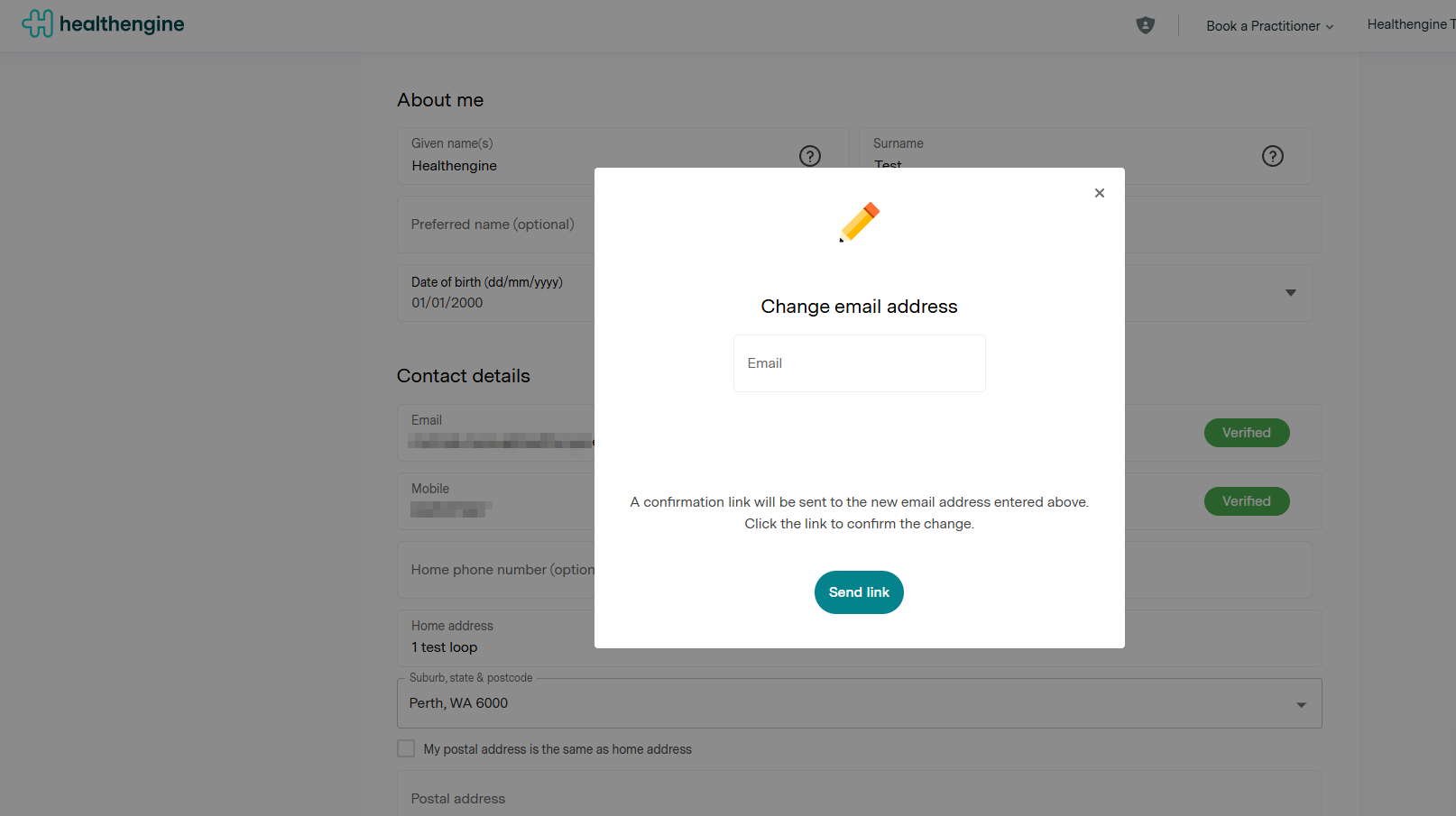
6. Upon entering the new email address, you will then need to click on "Send Link", and a verification email will be sent to that email address for you to confirm and proceed with the changeover to your new email address.
Once you have successfully verified the changeover and saved the updated details to your account, this will sync and reflect within the app and on the website. If it does not sync immediately on the app, try closing the app and reopening it.
Please note that updating your details on Healthengine will not update your patient file at any practices you have booked with in the past. You should also contact your practice directly to ensure that your patient file is up to date, as that will ensure any practice-powered communication from us is sent to your new contact details.
IMPORTANT: We are unable to access or edit a personal private account for privacy reasons. If you are unable to change the email to the new one, please make sure you haven't created an account under that email/have a secondary user under that email.