
How to request them?
Your medical practice will be responsible for your booking refund and for the cancellation fee policy.
If you need to request a refund, please reach out to your medical practice directly using the contact details you will find on your booking confirmation email you received at the time of the booking.
IMPORTANT: We are unable to refund a patient on a practice's behalf; this can only be done by the practice via its secure portal.
Please note that if you experienced an error in the booking form but were charged anyway, this will likely show on your online banking as a pending payment.
In these instances, there is no need to contact the practice, and the payment will return to your account automatically within a 5-10 business day processing time.
You can find in this guide how to find the contact details of your medical practice: here
Refunds Process from the practice perspective:
If your medical practice has deemed your booking eligible for a refund, and they would like to submit a patient refund request:
Step 1:
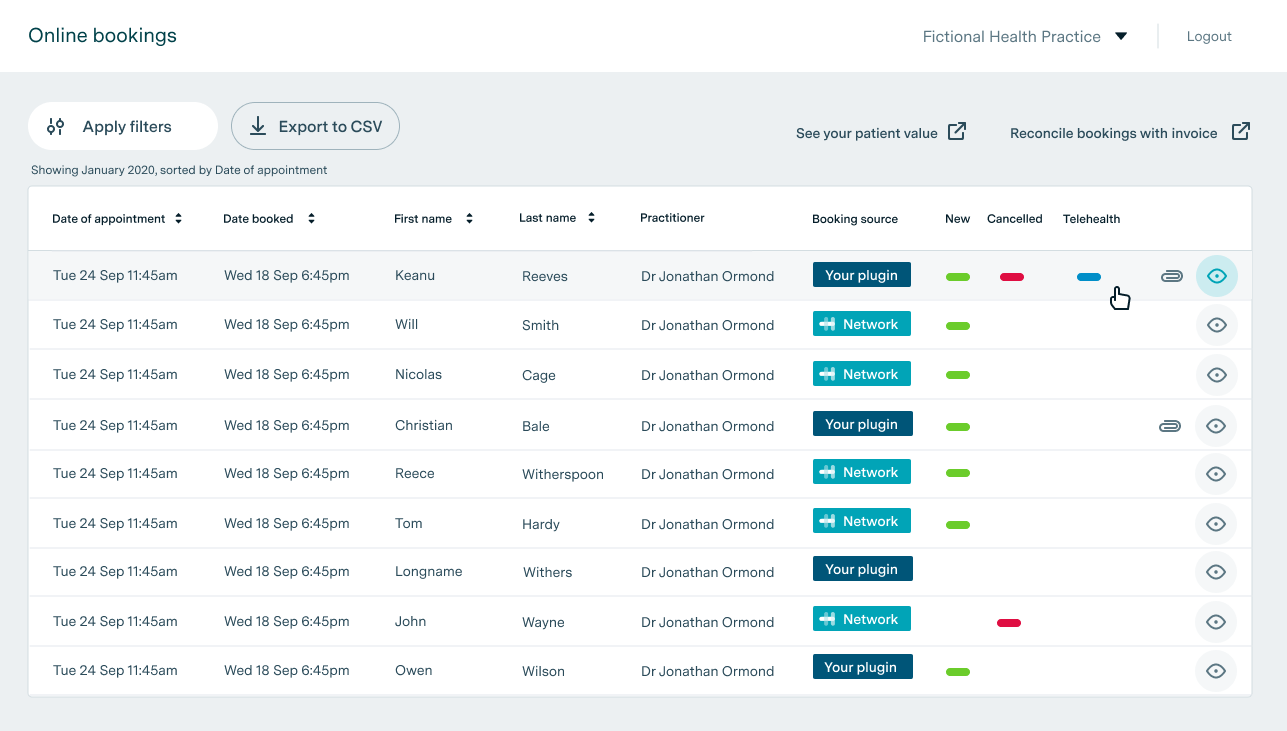
In the Bookings table in Practice Admin, click on the eye icon to the right of the booking for which a refund is being requested to open the booking details screen.
Step 2:
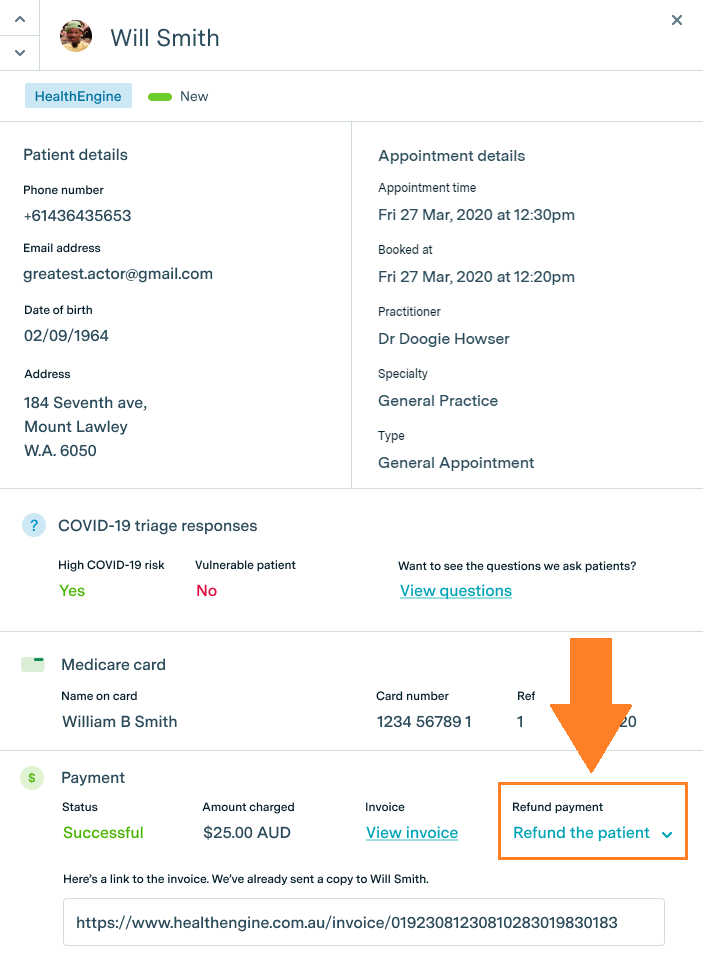
In the booking details screen, click on the "Refund the patient" link to the right of the "Payment" section at the bottom of the screen.
Step 3:
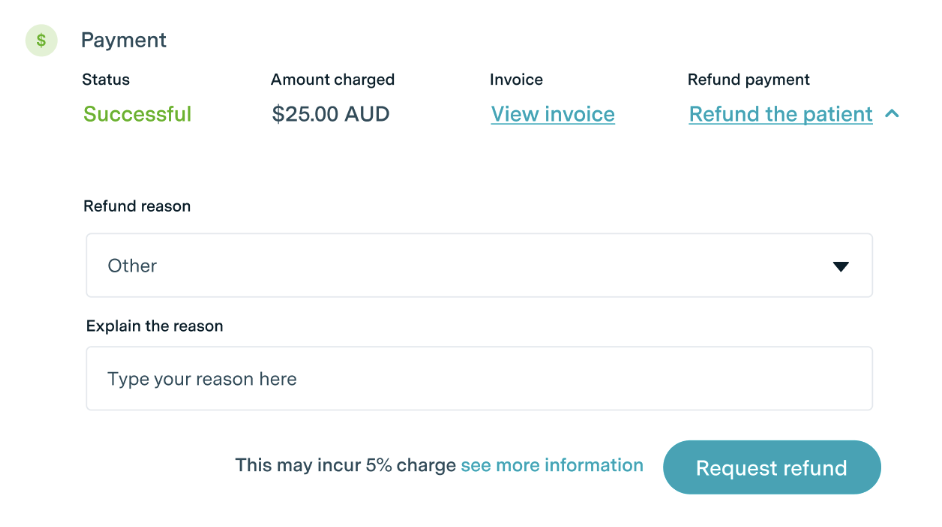
Select a refund reason from the drop-down menu.
For all reasons except "Other", the Healthengine Service Fee charged to your practice is non-refundable unless the reason for the refund request can be attributed to Healthengine service.
The refunds will be processed automatically within 5-10 business days.
If a refund request is required due to Healthengine's inability to provide the service, please select the 'Other' option and provide the relevant details in the free text box that appears. Our team will review your response and determine if it meets the criteria and, if so, will refund the Service Fee in addition to the patient's payment. Once complete, the refund will be processed automatically within 5-10 business days.
Step 4:
Click the "Request refund" button.
After your refund request is submitted, you will see the payment 'Status' change from 'Successful' to "Refund pending". Once the refund is complete, the payment's status will change to "Refunded".